-
使用MotionLayout实现模拟启动页动画和轮播图
源码在这里: 源码链接
本文是用java写的效果图展示
下面是本博客我使用真机所实现的功能展现,方便大家根据自身需求自取启动页效果

轮播图效果

MotionLayout详解
准备工作
想要实现
MotionLayout,第一步就是使用ConstraintLayout布局,然后将其一键转换,就可以得到MotionLaout布局和其对应的scene文件
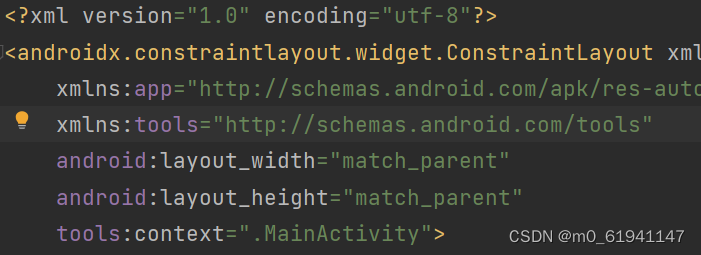
点击下图的
Convert to MotionLayout就可以得到一个MotionLayout布局,
这里注意了,原先的ConstrainLayout布局中的组件的顺序是有意义的,在后续scene的文件中是根据这里面的顺序进行排布的。

转换完成后,你就会得到一个这样的MotionLayout布局的activity_main.xml

以及一个大致长这样的activity_main_scene.xml

正题
首先将你所要放入的组件先放入到你的
MotionLaout中,下面是我的主页面的MotionLayout中的内容<androidx.constraintlayout.motion.widget.MotionLayout xmlns:android="http://schemas.android.com/apk/res/android" xmlns:app="http://schemas.android.com/apk/res-auto" xmlns:tools="http://schemas.android.com/tools" android:layout_width="match_parent" android:layout_height="match_parent" app:layoutDescription="@xml/activity_main_scene"> <pl.droidsonroids.gif.GifImageView android:id="@+id/gifImv1" android:layout_width="200dp" android:layout_height="200dp" android:layout_weight="1" android:scaleType="fitXY" android:src="@drawable/d320c53c8d16cda0b7431627e897d2b2" app:layout_constraintBottom_toBottomOf="@id/g7" app:layout_constraintLeft_toLeftOf="@id/g3" app:layout_constraintRight_toRightOf="@id/g4" app:layout_constraintTop_toTopOf="@id/g7" /> <androidx.constraintlayout.widget.Guideline android:id="@+id/g1" android:layout_width="wrap_content" android:layout_height="wrap_content" android:orientation="vertical" app:layout_constraintGuide_percent="0.2" /> <androidx.constraintlayout.widget.Guideline android:id="@+id/g2" android:layout_width="wrap_content" android:layout_height="wrap_content" android:orientation="vertical" app:layout_constraintGuide_percent="0.4" /> <androidx.constraintlayout.widget.Guideline android:id="@+id/g3" android:layout_width="wrap_content" android:layout_height="wrap_content" android:orientation="vertical" app:layout_constraintGuide_percent="0.6" /> <androidx.constraintlayout.widget.Guideline android:id="@+id/g4" android:layout_width="wrap_content" android:layout_height="wrap_content" android:orientation="vertical" app:layout_constraintGuide_percent="0.8" /> <androidx.constraintlayout.widget.Guideline android:id="@+id/g5" android:layout_width="wrap_content" android:layout_height="wrap_content" android:orientation="horizontal" app:layout_constraintGuide_percent="0.5" /> <androidx.constraintlayout.widget.Guideline android:id="@+id/g6" android:layout_width="wrap_content" android:layout_height="wrap_content" android:orientation="vertical" app:layout_constraintGuide_percent="1" /> <androidx.constraintlayout.widget.Guideline android:id="@+id/g7" android:layout_width="wrap_content" android:layout_height="wrap_content" android:orientation="horizontal" app:layout_constraintGuide_percent="0.8"/> <androidx.constraintlayout.utils.widget.ImageFilterView android:id="@+id/img1" android:layout_width="10dp" android:layout_height="10dp" android:src="@drawable/img1" android:visibility="invisible" app:layout_constraintBottom_toBottomOf="parent" app:layout_constraintLeft_toLeftOf="parent" app:layout_constraintRight_toRightOf="parent" app:layout_constraintTop_toTopOf="parent" /> <androidx.constraintlayout.utils.widget.ImageFilterView android:id="@+id/img2" android:layout_width="10dp" android:layout_height="10dp" android:src="@drawable/img2" android:visibility="invisible" app:layout_constraintBottom_toBottomOf="parent" app:layout_constraintLeft_toLeftOf="parent" app:layout_constraintRight_toRightOf="parent" app:layout_constraintTop_toTopOf="parent" /> <androidx.constraintlayout.utils.widget.ImageFilterView android:id="@+id/img3" android:layout_width="10dp" android:layout_height="10dp" android:src="@drawable/img3" android:visibility="invisible" app:layout_constraintBottom_toBottomOf="parent" app:layout_constraintLeft_toLeftOf="parent" app:layout_constraintRight_toRightOf="parent"- 1
- 2
- 3
- 4
- 5
- 6
- 7
- 8
- 9
- 10
- 11
- 12
- 13
- 14
- 15
- 16
- 17
- 18
- 19
- 20
- 21
- 22
- 23
- 24
- 25
- 26
- 27
- 28
- 29
- 30
- 31
- 32
- 33
- 34
- 35
- 36
- 37
- 38
- 39
- 40
- 41
- 42
- 43
- 44
- 45
- 46
- 47
- 48
- 49
- 50
- 51
- 52
- 53
- 54
- 55
- 56
- 57
- 58
- 59
- 60
- 61
- 62
- 63
- 64
- 65
- 66
- 67
- 68
- 69
- 70
- 71
- 72
- 73
- 74
- 75
- 76
- 77
- 78
- 79
- 80
- 81
- 82
- 83
- 84
- 85
- 86
- 87
- 88
- 89
- 90
- 91
- 92
- 93
- 94
- 95
- 96
- 97
- 98
- 99
- 100
-
相关阅读:
HCIP练习02(OSPF)
【C++】C++ 语言对 C 语言的加强 ③ ( 类型检查增强 - 所有函数和变量必须有类型 | 新增 bool 类型 - bool 类型简介 )
2014-2020年国有大型商业银行和全国股份制商业银行绿色信贷数据
【设计模式】Java设计模式 - 迭代器模式
百趣代谢组学文献分享:茶褐素可促进胆固醇降解
树--搜索二叉树
Java集成支付宝沙箱支付,详细教程(SpringBoot完整版)
【博客492】使用iptables trace跟踪iptables流量
锂电池UN38.3认证是什么?什么是运输鉴定报告?
深入理解MySQL:数据类型、查询优化、索引、事务处理和数据备份与恢复
- 原文地址:https://blog.csdn.net/fjnu_se/article/details/128151269
