-
Mybatis:Mybatis的各种查询功能(5)
Mybaits笔记框架:https://blog.csdn.net/qq_43751200/article/details/128154837
Mybatis中文官方文档: https://mybatis.org/mybatis-3/zh/index.html1. 查询一个实体类对象
SelectMapper接口
/** * 根据用户id查询用户信息 注意:resultType="User" * @param id * @return */ User getUserById(@Param("id") int id);- 1
- 2
- 3
- 4
- 5
- 6
- 7
SelectMapper.xml
<select id="selectById" resultType="User"> select * from t_user where id = #{id}; select>- 1
- 2
- 3
- 4
- 5
测试方法
@Test public void testSelectById(){ SqlSession sqlSession = SqlSessionFactoryUtils.getSqlSession(); SelectMapper selectMapper = sqlSession.getMapper(SelectMapper.class); User user = selectMapper.selectById(18); System.out.println(user); sqlSession.close(); }- 1
- 2
- 3
- 4
- 5
- 6
- 7
- 8

2. 查询一个List集合
SelectMapper接口
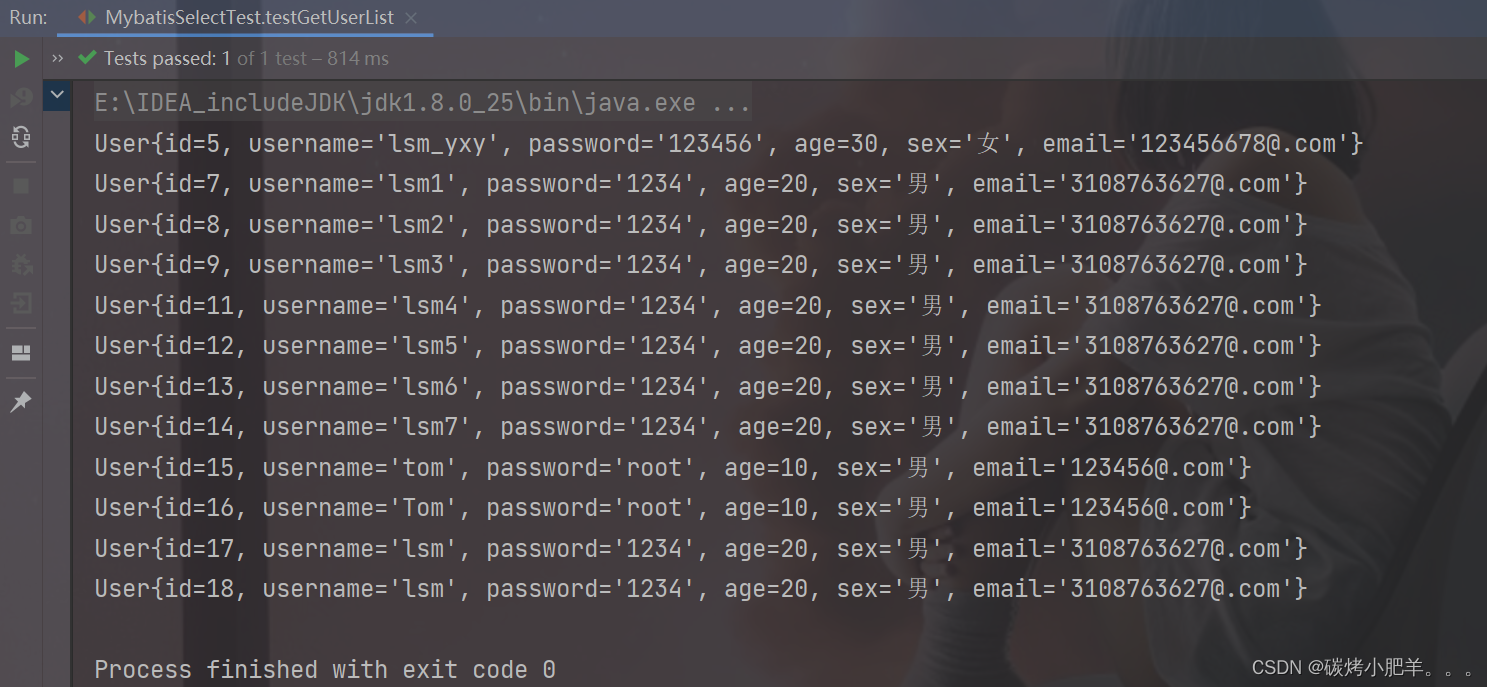
/** * 查询所有用户信息 * 注意:resultType="User", 指定泛型 * @return */ List<User> getUserList();- 1
- 2
- 3
- 4
- 5
- 6
SelectMapper.xml
<select id="getUserList" resultType="User"> select * from t_user; select>- 1
- 2
- 3
- 4
测试方法
@Test public void testGetUserList(){ SqlSession sqlSession = SqlSessionFactoryUtils.getSqlSession(); SelectMapper selectMapper = sqlSession.getMapper(SelectMapper.class); List<User> userList = selectMapper.getUserList(); for(User user : userList){ System.out.println(user); } sqlSession.close(); }- 1
- 2
- 3
- 4
- 5
- 6
- 7
- 8
- 9
- 10
3. 查询单个数据
SelectMapper接口
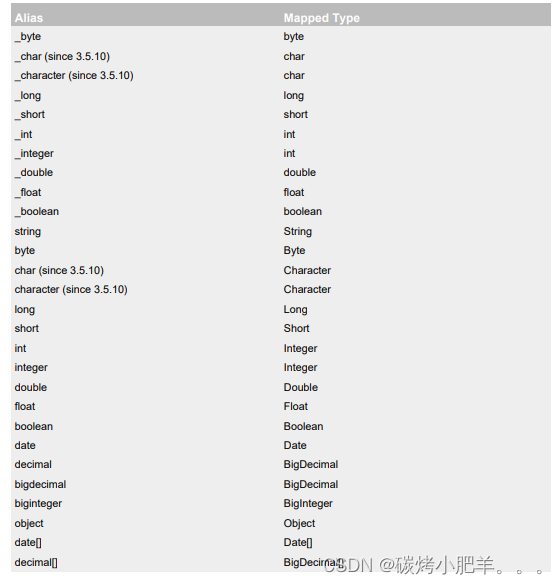
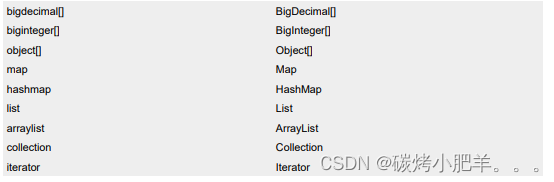
/** * 查询用户的总记录数 * @return * 在MyBatis中,对于Java中常用的类型都设置了类型别名 * 例如:java.lang.Integer-->int|integer * 例如:int-->_int|_integer * 例如:Map-->map,List-->list */ int getCount();- 1
- 2
- 3
- 4
- 5
- 6
- 7
- 8
- 9
SelectMapper.xml
<select id="getCount" resultType="int"> select count(id) from t_user; select>- 1
- 2
- 3
- 4
测试方法
@Test public void testGetCount(){ SqlSession sqlSession = SqlSessionFactoryUtils.getSqlSession(); SelectMapper selectMapper = sqlSession.getMapper(SelectMapper.class); int count = selectMapper.getCount(); System.out.println("t_user表中一共有" + count + "条数据"); sqlSession.close(); }- 1
- 2
- 3
- 4
- 5
- 6
- 7
- 8

4. 查询一条数据为map集合
SelectMapper接口
/** * 根据用户id查询用户信息为map集合 * @param id * @return */ Map<String, Object> getUserToMap(@Param("id") int id);- 1
- 2
- 3
- 4
- 5
- 6
SelectMapper.xml
<select id="getUserToMap" resultType="map"> select * from t_user where id = #{id} select>- 1
- 2
- 3
- 4
测试方法
@Test public void testGetUserToMap(){ SqlSession sqlSession = SqlSessionFactoryUtils.getSqlSession(); SelectMapper selectMapper = sqlSession.getMapper(SelectMapper.class); Map<String, Object> userToMap = selectMapper.getUserToMap(18); System.out.println(userToMap); sqlSession.close(); }- 1
- 2
- 3
- 4
- 5
- 6
- 7
- 8

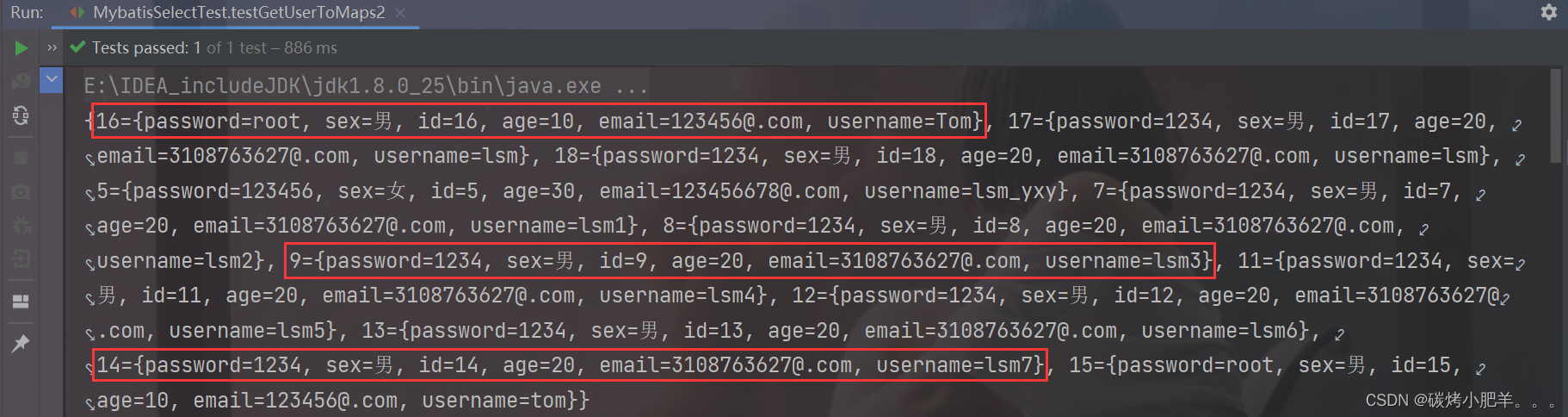
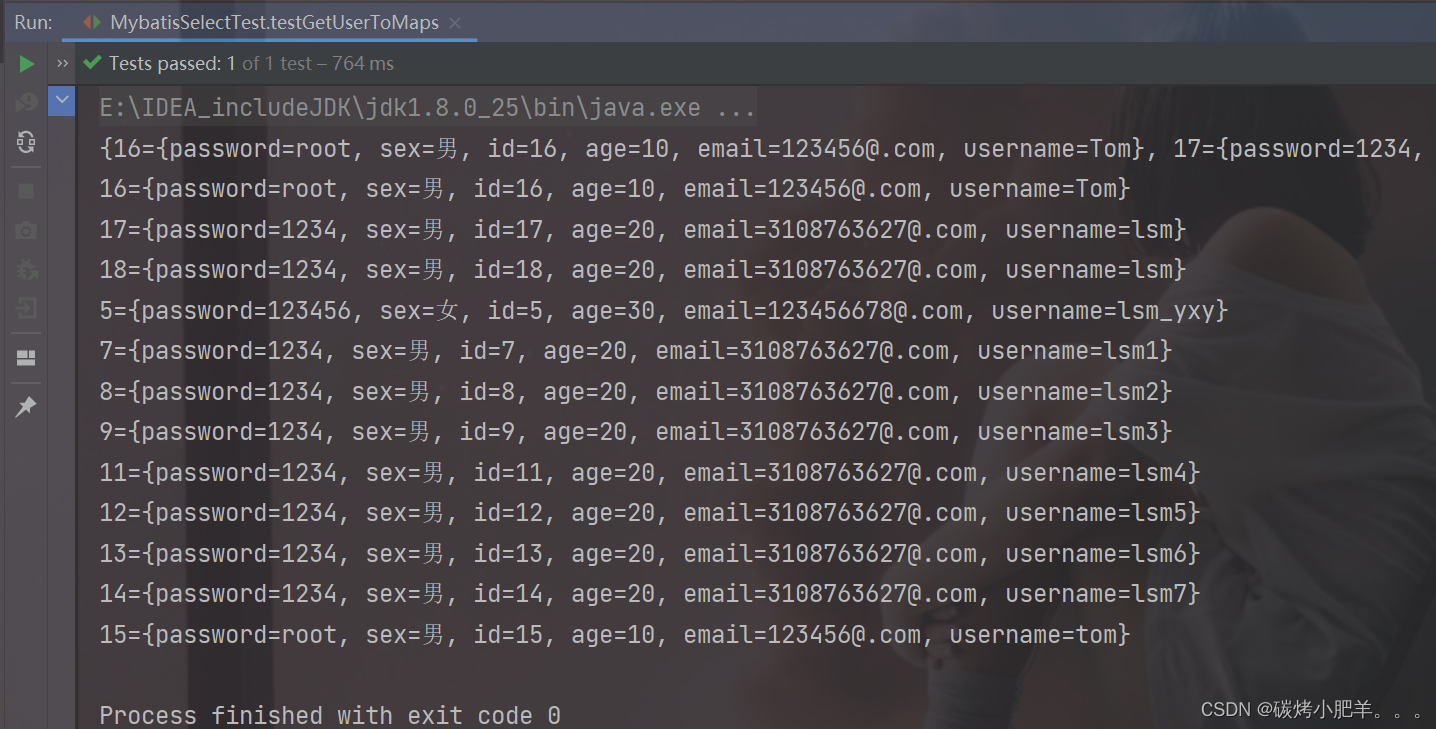
5. 查询多条数据为map集合
方法一
SelectMapper接口
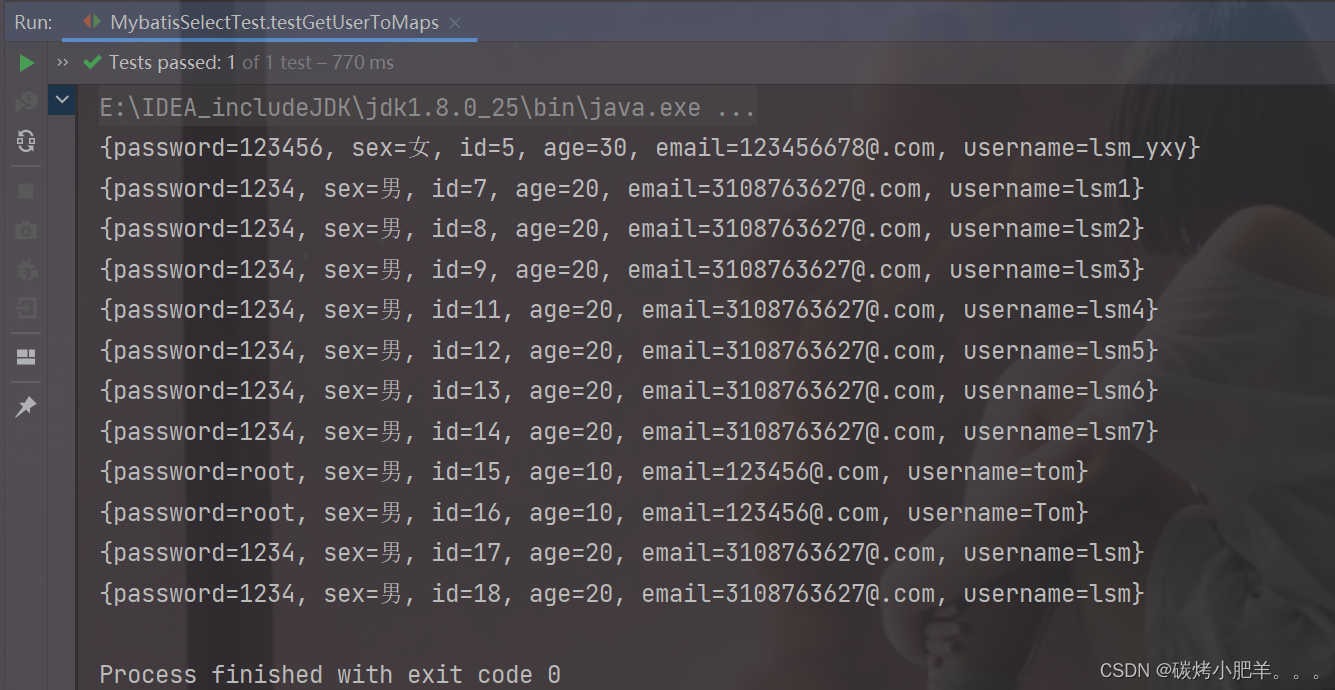
/** * 查询所有用户信息为map集合 * @return * 将表中的数据以map集合的方式查询,一条数据对应一个map;若有多条数据,就会产生多个map集合,此时可以将这些map放在一个list集合中获取 * 这时候的resultType="map",指定泛型为Map类型 */ List<Map<String, Object>> getAllUserToMap();- 1
- 2
- 3
- 4
- 5
- 6
- 7
SelectMapper.xml
<select id="getUserToMaps" resultType="map"> select * from t_user; select>- 1
- 2
- 3
测试方法
@Test public void testGetUserToMaps(){ SqlSession sqlSession = SqlSessionFactoryUtils.getSqlSession(); SelectMapper selectMapper = sqlSession.getMapper(SelectMapper.class); List<Map<String, Object>> userToMaps = selectMapper.getUserToMaps(); for(Map<String, Object> map : userToMaps){ System.out.println(map); } sqlSession.close(); }- 1
- 2
- 3
- 4
- 5
- 6
- 7
- 8
- 9
- 10
方法二
SelectMapper接口
/** * 查询所有用户信息为map集合 * @return * 将表中的数据以map集合的方式查询,一条数据对应一个map;若有多条数据,就会产生多个map集合,并且最终要以一个map的方式返回数据,此时需要通过@MapKey注解设置map集合的键,值是每条数据所对应的map集合 */ @MapKey("id") Map<String, Object> getAllUserToMap();- 1
- 2
- 3
- 4
- 5
- 6
- 7
SelectMapper.xml
<select id="getAllUserToMap" resultType="map"> select * from t_user select>- 1
- 2
- 3
- 4
测试方法
@Test public void testGetUserToMaps(){ SqlSession sqlSession = SqlSessionFactoryUtils.getSqlSession(); SelectMapper selectMapper = sqlSession.getMapper(SelectMapper.class); Map<String, Object> userToMaps = selectMapper.getUserToMaps(); System.out.println(userToMaps); Set<Map.Entry<String, Object>> entries = userToMaps.entrySet(); for(Map.Entry<String, Object> entry : entries){ System.out.println(entry); } sqlSession.close(); }- 1
- 2
- 3
- 4
- 5
- 6
- 7
- 8
- 9
- 10
- 11
- 12
- 13
-
相关阅读:
openvino安装踩坑笔记
GitHub:黑客盗用 OAuth 令牌,导致数十个组织数据泄露
【opencv】【CPU】windows10下opencv4.8.0-cuda C++版本源码编译教程
【云原生&微服务九】SpringCloud之Feign实现声明式客户端负载均衡详细案例
【计算机网络】 子网划分
数据结构与算法之美学习笔记:53 | 算法实战(二):剖析搜索引擎背后的经典数据结构和算法
专家解读 | NIST网络安全框架(3):层级配置
Maven项目创建步骤详解_smart tomcat使用介绍_Servlet项目初识(Servlet_1)
SBT安装与配置
(免费领源码)python+django+mysql线上兼职平台系统83320-计算机毕业设计项目选题推荐
- 原文地址:https://blog.csdn.net/qq_43751200/article/details/128144473