-
数据抓取-bs4、XPath、pyquery详细代码演示
数据抓取-bs4、XPath、pyquery
一般抓取某个网站或者某个应用的内容,内容分为两个部分
-
非结构化的文本:HTML文本
-
结构化的文本:JSON、XML
非结构化的数据常见的解析方式有:XPath、CSS选择器、正则表达式
XPath语言
XPath是XML路径语言,他是一种用来定位XML文档中的某部分位置的语言
将HTML转换成XML文档之后,用XPath查找HTML节点或元素
比如用"来作为上下层级间的分隔,第一个"/"表示文档的根节点(注意,不是指文档最外层的tag节点,而是指文档本身)。
比如对于一个HTML文件来说,最外层的节点应该是"/html"。
XPath语法
Xpath是一门在XML文档中查找信息的语言。
XPath 可用来在XML文档中对元素和属性进行遍历。
选取节点 XPath使用路径表达式在XML文档中选取节点。节点是通过沿着路径或者step来选取的。
下面列出了最有用的路径表达式:

在下面列举出一些路径表达式以及表达式结果

安装XPath库
首先在终端中pip install lxml ,然后对XPath库进行import
from lxml import html # XPath包- 1
- 2
代码演示
我们对下面这个网站进行爬取
首先要构建一个模板
import requests url = '' headers = { } response = requests.get(url,headers=headers).text- 1
- 2
- 3
- 4
- 5
- 6
- 7
下面我们需要得到里面一张图片的地址,通过F12来定位图片所在路径

打开源代码,搜索上面那个网页路径,如果在源代码中包含的话,说明这张图片是静态数据,得到这张图片的地址,放入代码url
之后我们来寻找headers,通过F12来获取,放入代码headers中

由于是图片返回的内容,所以我们将text换成content
之后导入os库来显示图片的保存
import requests import os #路径保存 path = './images/' count = 1 url = 'http://tva3.sinaimg.cn/large/006D3Lhmgy1h4eqp9hggjj30go0gwq3l.jpg' headers = { 'User-Agent': 'Mozilla/5.0 (Windows NT 10.0; Win64; x64) AppleWebKit/537.36 (KHTML, like Gecko) Chrome/107.0.0.0 Safari/537.36' } response = requests.get(url, headers=headers).content if not os.path.exists(path): os.makedirs(path) with open(path + "{}.jpg".format(count),'ab') as f: f.write(response)- 1
- 2
- 3
- 4
- 5
- 6
- 7
- 8
- 9
- 10
- 11
- 12
- 13
- 14
- 15
- 16
就可以将爬的图片存到文件夹中

以上就是完成一张 图片爬取的过程
下面我们对代码进行封装:文件储存和文件请求
- 文件请求
def Tools(url): ''' 请求工具函数 :param url:请求地址 :return:响应状态 ''' # url = 'http://tva3.sinaimg.cn/large/006wuNILly1h3zb9wkxf7j30jg0jgq4l.jpg' headers = { 'User-Agent': 'Mozilla/5.0 (Windows NT 10.0; Win64; x64) AppleWebKit/537.36 (KHTML, like Gecko) Chrome/107.0.0.0 Safari/537.36' } # response = requests.get(url, headers=headers).content response = requests.get(url, headers=headers) return response- 1
- 2
- 3
- 4
- 5
- 6
- 7
- 8
- 9
- 10
- 11
- 12
- 13
- 14
- 15
- 文件存储
def Save(img_url): ''' 存储图片 :param img_url: 图片地址 :return: None ''' count = 1 response = Tools(img_url).content if not os.path.exists(path): os.makedirs(path) with open(path + "{}.jpg".format(count), 'ab') as f: f.write(response)- 1
- 2
- 3
- 4
- 5
- 6
- 7
- 8
- 9
- 10
- 11
- 12
导入lxml库之后,我们需要对response转成xml的格式,由于原来的response格式是string类型
url = 'https://www.fabiaoqing.com/biaoqing/detail/id/681814.html' response = Tools(url).text # 静态页面内容 print(type(response)) #------运行结果---------- <class 'str'>- 1
- 2
- 3
- 4
- 5
- 6
我们创建一个xml的对象来转换格式
xml1 = html.etree.HTML(response) print(type(xml1)) # ------运行结果------- <class 'lxml.etree._Element'> #------------------------------ # 创建一个lxml对象 xml1 = html.etree.HTML(response) img_url = xml1.xpath() #使用相对路径- 1
- 2
- 3
- 4
- 5
- 6
- 7
- 8
- 9
XPath也分为相对路径和绝对路径
xpath缺点:如果查询路径下面存在其他内容,就会返回元素得内存地址,需要遍历
xml1 = html.etree.HTML(response) print(xml1) # ------运行结果---------- <Element html at 0x17197980ac0>- 1
- 2
- 3
- 4
img_url = xml1.xpath('//img[@class="biaoqingpp"]/@src') [0] # xpath缺点:如果查询路径下面存在其他内容,就会返回元素得内存地址,需要遍历 print(img_url) # ---------运行结果----------- http://tva3.sinaimg.cn/large/006wuNILly1h3zb9wkxf7j30jg0jgq4l.jpg- 1
- 2
- 3
- 4
我们现在想要得到一系列得图片地址,所以我们将url替换
这里我们使用pyquery库
pyquery库安装
pip install pyquery from pyquery import PyQuery as pq # 简单快捷- 1
- 2
- 在寻找数据标签提取的时候,但是没有可选属性(calss id)找上级 属性是否存在,一般是带有属性的标签才是可选的
当存在class拥有多个属性的时候,xpath可以
xpath:[@class="swiper-slide swiper-slide-active bqpp"] 多个属性- 1
而pyquery更侧重于选择器为主
url = 'https://www.fabiaoqing.com/bqb/detail/id/54891.html' response = Tools(url).text doc = pq(response) # 创建一个pyquery对象 # id选择器 # # class选择器 . # 如果存在多个 空格换成对于的选择器方式 # 想要选择下级的内容 用空格分割 detail =doc('.swiper-slide.swiper-slide-active.bqpp a') print(detail) # ------------------运行结果---------------------- <a href="/biaoqing/detail/id/681278.html" title="早上好,我的工友"/><a href="/biaoqing/detail/id/681279.html" title="如果爱请打钱"/><a href="/biaoqing/detail/id/681280.html" title="呵呵栓Q"/><a href="/biaoqing/detail/id/681281.html" title="猛狗哭泣"/> <a href="/biaoqing/detail/id/681282.html" title="撑伞??我让你撑伞!"/> <a href="/biaoqing/detail/id/681283.html" title="跪下举手不杀"/> <a href="/biaoqing/detail/id/681284.html" title="起不来床"/> <a href="/biaoqing/detail/id/681285.html" title="怎么了?不回你消息多正常啊你看哪个美女不忙的"/> <a href="/biaoqing/detail/id/681286.html" title="老子戴个老花镜都看不清你个艾斯臂"/> <a href="/biaoqing/detail/id/681287.html" title="那你报警嘛"/> <a href="/biaoqing/detail/id/681288.html" title="抛开内容不谈你说的很有道理"/> <a href="/biaoqing/detail/id/681289.html" title="不知道为什么就是不想干了"/> <a href="/biaoqing/detail/id/681290.html" title="我没惹你们任何人垮小脸"/>- 1
- 2
- 3
- 4
- 5
- 6
- 7
- 8
- 9
- 10
- 11
- 12
- 13
- 14
- 15
- 16
- 17
- 18
- 19
- 20
- 21
变为元素地址
detail =[i for i in doc('.swiper-slide.swiper-slide-active.bqpp a')] # 变为元素地址 print(detail) # ------------------运行结果---------------------- [<Element a at 0x1e52f54b770>, <Element a at 0x1e52f54b270>, <Element a at 0x1e52f54b360>, <Element a at 0x1e52f54b130>, <Element a at 0x1e52f54b180>, <Element a at 0x1e52f54b4a0>, <Element a at 0x1e52f54b400>, <Element a at 0x1e52f54b0e0>, <Element a at 0x1e52f54b090>, <Element a at 0x1e52f54b7c0>, <Element a at 0x1e52f54b680>, <Element a at 0x1e52f54b810>, <Element a at 0x1e52f54b860>]- 1
- 2
- 3
- 4
- 5
- 6
返回查询对象
detail =doc('.swiper-slide.swiper-slide-active.bqpp a').items() # 返回查询对象 for i in detail : print(i) # ------------------运行结果---------------------- <a href="/biaoqing/detail/id/681278.html" title="早上好,我的工友"/> <a href="/biaoqing/detail/id/681279.html" title="如果爱请打钱"/> <a href="/biaoqing/detail/id/681280.html" title="呵呵栓Q"/> <a href="/biaoqing/detail/id/681281.html" title="猛狗哭泣"/> <a href="/biaoqing/detail/id/681282.html" title="撑伞??我让你撑伞!"/> <a href="/biaoqing/detail/id/681283.html" title="跪下举手不杀"/> <a href="/biaoqing/detail/id/681284.html" title="起不来床"/> <a href="/biaoqing/detail/id/681285.html" title="怎么了?不回你消息多正常啊你看哪个美女不忙的"/> <a href="/biaoqing/detail/id/681286.html" title="老子戴个老花镜都看不清你个艾斯臂"/> <a href="/biaoqing/detail/id/681287.html" title="那你报警嘛"/> <a href="/biaoqing/detail/id/681288.html" title="抛开内容不谈你说的很有道理"/> <a href="/biaoqing/detail/id/681289.html" title="不知道为什么就是不想干了"/> <a href="/biaoqing/detail/id/681290.html" title="我没惹你们任何人垮小脸"/>- 1
- 2
- 3
- 4
- 5
- 6
- 7
- 8
- 9
- 10
- 11
- 12
- 13
- 14
- 15
- 16
- 17
- 18
- 19
- 20
- 21
- 22
- 23
- 24
- 25
- 26
- 27
- 28
- 29
- 30
- 31
接着我们取出href标签
完整代码如下:就可以爬取二级页面内的图片放入文件夹
import requests import os from lxml import html # XPath包 定位精准 from pyquery import PyQuery as pq # 简单快捷 选择器为主 def Tools(url): ''' 请求工具函数 :param url:请求地址 :return:响应状态 ''' # url = 'http://tva3.sinaimg.cn/large/006wuNILly1h3zb9wkxf7j30jg0jgq4l.jpg' headers = { 'User-Agent': 'Mozilla/5.0 (Windows NT 10.0; Win64; x64) AppleWebKit/537.36 (KHTML, like Gecko) Chrome/107.0.0.0 Safari/537.36' } # response = requests.get(url, headers=headers).content response = requests.get(url, headers=headers) return response # 全局变量 path = './images/' count = 1 def Save(img_url): """ 存储图片 :param img_url: 图片地址 :return: None """ global count response = Tools(img_url).content # 判断path是否存在 if not os.path.exists(path): os.makedirs(path) # 如果不存在就创建 递归创建 # with 写入方法 w:不存在就覆盖创建(文件) a: 追加模式 with open(path + "{}.jpg".format(count), 'ab') as f: f.write(response) count += 1 def Details(detail): """ xpath学习 提取 图片地址 :param detail:详情页后缀 :return:None """ url = 'https://www.fabiaoqing.com{}'.format(detail) response = Tools(url).text # 创建一个lxml对象 xml1 = html.etree.HTML(response) # xpath:[@class="swiper-slide swiper-slide-active bqpp"] 多个属性 # 从哪里开始,例如(//img)[@选择一个属性] id/class 都是属性 / 下级 包含里面也是下级 img_url = xml1.xpath('//img[@class="biaoqingpp"]/@src')[0] Save(img_url) def Bqp(): """ 二级页面 主要是获取详情页后缀 :return:None """ url = 'https://www.fabiaoqing.com/bqb/detail/id/54891.html' response = Tools(url).text doc = pq(response) # 创建一个pyquery对象 # id选择器 # # class选择器 . # 如果存在多个 空格换成对于的选择器方式 # 想要选择下级的内容 用空格分割 # detail = [i for i in doc('.swiper-slide.swiper-slide-active.bqpp a')] # 变为元素地址 # print(detail) detail = doc('.swiper-slide.swiper-slide-active.bqpp a').items() # 返回查询对象 for i in detail: href = i.attr('href') # attr 属性的获取 Details(href) Bqp()- 1
- 2
- 3
- 4
- 5
- 6
- 7
- 8
- 9
- 10
- 11
- 12
- 13
- 14
- 15
- 16
- 17
- 18
- 19
- 20
- 21
- 22
- 23
- 24
- 25
- 26
- 27
- 28
- 29
- 30
- 31
- 32
- 33
- 34
- 35
- 36
- 37
- 38
- 39
- 40
- 41
- 42
- 43
- 44
- 45
- 46
- 47
- 48
- 49
- 50
- 51
- 52
- 53
- 54
- 55
- 56
- 57
- 58
- 59
- 60
- 61
- 62
- 63
- 64
- 65
- 66
- 67
- 68
- 69
- 70
- 71
- 72
- 73
- 74
- 75
- 76
- 77
- 78
- 79
- 80
- 81
保存的图片都存放在image文件夹中

bs4应用和Beautiful Soup
- 安装
pip install bs4 from bs4 import BeautifulSoup- 1
- 2
- 3
现在我们需要在一级页面内爬取二级页面的内容
BeautifulSoup 就是 Python 的一个 HTML 或 XML 的解析库。
-
提供了一些简单的方法。编写应用程序所需的代码不多
-
自动将传入的文档转换为Unicode,将传出的文档转换为UTF-8。然后,您只需指定原始的编码
-
位于流行的Python解析器之上,比如lxml和html5lib。
具体beautifulsoup库的知识可以看一下下面的网址
使用了这个工具可以进行解析,直接找到元素内容

def Twelve(): url = 'https://www.fabiaoqing.com/bqb/lists/type/doutu.html' response = Tools(url).text soup = BeautifulSoup(response,'lxml') # 解析对象 items = soup.find('div',{'class':'ui segment'}).find_all('div',{'class':'bqppdiv'}) print(items) Twelve() # ------------------运行结果---------------------- [<div class="bqppdiv" style="vertical-align:middle;"> <img alt="FUCK,艹 - 唐僧系列表情包:你们再给贫僧瞎配字,老子喷掉你妈的远古巨坟_唐僧_妈卖批_装逼_斗图表情-发表情" class="ui image lazy" data-original="http://tva3.sinaimg.cn/bmiddle/415f82b9ly1faxk6dg7ddj20ku0i71kx0.jpg" src="/Public/lazyload/img/transparent.gif" style="max-height: 170;max-width: 100%;margin: 0 auto"/> <p style="display: block;height: 0;width: 0;overflow: hidden;">FUCK,艹 - 唐僧系列表情包:你们再给贫僧瞎配字,老子喷掉你妈的远古巨坟_唐僧_妈卖批_装逼_斗图表情</p> </div>, <div class="bqppdiv" style="vertical-align:middle;"> <img alt="再装逼怼死你 - 唐僧系列表情包:你们再给贫僧瞎配字,老子喷掉你妈的远古巨坟_唐僧_妈卖批_装逼_斗图表情-发表情" class="ui image lazy" data-original="http://tva3.sinaimg.cn/bmiddle/415f82b9ly1faxk70o0jyj20ku0i71kx0.jpg" src="/Public/lazyload/img/transparent.gif" style="max-height: 170;max-width: 100%;margin: 0 auto"/> <p style="display: block;height: 0;width: 0;overflow: hidden;">再装逼怼死你 - 唐僧系列表情包:你们再给贫僧瞎配字,老子喷掉你妈的远古巨坟_唐僧_妈卖批_装逼_斗图表情</p> </div>, <div class="bqppdiv" style="vertical-align:middle;"> <img alt="火冒三藏(火冒三丈) - 唐僧系列表情包:你们再给贫僧瞎配字,老子喷掉你妈的远古巨坟_唐僧_妈卖批_装逼_斗图表情-发表情" class="ui image lazy" data-original="http://tva3.sinaimg.cn/bmiddle/415f82b9ly1faxk7cip2oj20dw0dwwg30.jpg" src="/Public/lazyload/img/transparent.gif" style="max-height: 170;max-width: 100%;margin: 0 auto"/> <p style="display: block;height: 0;width: 0;overflow: hidden;">火冒三藏(火冒三丈) - 唐僧系列表情包:你们再给贫僧瞎配字,老子喷掉你妈的远古巨坟_唐僧_妈卖批_装逼_斗图表情</p> </div>, <div class="bqppdiv" style="vertical-align:middle;"> <img alt="是为师错怪你了,但那又如何 - 唐僧系列表情包:你们再给贫僧瞎配字,老子喷掉你妈的远古巨坟_唐僧_妈卖批_装逼_斗图表情-发表情" class="ui image lazy" data-original="http://tva3.sinaimg.cn/bmiddle/415f82b9ly1faxmjfcr3xj20ku0i71kx0.jpg" src="/Public/lazyload/img/transparent.gif" style="max-height: 170;max-width: 100%;margin: 0 auto"/> <p style="display: block;height: 0;width: 0;overflow: hidden;">是为师错怪你了,但那又如何 - 唐僧系列表情包:你们再给贫僧瞎配字,老子喷掉你妈的远古巨坟_唐僧_妈卖批_装逼_斗图表情</p> </div>, <div class="bqppdiv notshowinpc" style="vertical-align:middle;"> <img alt="我 TMD 没说过这句话 - 唐僧系列表情包:你们再给贫僧瞎配字,老子喷掉你妈的远古巨坟_唐僧_妈卖批_装逼_斗图表情-发表情" class="ui image lazy" data-original="http://tva3.sinaimg.cn/bmiddle/415f82b9ly1faxmjesozvj20ku0i71kx0.jpg" src="/Public/lazyload/img/transparent.gif" style="max-height: 170;max-width: 100%;margin: 0 auto"/> <p style="display: block;height: 0;width: 0;overflow: hidden;">我 TMD 没说过这句话 - 唐僧系列表情包:你们再给贫僧瞎配字,老子喷掉你妈的远古巨坟_唐僧_妈卖批_装逼_斗图表情</p> </div>]- 1
- 2
- 3
- 4
- 5
- 6
- 7
- 8
- 9
- 10
- 11
- 12
- 13
- 14
- 15
- 16
- 17
- 18
- 19
- 20
- 21
如果我们想要得到里面的属性

items = soup.find('a',{'class':'bqba'}).get('href') print(items) # --------------运行结果------------------- /bqb/detail/id/9825.html- 1
- 2
- 3
- 4
- 5
想要批量得到数据就要对代码进行修改,得到后缀地址
items = soup.find_all('a',{'class':'bqba'}) for i in items: print(i.get('href')) # --------------运行结果------------------- /bqb/detail/id/9825.html /bqb/detail/id/20585.html /bqb/detail/id/30834.html /bqb/detail/id/30739.html /bqb/detail/id/51396.html /bqb/detail/id/51206.html /bqb/detail/id/51449.html /bqb/detail/id/51355.html /bqb/detail/id/51431.html /bqb/detail/id/39818.html- 1
- 2
- 3
- 4
- 5
- 6
- 7
- 8
- 9
- 10
- 11
- 12
- 13
- 14
- 15
- 16
下面展示爬取页面的完整代码
import requests import os from lxml import html # XPath包 定位精准 from pyquery import PyQuery as pq # 简单快捷 选择器为主 from bs4 import BeautifulSoup def Tools(url): ''' 请求工具函数 :param url:请求地址 :return:响应状态 ''' # url = 'http://tva3.sinaimg.cn/large/006wuNILly1h3zb9wkxf7j30jg0jgq4l.jpg' headers = { 'User-Agent': 'Mozilla/5.0 (Windows NT 10.0; Win64; x64) AppleWebKit/537.36 (KHTML, like Gecko) Chrome/107.0.0.0 Safari/537.36' } # response = requests.get(url, headers=headers).content response = requests.get(url, headers=headers) return response # 全局变量 path = './images/' count = 1 def Save(img_url): """ 存储图片 :param img_url: 图片地址 :return: None """ global count response = Tools(img_url).content # 判断path是否存在 if not os.path.exists(path): os.makedirs(path) # 如果不存在就创建 递归创建 # with 写入方法 w:不存在就覆盖创建(文件) a: 追加模式 with open(path + "{}.jpg".format(count), 'ab') as f: f.write(response) count += 1 def Details(detail): """ xpath学习 提取 图片地址 :param detail:详情页后缀 :return:None """ url = 'https://www.fabiaoqing.com{}'.format(detail) response = Tools(url).text # 创建一个lxml对象 xml1 = html.etree.HTML(response) # xpath:[@class="swiper-slide swiper-slide-active bqpp"] 多个属性 # 从哪里开始,例如(//img)[@选择一个属性] id/class 都是属性 / 下级 包含里面也是下级 img_url = xml1.xpath('//img[@class="biaoqingpp"]/@src')[0] print('img:', img_url) Save(img_url) def Bqp(id1): """ 二级页面 主要是获取详情页后缀 :return:None """ url = 'https://www.fabiaoqing.com{}'.format(id1) response = Tools(url).text doc = pq(response) # 创建一个pyquery对象 # id选择器 # # class选择器 . # 如果存在多个 空格换成对于的选择器方式 # 想要选择下级的内容 用空格分割 # detail = [i for i in doc('.swiper-slide.swiper-slide-active.bqpp a')] # 变为元素地址 # print(detail) detail = doc('.swiper-slide.swiper-slide-active.bqpp a').items() # 返回查询对象 for i in detail: href = i.attr('href') # attr 属性的获取 Details(href) def Twelve(): url = 'https://www.fabiaoqing.com/bqb/lists/type/doutu.html' response = Tools(url).text soup = BeautifulSoup(response,'lxml') # 解析对象 # items = soup.find('div',{'class':'ui segment'}).find_all('div',{'class':'bqppdiv'}) items = soup.find_all('a',{'class':'bqba'}) for i in items: pid1 = i.get('href') Bqp(pid1) # print(items) Twelve() # ---------------运行结果------------------------- img: http://tva3.sinaimg.cn/large/415f82b9ly1faxk6dg7ddj20ku0i71kx0.jpg img: http://tva3.sinaimg.cn/large/415f82b9ly1faxk70o0jyj20ku0i71kx0.jpg img: http://tva3.sinaimg.cn/large/415f82b9ly1faxk7cip2oj20dw0dwwg30.jpg img: http://tva3.sinaimg.cn/large/415f82b9ly1faxmjfcr3xj20ku0i71kx0.jpg img: http://tva3.sinaimg.cn/large/415f82b9ly1faxmjesozvj20ku0i71kx0.jpg img: http://tva3.sinaimg.cn/large/cf652d2bgy1fet5axr3aqg205k05k76n.gif img: http://tva3.sinaimg.cn/large/cf652d2bgy1fet5ay4tw8g205k05kmzi.gif img: http://tva3.sinaimg.cn/large/cf652d2bgy1fet5aykcxig205k05kgnz.gif img: http://tva3.sinaimg.cn/large/cf652d2bgy1fet5ayu2tcg205k05k0v3.gif img: http://tva3.sinaimg.cn/large/cf652d2bgy1fet5az9400g205k05k0v3.gif img: http://tva3.sinaimg.cn/large/cf652d2bgy1fet5azk1dpg205k05ktb2.gif img: http://tva3.sinaimg.cn/large/cf652d2bgy1fet5azuzebg205k05kwgu.gif img: http://tva3.sinaimg.cn/large/cf652d2bgy1fet5b099i7g205k05kacg.gif img: http://tva3.sinaimg.cn/large/cf652d2bgy1fet5b0lfoug205k05kq5a.gif img: http://tva3.sinaimg.cn/large/a9cf8ef6ly1fiecn56l8wj20b50b2glu.jpg img: http://tva3.sinaimg.cn/large/a9cf8ef6ly1fiecn5kfa1j20b50b274n.jpg img: http://tva3.sinaimg.cn/large/a9cf8ef6ly1fiecn5to8ej20b50b2aad.jpg img: http://tva3.sinaimg.cn/large/a9cf8ef6ly1fiecn62tbbj20b50b2jrs.jpg img: http://tva3.sinaimg.cn/large/a9cf8ef6ly1fiecn6dfkij20b50b2wes.jpg img: http://tva3.sinaimg.cn/large/a9cf8ef6ly1fiecn6plqvj20b50b2t9l.jpg img: http://tva3.sinaimg.cn/large/a9cf8ef6ly1fiecn4v8maj20b50b2jro.jpg img: http://tva3.sinaimg.cn/large/006fbYi5gy1fid8qw20afj308c06s74c.jpg img: http://tva3.sinaimg.cn/large/006fbYi5gy1fid8qw8wtxj304z04oa9z.jpg img: http://tva3.sinaimg.cn/large/006fbYi5gy1fid8qwjf87j30hs0ef74x.jpg img: http://tva3.sinaimg.cn/large/006fbYi5gy1fid8qvux8mj305i04vdfs.jpg img: http://tva3.sinaimg.cn/large/006fbYi5gy1fid8qwt2b5j303302bmx0.jpg img: http://tva3.sinaimg.cn/large/006fbYi5gy1fid8qwzj5qj303302b3yb.jpg img: http://tva3.sinaimg.cn/large/006m97Kgly1fxmsggpt4nj30k00hotai.jpg img: http://tva3.sinaimg.cn/large/006m97Kgly1fxmqhprkcqj30u00u0wgb.jpg img: http://tva3.sinaimg.cn/large/006m97Kgly1fxmt7u5issj302o02qmx7.jpg img: http://tva3.sinaimg.cn/large/006m97Kgly1fxmsvkpnxjj30at0ay757.jpg img: http://tva3.sinaimg.cn/large/006m97Kgly1fxmqhqfaruj30dw0iqgno.jpg img: http://tva3.sinaimg.cn/large/006m97Kgly1fxmr7l0r74j305i058wf4.jpg img: http://tva3.sinaimg.cn/large/006m97Kgly1fxmsg31068j3048048dgc.jpg img: http://tva3.sinaimg.cn/large/006m97Kgly1fxmraxkj4oj304g03u0ss.jpg img: http://tva3.sinaimg.cn/large/006m97Kgly1fxmr7kt7uij308k0afwf6.jpg img: http://tva3.sinaimg.cn/large/006m97Kgly1fwqhawt334j30k00n0485.jpg img: http://tva3.sinaimg.cn/large/006m97Kgly1fwq1v50u6jj30k00k0ac4.jpg img: http://tva3.sinaimg.cn/large/006m97Kgly1fwqj2l6gwcj30ik0m70ug.jpg img: http://tva3.sinaimg.cn/large/006m97Kgly1fwqg6p42p9j307i08iq3a.jpg img: http://tva3.sinaimg.cn/large/006m97Kgly1fwr345nafcj30j60hwtgw.jpg img: http://tva3.sinaimg.cn/large/006m97Kgly1fwq1wu0fgmj30fd0fdgm6.jpg img: http://tva3.sinaimg.cn/large/006m97Kgly1fwqfkdkpyqj30hs0hst9j.jpg img: http://tva3.sinaimg.cn/large/006m97Kgly1fwq1v4f8t2j30c80bzjrt.jpg img: http://tva3.sinaimg.cn/large/006m97Kgly1fxtf8kfkerj30j60kedh8.jpg img: http://tva3.sinaimg.cn/large/006m97Kgly1fxtbp3utemj30go0go74x.jpg img: http://tva3.sinaimg.cn/large/006m97Kgly1fxtoo6bha3j30v91by7l6.jpg img: http://tva3.sinaimg.cn/large/006m97Kgly1fxtrcwlb3mj302t03ct8u.jpg img: http://tva3.sinaimg.cn/large/006m97Kgly1fxtdenusy1j30go0dudjy.jpg img: http://tva3.sinaimg.cn/large/006m97Kgly1fxtf84o9y6j30j60hwtcn.jpg img: http://tva3.sinaimg.cn/large/006m97Kgly1fxtf84twtbj30c20c0my8.jpg img: http://tva3.sinaimg.cn/large/006m97Kgly1fxtp35bi77j315o15o4qp.jpg img: http://tva3.sinaimg.cn/large/006m97Kgly1fxtpnqqrsxj30u00u0gsq.jpg img: http://tva3.sinaimg.cn/large/006m97Kgly1fxgphl6w5oj30v80n4adz.jpg img: http://tva3.sinaimg.cn/large/006m97Kgly1fxh2npx2bwj307i07j751.jpg img: http://tva3.sinaimg.cn/large/006m97Kgly1fxh17465kfj307i07imyf.jpg img: http://tva3.sinaimg.cn/large/006m97Kgly1fxgphklbw4j30hs0dsgmn.jpg img: http://tva3.sinaimg.cn/large/006m97Kgly1fxgphwjmp1j30go0go0u5.jpg img: http://tva3.sinaimg.cn/large/006m97Kgly1fxgyyyuaz4j30jg0fota8.jpg img: http://tva3.sinaimg.cn/large/006m97Kgly1fxh1p1ewbuj306o06ojsa.jpg img: http://tva3.sinaimg.cn/large/006m97Kgly1fxgyyyph5rj30qo0qon4b.jpg img: http://tva3.sinaimg.cn/large/006m97Kgly1fxriyq4uohj30hz0hzn8f.jpg img: http://tva3.sinaimg.cn/large/006m97Kgly1fxrftk0gu9j302e01xdfu.jpg img: http://tva3.sinaimg.cn/large/006m97Kgly1fxrhbgm8xqj30hg0gzgnl.jpg img: http://tva3.sinaimg.cn/large/006m97Kgly1fxrfis81f2j30ti0ti78c.jpg img: http://tva3.sinaimg.cn/large/006m97Kgly1fxpwoybmlmj305i05cdg3.jpg img: http://tva3.sinaimg.cn/large/006m97Kgly1fxri0qt2ddj30k00sfadq.jpg img: http://tva3.sinaimg.cn/large/006m97Kgly1fxrjmjo6u1j30qo0q9jsl.jpg img: http://tva3.sinaimg.cn/large/006m97Kgly1fxq9fbvdb3j31500u0whw.jpg img: http://tva3.sinaimg.cn/large/415f82b9ly1flhn08nfh2j20ii0hsq3v.jpg img: http://tva3.sinaimg.cn/large/415f82b9ly1flhn0a3ko7j20hs0hsjsa.jpg img: http://tva3.sinaimg.cn/large/415f82b9ly1flhn06yjoej20hs0gygn0.jpg img: http://tva3.sinaimg.cn/large/415f82b9ly1flhn08g4pxj20go0gcjsy.jpg img: http://tva3.sinaimg.cn/large/415f82b9ly1flhn06lxbpj20ku0l6whm.jpg img: http://tva3.sinaimg.cn/large/415f82b9ly1flhn0binx2j20kt0kqaby.jpg img: http://tva3.sinaimg.cn/large/415f82b9ly1flhn07ibb3j20hs0hs3zt.jpg img: http://tva3.sinaimg.cn/large/415f82b9ly1flhn0u67qyj20re0qogns.jpg- 1
- 2
- 3
- 4
- 5
- 6
- 7
- 8
- 9
- 10
- 11
- 12
- 13
- 14
- 15
- 16
- 17
- 18
- 19
- 20
- 21
- 22
- 23
- 24
- 25
- 26
- 27
- 28
- 29
- 30
- 31
- 32
- 33
- 34
- 35
- 36
- 37
- 38
- 39
- 40
- 41
- 42
- 43
- 44
- 45
- 46
- 47
- 48
- 49
- 50
- 51
- 52
- 53
- 54
- 55
- 56
- 57
- 58
- 59
- 60
- 61
- 62
- 63
- 64
- 65
- 66
- 67
- 68
- 69
- 70
- 71
- 72
- 73
- 74
- 75
- 76
- 77
- 78
- 79
- 80
- 81
- 82
- 83
- 84
- 85
- 86
- 87
- 88
- 89
- 90
- 91
- 92
- 93
- 94
- 95
- 96
- 97
- 98
- 99
- 100
- 101
- 102
- 103
- 104
- 105
- 106
- 107
- 108
- 109
- 110
- 111
- 112
- 113
- 114
- 115
- 116
- 117
- 118
- 119
- 120
- 121
- 122
- 123
- 124
- 125
- 126
- 127
- 128
- 129
- 130
- 131
- 132
- 133
- 134
- 135
- 136
- 137
- 138
- 139
- 140
- 141
- 142
- 143
- 144
- 145
- 146
- 147
- 148
- 149
- 150
- 151
- 152
- 153
- 154
- 155
- 156
- 157
- 158
- 159
- 160
- 161
- 162
- 163
- 164
- 165
- 166
- 167
- 168
- 169
- 170
- 171
- 172
- 173
- 174
静态页面中不同页数的爬取
在静态页面中不同页面的区别只是换了不同的html,例如下面是第一页和第二页

我们对代码进行修改来爬取整个页面的图片
import requests import os from lxml import html # XPath包 定位精准 from pyquery import PyQuery as pq # 简单快捷 选择器为主 from bs4 import BeautifulSoup def Tools(url): ''' 请求工具函数 :param url:请求地址 :return:响应状态 ''' # url = 'http://tva3.sinaimg.cn/large/006wuNILly1h3zb9wkxf7j30jg0jgq4l.jpg' headers = { 'User-Agent': 'Mozilla/5.0 (Windows NT 10.0; Win64; x64) AppleWebKit/537.36 (KHTML, like Gecko) Chrome/107.0.0.0 Safari/537.36' } # response = requests.get(url, headers=headers).content response = requests.get(url, headers=headers) return response # 全局变量 path = './images/' count = 1 def Save(img_url): """ 存储图片 :param img_url: 图片地址 :return: None """ global count response = Tools(img_url).content # 判断path是否存在 if not os.path.exists(path): os.makedirs(path) # 如果不存在就创建 递归创建 # with 写入方法 w:不存在就覆盖创建(文件) a: 追加模式 with open(path + "{}.gif".format(count), 'ab') as f: f.write(response) count += 1 def Details(detail): """ xpath学习 提取 图片地址 :param detail:详情页后缀 :return:None """ url = 'https://www.fabiaoqing.com{}'.format(detail) response = Tools(url).text # 创建一个lxml对象 xml1 = html.etree.HTML(response) # xpath:[@class="swiper-slide swiper-slide-active bqpp"] 多个属性 # 从哪里开始,例如(//img)[@选择一个属性] id/class 都是属性 / 下级 包含里面也是下级 img_url = xml1.xpath('//img[@class="biaoqingpp"]/@src')[0] print('img:', img_url) Save(img_url) def Bqp(id1): """ 二级页面 主要是获取详情页后缀 :return:None """ url = 'https://www.fabiaoqing.com{}'.format(id1) response = Tools(url).text doc = pq(response) # 创建一个pyquery对象 # id选择器 # # class选择器 . # 如果存在多个 空格换成对于的选择器方式 # 想要选择下级的内容 用空格分割 # detail = [i for i in doc('.swiper-slide.swiper-slide-active.bqpp a')] # 变为元素地址 # print(detail) detail = doc('.swiper-slide.swiper-slide-active.bqpp a').items() # 返回查询对象 for i in detail: href = i.attr('href') # attr 属性的获取 Details(href) def Twelve(page, type1): """ 首页请求获取二级页面数据 :param page:分页 :param type1:图片类型 :return:None """ url = 'https://www.fabiaoqing.com/bqb/lists/type/{}/page/{}.html'.format(type1, page) response = Tools(url).text soup = BeautifulSoup(response, 'lxml') # 解析对象 # items = soup.find('div',{'class':'ui segment'}).find_all('div',{'class':'bqppdiv'}) items = soup.find_all('a', {'class': 'bqba'}) for i in items: pid1 = i.get('href') Bqp(pid1) # print(items) def main(): url = 'https://www.fabiaoqing.com/bqb/lists/type/doutu.html' response = Tools(url).text # 使用pyquery doc = pq(response) item = doc('.ui.secondary.pointing.blue.menu a').items() for i, page in zip(item, range(1, 10)): href = i.attr('href').split('/')[4].split('.')[0] # print(href) Twelve(page,href) if __name__ == '__main__': main()- 1
- 2
- 3
- 4
- 5
- 6
- 7
- 8
- 9
- 10
- 11
- 12
- 13
- 14
- 15
- 16
- 17
- 18
- 19
- 20
- 21
- 22
- 23
- 24
- 25
- 26
- 27
- 28
- 29
- 30
- 31
- 32
- 33
- 34
- 35
- 36
- 37
- 38
- 39
- 40
- 41
- 42
- 43
- 44
- 45
- 46
- 47
- 48
- 49
- 50
- 51
- 52
- 53
- 54
- 55
- 56
- 57
- 58
- 59
- 60
- 61
- 62
- 63
- 64
- 65
- 66
- 67
- 68
- 69
- 70
- 71
- 72
- 73
- 74
- 75
- 76
- 77
- 78
- 79
- 80
- 81
- 82
- 83
- 84
- 85
- 86
- 87
- 88
- 89
- 90
- 91
- 92
- 93
- 94
- 95
- 96
- 97
- 98
- 99
- 100
- 101
- 102
- 103
- 104
- 105
- 106
- 107
- 108
- 109
- 110
- 111
- 112
- 113
- 114
- 115
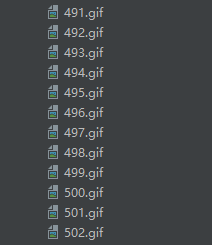
运行的结果就是爬取了500多张的图片
-
-
相关阅读:
穿山甲广告位生效时间,广告位不合法,广告位错误等
MySQL日志管理、备份与恢复
C语言 | Leetcode C语言题解之第49题字母异位词分组
质数和约数
java计算机毕业设计家庭记账系统源码+数据库+系统+lw文档+mybatis+运行部署
springboot+基于web的传染病信息管理系统的设计与实现 毕业设计-附源码221124
CorelDRAW2023最新版矢量设计软件
uni-app的来龙去脉,技术要点及技术难点,语法结构及应用场景,其实前端也很难,顶级的前端比后端都重要,感觉第一,理性第二
【JVM】如何定位、解决内存泄漏和溢出
差评回复模板
- 原文地址:https://blog.csdn.net/weixin_55500281/article/details/128131902