-
【OpenGL开发】VS2017+nuget配置OpenGL开发环境(C++)
文章目录
- 1、简介
- 2、nuget配置程序源
- 3、nuget安装库
- 3.1 nuget安装nupengl.core(C++)
- 3.2 nuget安装glm(C++)
- 3.3 nuget安装glfw(C++)
- 3.4 nuget安装glew(C++)
- 3.5 nuget安装freeglut(C++)
- 3.6 nuget安装sdl(C++)
- 3.7 nuget安装soil(C++)
- 3.8 nuget安装freetype(C++)
- 3.9 nuget安装assimp(C++)
- 3.10 nuget安装zlib(C++)
- 3.11 nuget安装curl(C++)
- 3.12 nuget安装TinyXml(C++)
- 3.13 nuget安装rapidjson(C++)
- 3.14 nuget安装cairo(C++)
- 3.15 nuget安装Giawa.OpenGL(C#)
- 4、代码测试
- 结语

1、简介
如果你了解python,那么它类似pip。如果你了解nodejs,那么它类似npm。
什么是NuGet?
NuGet 是 .NET 的包管理器。NuGet 客户端工具提供生成和使用包的功能。NuGet 库是所有包作者和使用者使用的中央包存储库。
NuGet它就是一个包(package)管理平台,确切的说是 .net平台的包管理工具,它提供了一系列客户端用于生成,上传和使用包(package),以及一个用于存储所有包的中心库即NuGet Gallery,如果有需要也可以搭建自己的私有NuGet库。

适用于任何现代开发平台的基本工具可充当一种机制,通过这种机制,开发人员可以创建、共享和使用有用的代码。 通常,此类代码捆绑到“包”中,其中包含编译的代码(如 DLL)以及在使用这些包的项目中所需的其他内容。

NuGet 包是具有 .nupkg 扩展的单个 ZIP 文件,此扩展包含编译代码 (Dll)、与该代码相关的其他文件以及描述性清单(包含包版本号等信息)。 使用代码的开发人员共享创建包,并将其发布到公用或专用主机。 包使用者从适合的主机获取这些包,将它们添加到项目,然后在其项目代码中调用包的功能。 随后,NuGet 自身负责处理所有中间详细信息。

NuGet的客户端融合在各类开发工具中,包括但不限于:
.net core SDK中的nuget命令行;
Visual Studio中的nuget工具;
nuget.exe 命令行客户端;
Visual Studio Code中的nuget插件;
Microsoft Visual Studio for Windows 中的 NuGet 程序包管理器 UI 允许你轻松安装、卸载和更新项目和解决方案中的 NuGet 程序包。
1.1 先决条件
-
(1)Visual Studio 2017 及更高版本在 .已安装与 NET 相关的工作负载。若要在 Visual Studio 安装程序中单独安装它,请选择“单个组件”选项卡,然后在“代码工具”下选择“NuGet 包管理器”。
-
(2)对于 Visual Studio 2015,如果缺少 NuGet 包管理器,请检查“扩展和更新>工具”,然后搜索 NuGet 包管理器扩展。如果无法在 Visual Studio 中使用扩展安装程序,请直接从 https://dist.nuget.org/index.html 下载扩展。
-
(3)如果您还没有免费帐户,请在 nuget.org 上注册一个免费帐户。必须先注册并确认帐户,然后才能上传 NuGet 包。
1.2 查找并安装包
若要查找并安装 NuGet 包与 Visual Studio,请按照下列步骤操作:
- 在“解决方案资源管理器”中加载项目,然后选择“项目”>“管理 NuGet 包”。
- 将打开“NuGet 包管理器”窗口。
- 选择“浏览”选项卡以按当前所选源的受欢迎程度显示包(请参阅包源)。要搜索特定包,请使用左上角的搜索框。从列表中选择一个包,以在右窗格中显示其信息,这样您就可以选择要安装的版本。

若要使用 NuGet 包管理器 在 Visual Studio 中安装 Newtonsoft.Json 包,请执行以下步骤:
(1)选择“项目”>“管理 NuGet 包” 。
(2)在“NuGet 包管理器”窗口中,选择“nuget.org”作为包源。
(3)在 “浏览 ”选项卡中,搜索 Newtonsoft.Json,在列表中选择 Newtonsoft.Json ,然后选择“ 安装”。
(4)如果系统提示验证安装,请选择“ 确定”。
1.3 卸载软件包
若要卸载 NuGet 包,请执行以下步骤:
- 在“解决方案资源管理器”中加载项目,选择“项目”>“管理 NuGet 包”,然后选择“已安装”选项卡。
- 在左窗格中选择要卸载的包(如有必要,请使用“搜索”框查找它),然后从右窗格中选择“卸载”。

1.4 更新包
若要更新 NuGet 包,请执行以下步骤:
- 在“解决方案资源管理器”中加载项目,然后选择“项目”>“管理 NuGet 包”。对于网站项目,请先选择 Bin 文件夹。
- 选择“更新”选项卡以查看具有所选包源中可用更新的包。选择“包括预发行版”以在更新列表中包括预发行版包。
- 选择要更新的包。在右侧窗格中,从下拉列表中选择所需的版本,然后选择 更新。

1.5 管理解决方案的包
管理解决方案的包是同时处理多个项目的便捷方法:
- 在解决方案管理器中选择一个解决方案,然后选择“NuGet 包管理器>工具”>“管理解决方案的 NuGet 包”。
- 在“管理解决方案的 NuGet 包”窗口中,选择受操作影响的项目。

1.6 “合并”选项卡
开发人员通常认为,在同一解决方案中的不同项目中跨不同项目使用同一 NuGet 包的不同版本是一种不好的做法。Visual Studio 允许你对 NuGet 包使用通用版本。为此,请使用“NuGet 包管理器”窗口的“合并”选项卡来发现解决方案中不同项目使用具有不同版本号的包的位置。

2、nuget配置程序源
2.1 在线源
如果遇到NuGet程序包加载超时的问题时,可按如下步骤解决:
VS菜单: 工具 -> NuGet包管理器 -> 程序包管理器设置,如下所示:

我们知道,直接使用https://www.nuget.org/api/v2/源访问或下载资源的速度在国内来说是非常慢的,我们可以添加国内的资源地址,如华为或腾讯等。
V3版本地址:https://api.nuget.org/v3/index.json 腾讯:https://mirrors.cloud.tencent.com/nuget/ 博客园:https://nuget.cnblogs.com/v3/index.json 华为云: https://repo.huaweicloud.com/repository/nuget/v3/index.json 微软Azure:https://nuget.cdn.azure.cn/v3/index.json- 1
- 2
- 3
- 4
- 5
2.2 本地源
手动下载nuget包,新增vs本地nuget下载源。我们可以在Visual Studio中增加本地源:
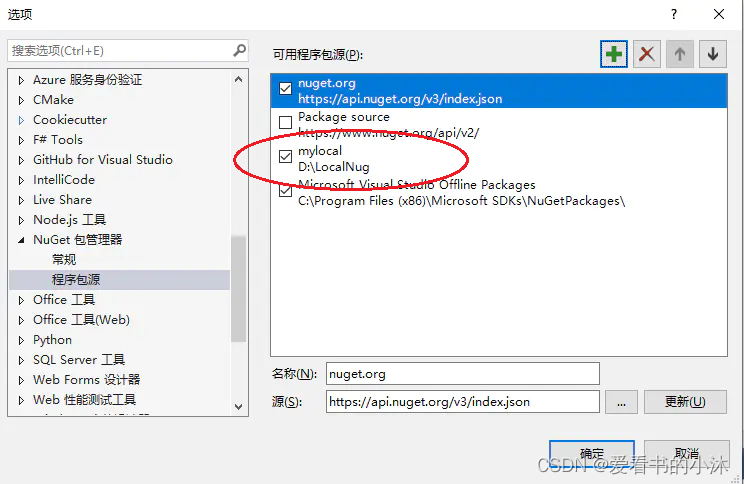
在工具->选项->Nuget包管理器->程序包源中,可以增加本地的路径。
在开发时,就可以从本地加载NuGet包了:

3、nuget安装库
3.1 nuget安装nupengl.core(C++)

新建一个空项目工程如下:
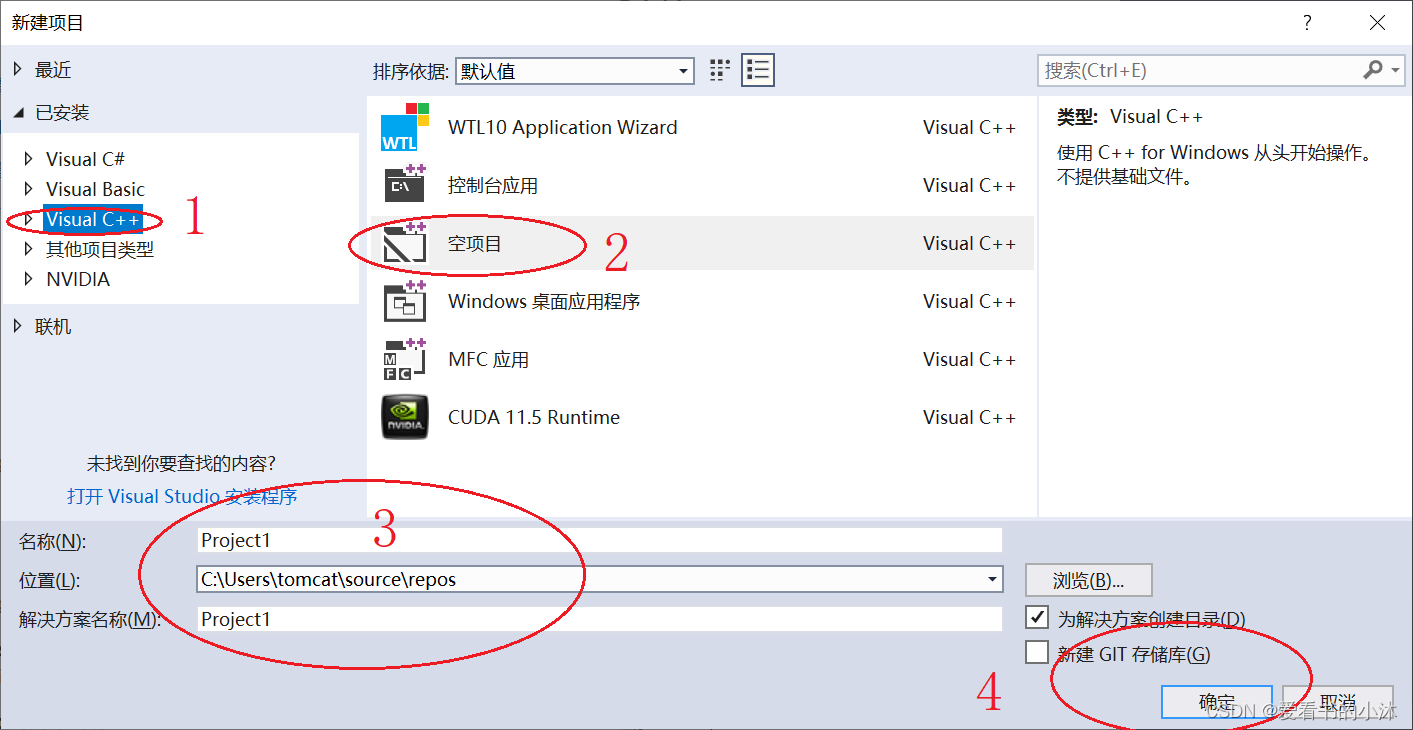
打开nuget管理界面:

搜索nupengl包:

选中第一个"nupengl.core",点击安装。


相关包安装之后,在项目文件夹里会自动产生一个文件夹packages.

packages文件夹里存放本项目安装的各个包文件。

这是nupengl包的库文件。

这是nupengl包的头文件。

在项目的解决方案的树节点上也会自动增加一个节点“packages.config”
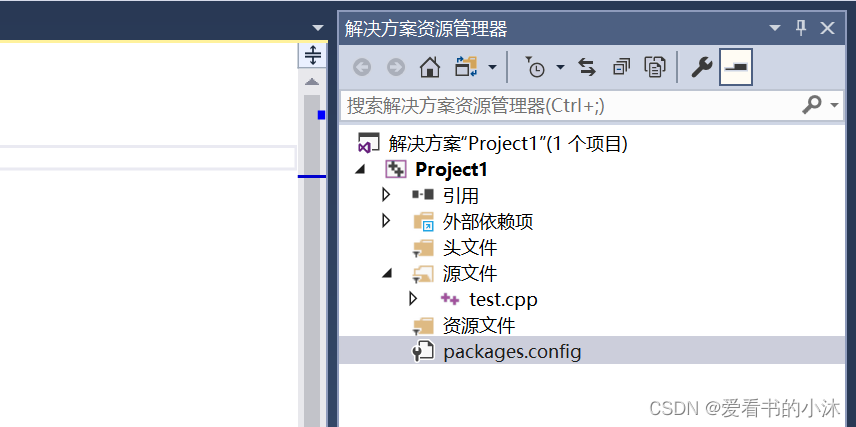
节点“packages.config”对应的文件里有本项目安装的相关包的信息。

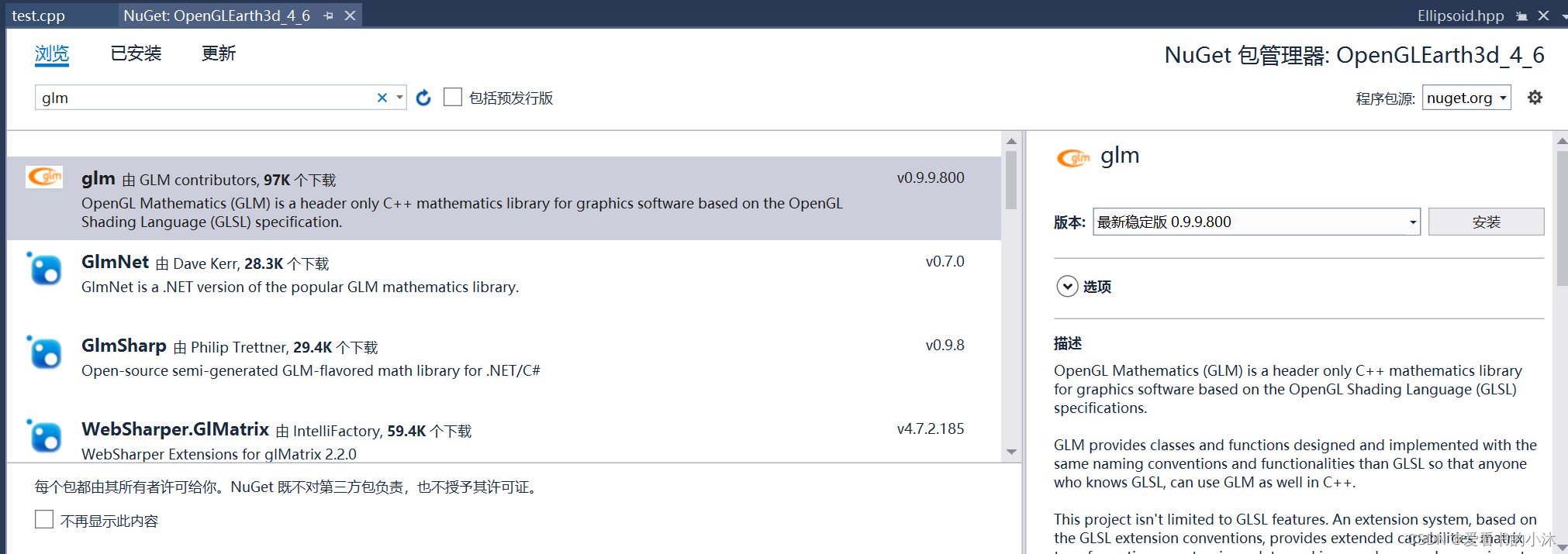
3.2 nuget安装glm(C++)


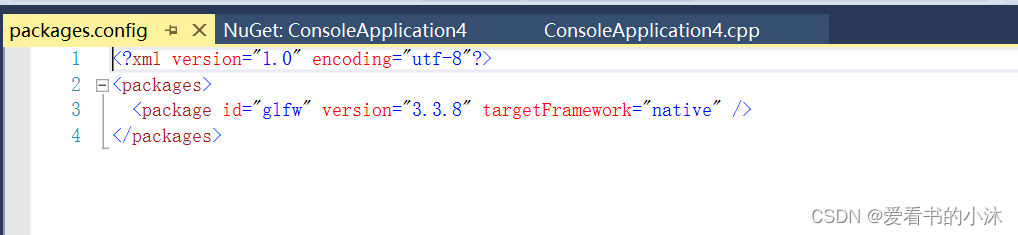
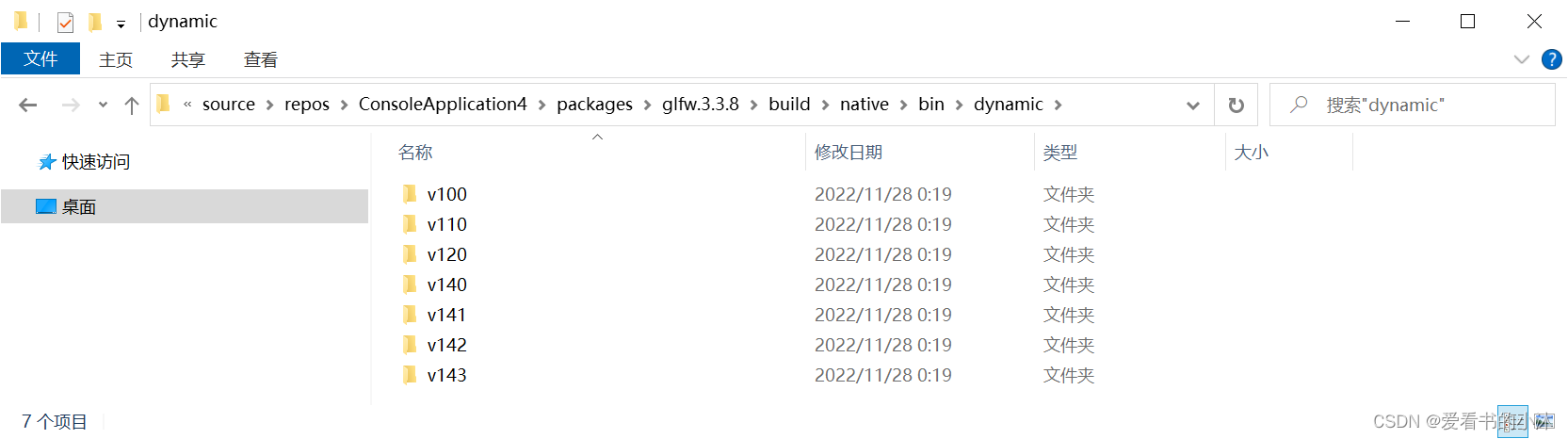
3.3 nuget安装glfw(C++)
单独安装glfw库。


3.4 nuget安装glew(C++)
单独安装glew库。


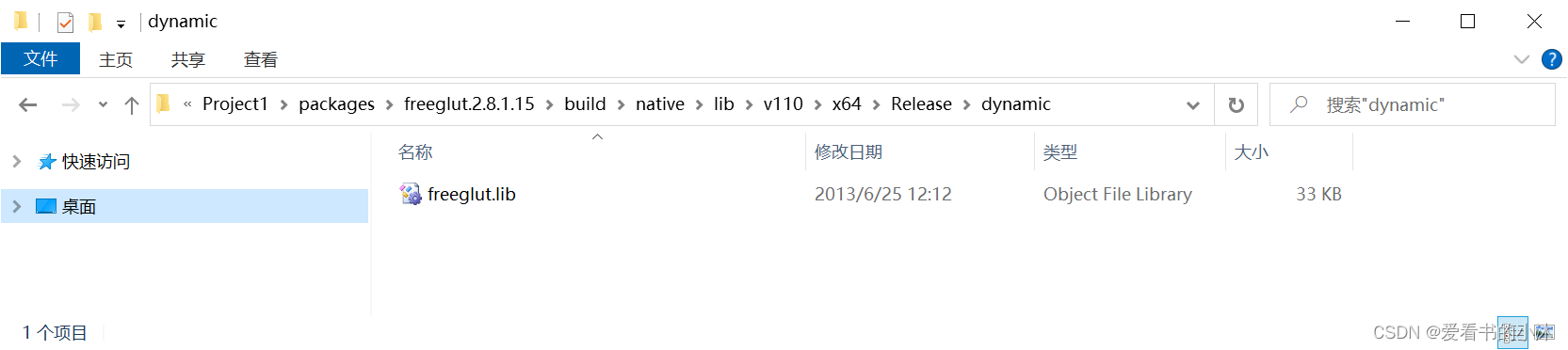
3.5 nuget安装freeglut(C++)
在nuget的包管理器界面搜索freeglut的记录,单独安装freeglut。



3.6 nuget安装sdl(C++)
在nuget的包管理器界面搜索sdl2.nuget的记录。

点击右侧的安装按钮。
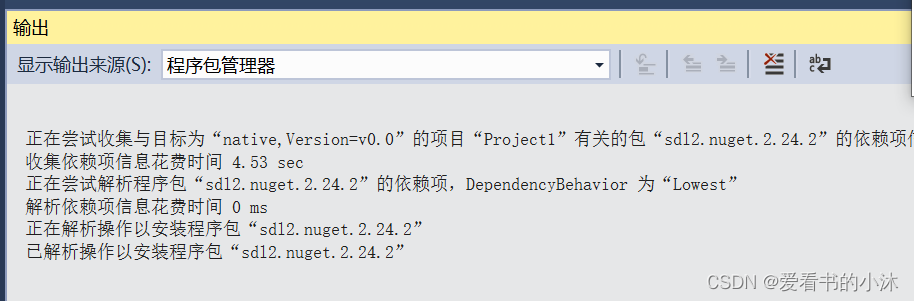
包下载完成之后,自动弹出如下界面提示将sdl2包的相关数据集成到当前项目工程中。

在packages.config文件发现增加了sdl相关包。

3.7 nuget安装soil(C++)
Simple OpenGL Image Library: SOIL2 is a tiny C library used primarily for uploading textures into OpenGL. Also saving and loading of images is supported.


3.8 nuget安装freetype(C++)
FreeType is a freely available software library to render fonts.
Homepage: http://www.freetype.org/index.html


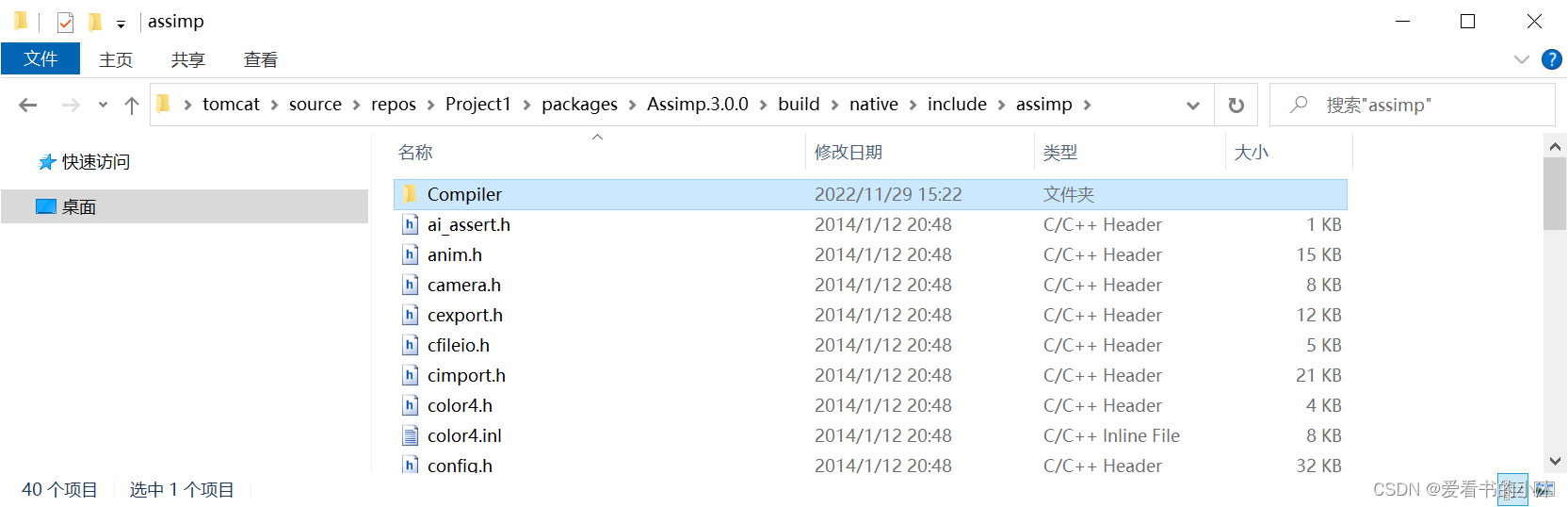
3.9 nuget安装assimp(C++)
Open Asset Import Library (short name: Assimp) is a portable Open Source library to import various well-known 3D model formats in a uniform manner. The most recent version also knows how to export 3d files and is therefore suitable as a general-purpose 3D model converter. See the feature list online at http://assimp.sourceforge.net/main_features.html.



3.10 nuget安装zlib(C++)
Visual Studio 2017 Release zlib as NuGet package.


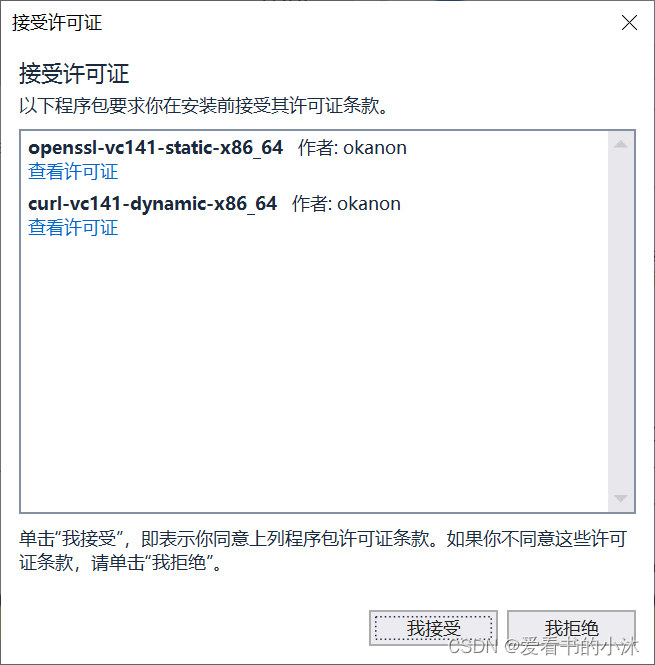
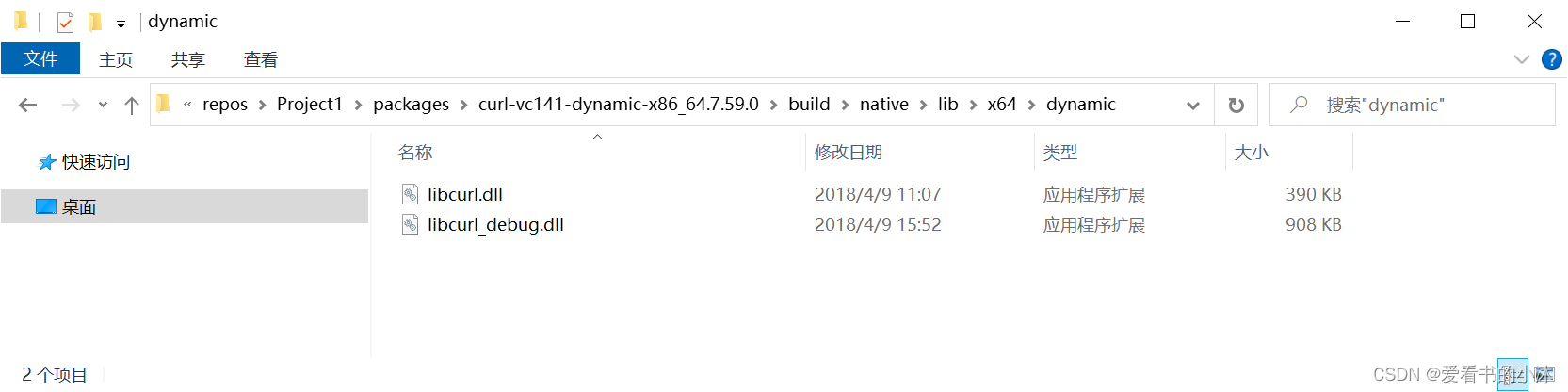
3.11 nuget安装curl(C++)
libcurl library packaged Visual Studio 2017 (msvc141). The multiprotocol file transfer library.




3.12 nuget安装TinyXml(C++)
The package includes prebuilt binaries for TinyXml-2.8.2 library


3.13 nuget安装rapidjson(C++)
Rapidjson is an attempt to create the fastest JSON parser and generator.


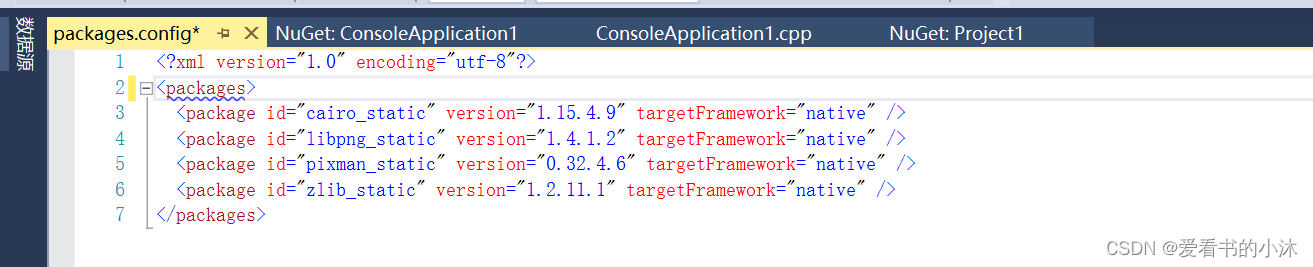
3.14 nuget安装cairo(C++)




3.15 nuget安装Giawa.OpenGL(C#)
The Tao Framework+.net、SharpGL、opengl4csharp、OpenGL.Net、CSharpGL。
- 1、打开Visual Studio,新建个工程,winform或者控制台均可。
- 2、安装Giawa.OpenGL和Giawa.OpenGL.Platform。
这2个库来自于一个开源工程,叫opengl4csharp。
Github地址:https://github.com/giawa/opengl4csharp
在nuget里面搜索安装即可。 - 3、下载SDL2.dll并添加到bin目录里面。


4、代码测试
给本测试项目添加一个cpp文件:test.cpp

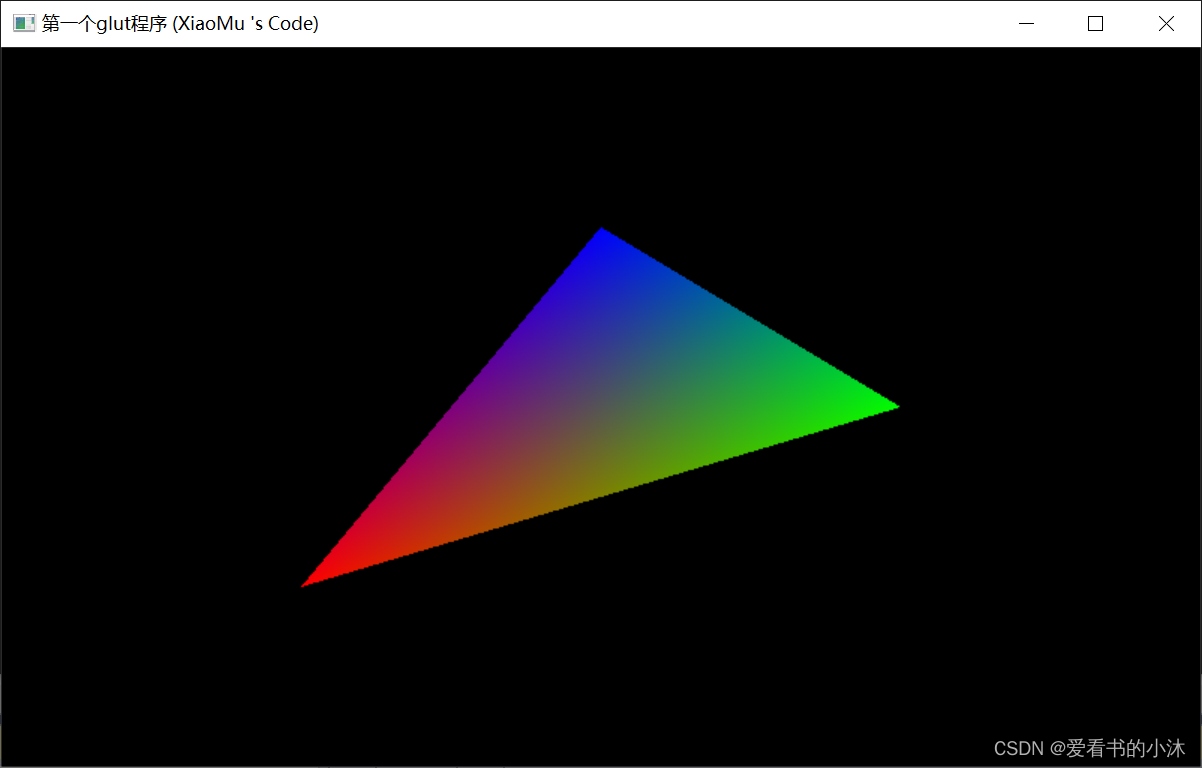
4.1 测试代码:freeglut
test.cpp:
#includevoid renderScene(void) { glClear(GL_COLOR_BUFFER_BIT | GL_DEPTH_BUFFER_BIT); glLoadIdentity(); glBegin(GL_TRIANGLES); glColor3f(1, 0, 0); glVertex3f(-0.5, -0.5, 0.0); glColor3f(0, 1, 0); glVertex3f(0.5, 0.0, 0.0); glColor3f(0, 0, 1); glVertex3f(0.0, 0.5, 0.0); glEnd(); glutSwapBuffers(); } int main(int argc, char** argv) { glutInit(&argc, (char**)argv); glutInitDisplayMode(GLUT_DEPTH | GLUT_DOUBLE | GLUT_RGBA); glutInitWindowPosition(100, 100); glutInitWindowSize(800, 480); glutCreateWindow("第一个glut程序 (XiaoMu 's Code)"); glutDisplayFunc(renderScene); glutMainLoop(); return 0; } - 1
- 2
- 3
- 4
- 5
- 6
- 7
- 8
- 9
- 10
- 11
- 12
- 13
- 14
- 15
- 16
- 17
- 18
- 19
- 20
- 21
- 22
- 23
- 24
- 25
- 26
- 27
- 28
- 29
4.2 测试代码:freeglut+tea
#includebool mouseLeftDown; bool mouseRightDown; GLfloat mouseX, mouseY; GLfloat cameraDistance; GLfloat cameraAngleX; GLfloat cameraAngleY; GLint winWidth = 600, winHeight = 600; void RenderCB() { glClear(GL_COLOR_BUFFER_BIT | GL_DEPTH_BUFFER_BIT); glMatrixMode(GL_MODELVIEW); glLoadIdentity(); glTranslatef(0, 0, cameraDistance); glRotatef(cameraAngleX, 1, 0, 0); glRotatef(cameraAngleY, 0, 1, 0); glPushMatrix(); //glutWireTeapot(160); glutSolidTeapot(120); glPopMatrix(); glutSwapBuffers(); } void ReshapeCB(int w, int h) { winWidth = w; winHeight = h; glViewport(0, 0, w, h); glMatrixMode(GL_PROJECTION); glLoadIdentity(); glOrtho(-w / 2, w / 2, -h / 2, h / 2, -w, w); glMatrixMode(GL_MODELVIEW); glLoadIdentity(); } void InitGL() { glClearColor(0.9, 0.9, 0.8, 1.0); /********* 光照处理 **********/ GLfloat light_ambient[] = { 0.0, 0.0, 0.0, 1.0 }; GLfloat light_diffuse[] = { 1.0, 1.0, 1.0, 1.0 }; GLfloat light_specular[] = { 1.0, 1.0, 1.0, 1.0 }; GLfloat light_position0[] = { 100.0, 100.0, 100.0 ,0 }; //定义光位置得齐次坐标(x,y,z,w), //如果w=1.0,为定位光源(也叫点光源), //如果w=0,为定向光源(无限光源),定向光源为无穷远点,因而产生光为平行光。 glLightfv(GL_LIGHT0, GL_AMBIENT, light_ambient); //环境光 glLightfv(GL_LIGHT0, GL_DIFFUSE, light_diffuse); //漫射光 glLightfv(GL_LIGHT0, GL_SPECULAR, light_specular); //镜面反射 glLightfv(GL_LIGHT0, GL_POSITION, light_position0); //光照位置 /******** 材质处理 ***********/ GLfloat mat_ambient[] = { 0.0, 0.2, 1.0, 1.0 }; GLfloat mat_diffuse[] = { 0.8, 0.5, 0.2, 1.0 }; GLfloat mat_specular[] = { 1.0, 1.0, 1.0, 1.0 }; GLfloat mat_shininess[] = { 100.0 }; glMaterialfv(GL_FRONT, GL_AMBIENT, mat_ambient); glMaterialfv(GL_FRONT, GL_DIFFUSE, mat_diffuse); glMaterialfv(GL_FRONT, GL_SPECULAR, mat_specular); glMaterialfv(GL_FRONT, GL_SHININESS, mat_shininess); glEnable(GL_LIGHTING); glEnable(GL_LIGHT0); glEnable(GL_DEPTH_TEST); } void MouseCB(int button, int state, int x, int y) { mouseX = x; mouseY = y; if (button == GLUT_LEFT_BUTTON) { if (state == GLUT_DOWN) { mouseLeftDown = true; } else if (state == GLUT_UP) mouseLeftDown = false; } else if (button == GLUT_RIGHT_BUTTON) { if (state == GLUT_DOWN) { mouseRightDown = true; } else if (state == GLUT_UP) mouseRightDown = false; } } void MouseMotionCB(int x, int y) { if (mouseLeftDown) { cameraAngleY += (x - mouseX); cameraAngleX += (y - mouseY); mouseX = x; mouseY = y; } if (mouseRightDown) { cameraDistance += (y - mouseY) * 0.2f; mouseY = y; } glutPostRedisplay(); } int main(int argc, char* argv[]) { glutInit(&argc, argv); glutInitDisplayMode(GLUT_DOUBLE | GLUT_RGB | GLUT_DEPTH); glutInitWindowSize(600, 600); glutInitWindowPosition(300, 150); glutCreateWindow("glut + tea (XiaoMu 's Code)"); glutDisplayFunc(RenderCB); //glutPassiveMotionFunc(PassiveMouseMove); glutMouseFunc(MouseCB); glutMotionFunc(MouseMotionCB); glutReshapeFunc(ReshapeCB); InitGL(); glutMainLoop(); return 0; } - 1
- 2
- 3
- 4
- 5
- 6
- 7
- 8
- 9
- 10
- 11
- 12
- 13
- 14
- 15
- 16
- 17
- 18
- 19
- 20
- 21
- 22
- 23
- 24
- 25
- 26
- 27
- 28
- 29
- 30
- 31
- 32
- 33
- 34
- 35
- 36
- 37
- 38
- 39
- 40
- 41
- 42
- 43
- 44
- 45
- 46
- 47
- 48
- 49
- 50
- 51
- 52
- 53
- 54
- 55
- 56
- 57
- 58
- 59
- 60
- 61
- 62
- 63
- 64
- 65
- 66
- 67
- 68
- 69
- 70
- 71
- 72
- 73
- 74
- 75
- 76
- 77
- 78
- 79
- 80
- 81
- 82
- 83
- 84
- 85
- 86
- 87
- 88
- 89
- 90
- 91
- 92
- 93
- 94
- 95
- 96
- 97
- 98
- 99
- 100
- 101
- 102
- 103
- 104
- 105
- 106
- 107
- 108
- 109
- 110
- 111
- 112
- 113
- 114
- 115
- 116
- 117
- 118
- 119
- 120
- 121
- 122
- 123
- 124
- 125
- 126
- 127
- 128
- 129
- 130
- 131
- 132
- 133
- 134
- 135
- 136
- 137
- 138
- 139
- 140
- 141

4.3 测试代码:freeglut+glew
#include#include #include using namespace std; void changeViewport(int w, int h) { glViewport(0, 0, w, h); } void render() { glClear(GL_COLOR_BUFFER_BIT | GL_DEPTH_BUFFER_BIT); glClearColor(0.8, 1, 0.8, 1); glColor3f(1, 0, 1); glRectf(-0.5f, -0.5f, 0.5f, 0.5f); glutSwapBuffers(); } int main(int argc, char** argv) { glutInit(&argc, argv); glutInitDisplayMode(GLUT_DOUBLE | GLUT_RGBA | GLUT_DEPTH); glutInitWindowSize(800, 600); glutCreateWindow("glut + glew (XiaoMu 's Code)"); glutReshapeFunc(changeViewport); glutDisplayFunc(render); GLenum error = glewInit(); if (error != GLEW_OK) { printf("GLEW ERROR!"); return 1; } glutMainLoop(); return 0; } - 1
- 2
- 3
- 4
- 5
- 6
- 7
- 8
- 9
- 10
- 11
- 12
- 13
- 14
- 15
- 16
- 17
- 18
- 19
- 20
- 21
- 22
- 23
- 24
- 25
- 26
- 27
- 28
- 29
- 30
- 31
- 32
- 33
- 34
- 35
- 36
- 37
- 38
- 39
- 40
- 41

4.4 测试代码:freeglut+glad
//-lgdi32 -lfreeglut -lopengl32 #include "glad.c" #include#include const char* vSource = "#version 330 core\nlayout(location=0)in vec3 a_position;\nlayout(location=1)in vec3 a_color;\nout vec3 v_color;\nvoid main(){gl_Position = vec4(a_position,1.0);\nv_color = a_color;}"; const char* fSource = "#version 330 core\nin vec3 v_color;\nout vec4 o_color;\nvoid main(){o_color = vec4(v_color,1.0);}"; GLfloat ver[] = { 0.0, 0.5, 0.0, -0.5, -0.5, 0.0, 0.5, -0.5, 0.0 }; GLfloat col[] = { 1.0, 0.0, 0.0, 0.0, 1.0, 0.0, 0.0, 0.0, 1.0 }; GLuint program; GLuint vao; void display(); void keyboard(unsigned char key, int x, int y); bool init(); bool loadProgram(); bool loadVAO(); void debug(char* title); int main(int argc, char* argv[]) { glutInit(&argc, argv); glutInitDisplayMode(GLUT_DOUBLE | GLUT_RGBA | GLUT_DEPTH); glutInitContextVersion(3, 3); glutInitContextFlags(GLUT_FORWARD_COMPATIBLE | GLUT_DEBUG); glutInitContextProfile(GLUT_CORE_PROFILE); glutInitWindowPosition(0, 0); glutInitWindowSize(500, 500); glutCreateWindow("GLUT - OpenGL 3.3"); glutDisplayFunc(display); glutKeyboardFunc(keyboard); if (!init()) { std::cout << "Failed to initialize." << std::endl; return -1; } glutMainLoop(); return 0; } void display() { glClear(GL_COLOR_BUFFER_BIT | GL_DEPTH_BUFFER_BIT); glUseProgram(program); glBindVertexArray(vao); glDrawArrays(GL_TRIANGLES, 0, 3); glBindVertexArray(0); glutSwapBuffers(); } void keyboard(unsigned char key, int x, int y) { switch (key) { case 27: exit(0); break; } } bool init() { if (!gladLoadGL()) { std::cout << "Failed to init GL." << std::endl; return false; } if (!loadProgram()) { std::cout << "Failed to init program." << std::endl; return false; } if (!loadVAO()) { std::cout << "Failed to init VAO." << std::endl; return false; } return true; } bool loadProgram() { GLuint vs = glCreateShader(GL_VERTEX_SHADER); glShaderSource(vs, 1, &vSource, nullptr); glCompileShader(vs); GLuint fs = glCreateShader(GL_FRAGMENT_SHADER); glShaderSource(fs, 1, &fSource, nullptr); glCompileShader(fs); program = glCreateProgram(); glAttachShader(program, vs); glAttachShader(program, fs); glLinkProgram(program); int success; glGetProgramiv(program, GL_LINK_STATUS, &success); if (success == false) { std::cout << "Failed to link program." << std::endl; return false; } debug("loadProgram"); return true; } bool loadVAO() { GLuint vbo1, vbo2; glGenBuffers(1, &vbo1); glGenBuffers(1, &vbo2); glGenVertexArrays(1, &vao); glBindVertexArray(vao); glBindBuffer(GL_ARRAY_BUFFER, vbo1); glBufferData(GL_ARRAY_BUFFER, sizeof(ver), ver, GL_STATIC_DRAW); glEnableVertexAttribArray(0); glVertexAttribPointer(0, 3, GL_FLOAT, GL_FALSE, 3 * sizeof(GLfloat), nullptr); glBindBuffer(GL_ARRAY_BUFFER, vbo2); glBufferData(GL_ARRAY_BUFFER, sizeof(col), col, GL_STATIC_DRAW); glEnableVertexAttribArray(1); glVertexAttribPointer(1, 3, GL_FLOAT, GL_FALSE, 3 * sizeof(GLfloat), nullptr); glBindVertexArray(0); glDeleteBuffers(1, &vbo1); glDeleteBuffers(1, &vbo2); debug("loadVAO"); return true; } void debug(char* title) { GLenum error = glGetError(); if (error != GL_NO_ERROR) { std::cout << title << ":" << error << std::endl; } } - 1
- 2
- 3
- 4
- 5
- 6
- 7
- 8
- 9
- 10
- 11
- 12
- 13
- 14
- 15
- 16
- 17
- 18
- 19
- 20
- 21
- 22
- 23
- 24
- 25
- 26
- 27
- 28
- 29
- 30
- 31
- 32
- 33
- 34
- 35
- 36
- 37
- 38
- 39
- 40
- 41
- 42
- 43
- 44
- 45
- 46
- 47
- 48
- 49
- 50
- 51
- 52
- 53
- 54
- 55
- 56
- 57
- 58
- 59
- 60
- 61
- 62
- 63
- 64
- 65
- 66
- 67
- 68
- 69
- 70
- 71
- 72
- 73
- 74
- 75
- 76
- 77
- 78
- 79
- 80
- 81
- 82
- 83
- 84
- 85
- 86
- 87
- 88
- 89
- 90
- 91
- 92
- 93
- 94
- 95
- 96
- 97
- 98
- 99
- 100
- 101
- 102
- 103
- 104
- 105
- 106
- 107
- 108
- 109
- 110
- 111
- 112
- 113
- 114
- 115
- 116
- 117
- 118
- 119
- 120
- 121
- 122
- 123
- 124
- 125
- 126
- 127
- 128
- 129
- 130
- 131
- 132
- 133
- 134
- 135
- 136
- 137
- 138
- 139
- 140
- 141
- 142
- 143
- 144
- 145
- 146
- 147
- 148
- 149
- 150
- 151
- 152
- 153
- 154
- 155
- 156
- 157
- 158
- 159
- 160
- 161
- 162
- 163
- 164
- 165
- 166
4.5 测试代码:glfw
#include#include #pragma comment(lib, "opengl32.lib") int main(void) { GLFWwindow *window; /* Initialize the library */ if (!glfwInit()) return -1; // glfwWindowHint(GLFW_CONTEXT_VERSION_MAJOR, 3);//配置GLFW // glfwWindowHint(GLFW_CONTEXT_VERSION_MINOR, 3);//配置GLFW // glfwWindowHint(GLFW_OPENGL_PROFILE, GLFW_OPENGL_CORE_PROFILE);// // glfwWindowHint(GLFW_RESIZABLE, GL_FALSE); /* Create a windowed mode window and its OpenGL context */ window = glfwCreateWindow(640, 480, "glfw (XiaoMu 's Code)", nullptr, nullptr); if (!window) { glfwTerminate(); return -1; } /* Make the window's context current */ glfwMakeContextCurrent(window); /* Loop until the user closes the window */ while (!glfwWindowShouldClose(window)) { /* Render here */ glClear(GL_COLOR_BUFFER_BIT); glBegin(GL_TRIANGLES); glColor3f(1.0, 0.0, 0.0); glVertex3f(0.0, 1.0, 0.0); glColor3f(0.0, 1.0, 0.0); glVertex3f(-1.0, -1.0, 0.0); glColor3f(1.0, 0.0, 1.0); glVertex3f(1.0, -1.0, 0.0); glEnd(); /* Swap front and back buffers */ glfwSwapBuffers(window); /* Poll for and process events */ glfwPollEvents(); } glfwTerminate(); return 0; } - 1
- 2
- 3
- 4
- 5
- 6
- 7
- 8
- 9
- 10
- 11
- 12
- 13
- 14
- 15
- 16
- 17
- 18
- 19
- 20
- 21
- 22
- 23
- 24
- 25
- 26
- 27
- 28
- 29
- 30
- 31
- 32
- 33
- 34
- 35
- 36
- 37
- 38
- 39
- 40
- 41
- 42
- 43
- 44
- 45
- 46
- 47
- 48
- 49
- 50
- 51
- 52
- 53
- 54
- 55
- 56
- 57
- 58

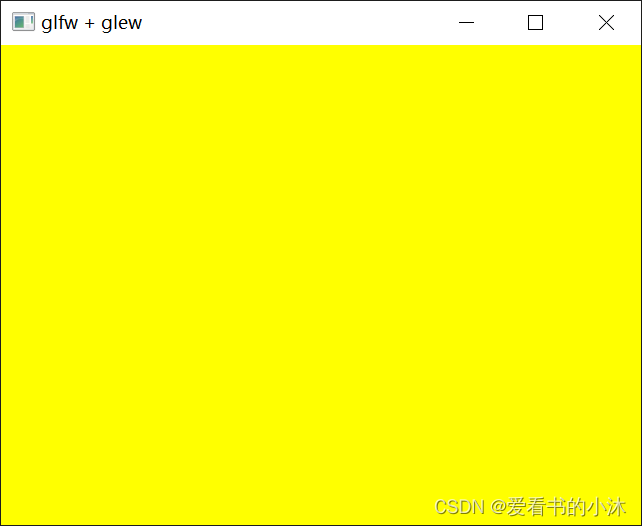
4.6 测试代码:glfw+glew
#include#include #include #pragma comment(lib, "opengl32.lib") int main(void) { GLFWwindow *window; /* Initialize the library */ if (!glfwInit()) return -1; /* Create a windowed mode window and its OpenGL context */ window = glfwCreateWindow(640, 480, "glfw + glew (XiaoMu 's Code)", NULL, NULL); if (!window) { glfwTerminate(); return -1; } /* Make the window's context current */ glfwMakeContextCurrent(window); if (glewInit() == GLEW_OK) { std::cout << "GLEW IS OK\n"; } /* Loop until the user closes the window */ while (!glfwWindowShouldClose(window)) { /* Render here */ glClear(GL_COLOR_BUFFER_BIT); glClearColor(1, 1, 0, 1); /* Swap front and back buffers */ glfwSwapBuffers(window); /* Poll for and process events */ glfwPollEvents(); } glfwTerminate(); return 0; } - 1
- 2
- 3
- 4
- 5
- 6
- 7
- 8
- 9
- 10
- 11
- 12
- 13
- 14
- 15
- 16
- 17
- 18
- 19
- 20
- 21
- 22
- 23
- 24
- 25
- 26
- 27
- 28
- 29
- 30
- 31
- 32
- 33
- 34
- 35
- 36
- 37
- 38
- 39
- 40
- 41
- 42
- 43
- 44
- 45
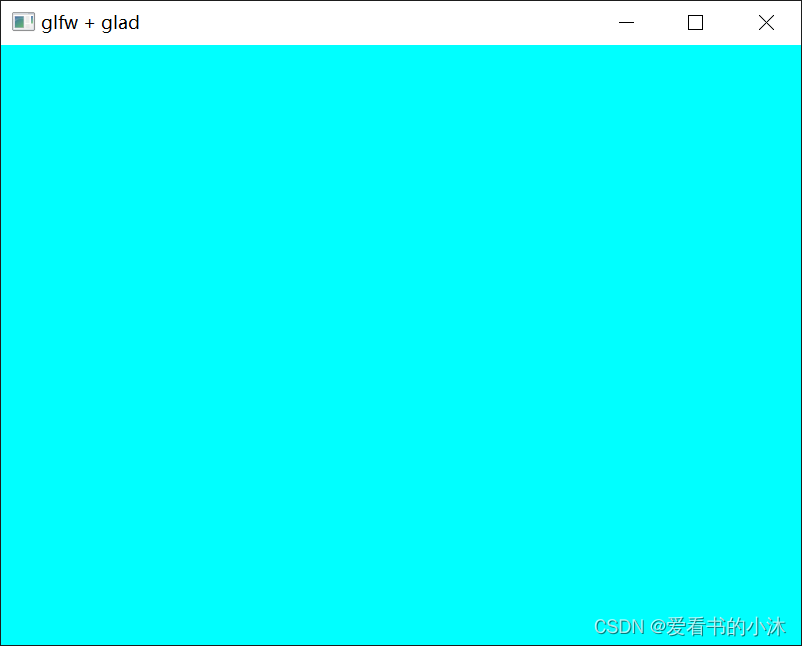
4.7 测试代码:glfw+glad


#include#include #include using namespace std; void framebuffer_size_callback(GLFWwindow* window, int width, int height); int main() { glfwInit(); glfwWindowHint(GLFW_CONTEXT_VERSION_MAJOR, 3); glfwWindowHint(GLFW_CONTEXT_VERSION_MINOR, 3); glfwWindowHint(GLFW_OPENGL_PROFILE, GLFW_OPENGL_CORE_PROFILE); GLFWwindow *window = glfwCreateWindow(800, 600, "glfw + glad (XiaoMu 's Code)", NULL, NULL); if (window == NULL) { cout << "Failed to create GLFW window" << endl; glfwTerminate(); return -1; } glfwMakeContextCurrent(window); if (!gladLoadGLLoader((GLADloadproc)glfwGetProcAddress)) { std::cout << "Failed to initialize GLAD" << std::endl; return -1; } glViewport(0, 0, 800, 600); glfwSetFramebufferSizeCallback(window, framebuffer_size_callback); while (!glfwWindowShouldClose(window)) { glClear(GL_COLOR_BUFFER_BIT); glClearColor(0, 1, 1, 1); glfwSwapBuffers(window); glfwPollEvents(); } glfwTerminate(); return 0; } void framebuffer_size_callback(GLFWwindow* window, int width, int height) { glViewport(0, 0, width, height); } - 1
- 2
- 3
- 4
- 5
- 6
- 7
- 8
- 9
- 10
- 11
- 12
- 13
- 14
- 15
- 16
- 17
- 18
- 19
- 20
- 21
- 22
- 23
- 24
- 25
- 26
- 27
- 28
- 29
- 30
- 31
- 32
- 33
- 34
- 35
- 36
- 37
- 38
- 39
- 40
- 41
- 42
- 43
- 44
- 45
4.8 测试代码:glfw+glad+shader
#include#include #include void framebuffer_size_callback(GLFWwindow* window, int width, int height); void processInput(GLFWwindow* window); // settings const unsigned int SCR_WIDTH = 800; const unsigned int SCR_HEIGHT = 600; const char* vertexShaderSource = "#version 330 core\n" "layout (location = 0) in vec3 aPos;\n" "layout (location = 1) in vec4 aColor;\n" "out vec4 outColor;\n" "void main()\n" "{\n" " gl_Position = vec4(aPos.x, aPos.y, aPos.z, 1.0);\n" " outColor = aColor;\n" "}\0"; const char* fragmentShaderSource = "#version 330 core\n" "out vec4 FragColor;\n" "in vec4 outColor;\n" "void main()\n" "{\n" " //FragColor = vec4(1.0, 0.0, 0.0, 1.0);\n" " FragColor = outColor;\n" "}\n\0"; int main() { glfwInit(); glfwWindowHint(GLFW_CONTEXT_VERSION_MAJOR, 3); glfwWindowHint(GLFW_CONTEXT_VERSION_MINOR, 3); glfwWindowHint(GLFW_OPENGL_PROFILE, GLFW_OPENGL_CORE_PROFILE); GLFWwindow * window = glfwCreateWindow(SCR_WIDTH, SCR_HEIGHT, "glfw + glad + shader (XiaoMu 's Code)", NULL, NULL); if (window == NULL) { std::cout << "Failed to create GLFW window" << std::endl; glfwTerminate(); return -1; } glfwMakeContextCurrent(window); glfwSetFramebufferSizeCallback(window, framebuffer_size_callback); if (!gladLoadGLLoader((GLADloadproc)glfwGetProcAddress)) { std::cout << "Failed to initialize GLAD" << std::endl; return -1; } // vertex shader unsigned int vertexShader = glCreateShader(GL_VERTEX_SHADER); glShaderSource(vertexShader, 1, &vertexShaderSource, NULL); glCompileShader(vertexShader); // check for shader compile errors int success; char infoLog[512]; glGetShaderiv(vertexShader, GL_COMPILE_STATUS, &success); if (!success) { glGetShaderInfoLog(vertexShader, 512, NULL, infoLog); std::cout << "ERROR::SHADER::VERTEX::COMPILATION_FAILED\n" << infoLog << std::endl; } // fragment shader unsigned int fragmentShader = glCreateShader(GL_FRAGMENT_SHADER); glShaderSource(fragmentShader, 1, &fragmentShaderSource, NULL); glCompileShader(fragmentShader); // check for shader compile errors glGetShaderiv(fragmentShader, GL_COMPILE_STATUS, &success); if (!success) { glGetShaderInfoLog(fragmentShader, 512, NULL, infoLog); std::cout << "ERROR::SHADER::FRAGMENT::COMPILATION_FAILED\n" << infoLog << std::endl; } // link shaders unsigned int shaderProgram = glCreateProgram(); glAttachShader(shaderProgram, vertexShader); glAttachShader(shaderProgram, fragmentShader); glLinkProgram(shaderProgram); // check for linking errors glGetProgramiv(shaderProgram, GL_LINK_STATUS, &success); if (!success) { glGetProgramInfoLog(shaderProgram, 512, NULL, infoLog); std::cout << "ERROR::SHADER::PROGRAM::LINKING_FAILED\n" << infoLog << std::endl; } glDeleteShader(vertexShader); glDeleteShader(fragmentShader); float vertices[] = { -0.9f, -0.9f, 0.0f, 1.0f, 0.0f, 0.0f, 1.0f, 0.9f, 0.9f, 0.0f, 0.0f, 1.0f, 0.0f, 1.0f, -0.5f, 0.5f, 0.0f, 0.0f, 0.0f, 1.0f, 1.0f, 0.8f, -0.8f, 0.0f, 1.0f, 0.0f, 1.0f, 1.0f, }; unsigned int VBO, VAO; glGenVertexArrays(1, &VAO); // bind the Vertex Array Object first, then bind and set vertex buffer(s), and then configure vertex attributes(s). glBindVertexArray(VAO); glGenBuffers(1, &VBO); glBindBuffer(GL_ARRAY_BUFFER, VBO); glBufferData(GL_ARRAY_BUFFER, sizeof(vertices), vertices, GL_STATIC_DRAW); glVertexAttribPointer(0, 3, GL_FLOAT, GL_FALSE, 7 * sizeof(float), (void*)0); glVertexAttribPointer(1, 4, GL_FLOAT, GL_FALSE, 7 * sizeof(float), (void*)(3 * sizeof(float))); glEnableVertexAttribArray(0); glEnableVertexAttribArray(1); glBindBuffer(GL_ARRAY_BUFFER, 0); glBindVertexArray(0); // uncomment this call to draw in wireframe polygons. //glPolygonMode(GL_FRONT_AND_BACK, GL_LINE); while (!glfwWindowShouldClose(window)) { processInput(window); glClearColor(0.0f, 1.0f, 1.0f, 1.0f); glClear(GL_COLOR_BUFFER_BIT); glClear(GL_COLOR_BUFFER_BIT | GL_DEPTH_BUFFER_BIT); glUseProgram(shaderProgram); glBindVertexArray(VAO); glDrawArrays(GL_LINES, 0, 4); // glBindVertexArray(0); // no need to unbind it every time glfwSwapBuffers(window); glfwPollEvents(); } glDeleteVertexArrays(1, &VAO); glDeleteBuffers(1, &VBO); glDeleteProgram(shaderProgram); glfwTerminate(); return 0; } void processInput(GLFWwindow* window) { if (glfwGetKey(window, GLFW_KEY_ESCAPE) == GLFW_PRESS) glfwSetWindowShouldClose(window, true); } void framebuffer_size_callback(GLFWwindow * window, int width, int height) { glViewport(0, 0, width, height); } - 1
- 2
- 3
- 4
- 5
- 6
- 7
- 8
- 9
- 10
- 11
- 12
- 13
- 14
- 15
- 16
- 17
- 18
- 19
- 20
- 21
- 22
- 23
- 24
- 25
- 26
- 27
- 28
- 29
- 30
- 31
- 32
- 33
- 34
- 35
- 36
- 37
- 38
- 39
- 40
- 41
- 42
- 43
- 44
- 45
- 46
- 47
- 48
- 49
- 50
- 51
- 52
- 53
- 54
- 55
- 56
- 57
- 58
- 59
- 60
- 61
- 62
- 63
- 64
- 65
- 66
- 67
- 68
- 69
- 70
- 71
- 72
- 73
- 74
- 75
- 76
- 77
- 78
- 79
- 80
- 81
- 82
- 83
- 84
- 85
- 86
- 87
- 88
- 89
- 90
- 91
- 92
- 93
- 94
- 95
- 96
- 97
- 98
- 99
- 100
- 101
- 102
- 103
- 104
- 105
- 106
- 107
- 108
- 109
- 110
- 111
- 112
- 113
- 114
- 115
- 116
- 117
- 118
- 119
- 120
- 121
- 122
- 123
- 124
- 125
- 126
- 127
- 128
- 129
- 130
- 131
- 132
- 133
- 134
- 135
- 136
- 137
- 138
- 139
- 140
- 141
- 142
- 143
- 144
- 145
- 146
- 147
- 148
- 149
- 150
- 151
- 152
- 153
- 154
- 155
- 156
- 157
- 158
- 159
- 160
- 161

4.9 测试代码:sdl2
编写如下测试代码:
- test.cpp:
#include#include bool m_running = true; int main(int argc, char** argv) { // 初始化video子系统 if (SDL_Init(SDL_INIT_VIDEO) < 0) { std::cerr << "SDL INIT FAILED." << std::endl; return -1; } auto* window = SDL_CreateWindow("SDL2 (XiaoMu 's Code)", SDL_WINDOWPOS_UNDEFINED, SDL_WINDOWPOS_UNDEFINED, 800, 600, SDL_WINDOW_OPENGL | SDL_WINDOW_SHOWN | SDL_WINDOW_RESIZABLE); // 用来接收事件的结构体 SDL_Event e; while (m_running) { // 事件处理 while (SDL_PollEvent(&e)) { if (e.type == SDL_QUIT) { m_running = false; } } } SDL_DestroyWindow(window); return 0; } - 1
- 2
- 3
- 4
- 5
- 6
- 7
- 8
- 9
- 10
- 11
- 12
- 13
- 14
- 15
- 16
- 17
- 18
- 19
- 20
- 21
- 22
- 23
- 24
- 25
- 26
- 27
- 28
- 29
- 30
- 31
- 32

4.10 测试代码:sdl2+glew
编写如下测试代码:
- test.cpp:
// OpenGL headers //#define GLEW_STATIC #include#include #include // SDL headers #include #include #include #include #pragma comment(lib, "opengl32.lib") bool quit; SDL_Window* window; SDL_GLContext glContext; SDL_Event sdlEvent; int main(int argc, char *argv[]) { quit = false; //Use OpenGL 3.1 core SDL_GL_SetAttribute(SDL_GL_CONTEXT_MAJOR_VERSION, 3); SDL_GL_SetAttribute(SDL_GL_CONTEXT_MINOR_VERSION, 1); SDL_GL_SetAttribute(SDL_GL_CONTEXT_PROFILE_MASK, SDL_GL_CONTEXT_PROFILE_CORE); // Initialize video subsystem if (SDL_Init(SDL_INIT_VIDEO) < 0) { // Display error message printf("SDL could not initialize! SDL_Error: %s\n", SDL_GetError()); return false; } else { // Create window window = SDL_CreateWindow("SDL2 + glew (XiaoMu 's Code)", SDL_WINDOWPOS_CENTERED, SDL_WINDOWPOS_CENTERED, 800, 600, SDL_WINDOW_OPENGL | SDL_WINDOW_SHOWN); if (window == NULL) { // Display error message printf("Window could not be created! SDL_Error: %s\n", SDL_GetError()); return false; } else { // Create OpenGL context glContext = SDL_GL_CreateContext(window); if (glContext == NULL) { // Display error message printf("OpenGL context could not be created! SDL Error: %s\n", SDL_GetError()); return false; } else { // Initialize glew glewInit(); } } } // Game loop while (!quit) { while (SDL_PollEvent(&sdlEvent) != 0) { // Esc button is pressed if (sdlEvent.type == SDL_QUIT) { quit = true; } } // Set background color as cornflower blue glClearColor(0.39f, 0.58f, 0.93f, 1.f); // Clear color buffer glClear(GL_COLOR_BUFFER_BIT | GL_DEPTH_BUFFER_BIT); glBegin(GL_TRIANGLES); glColor3f(1, 0, 0); glVertex3f(-0.5, -0.5, 0.0); glColor3f(1, 0, 1); glVertex3f(0.5, 0.0, 0.0); glColor3f(1, 1, 0); glVertex3f(0.0, 0.5, 0.0); glEnd(); // Update window with OpenGL rendering SDL_GL_SwapWindow(window); } //Destroy window SDL_DestroyWindow(window); window = NULL; //Quit SDL subsystems SDL_Quit(); return 0; } - 1
- 2
- 3
- 4
- 5
- 6
- 7
- 8
- 9
- 10
- 11
- 12
- 13
- 14
- 15
- 16
- 17
- 18
- 19
- 20
- 21
- 22
- 23
- 24
- 25
- 26
- 27
- 28
- 29
- 30
- 31
- 32
- 33
- 34
- 35
- 36
- 37
- 38
- 39
- 40
- 41
- 42
- 43
- 44
- 45
- 46
- 47
- 48
- 49
- 50
- 51
- 52
- 53
- 54
- 55
- 56
- 57
- 58
- 59
- 60
- 61
- 62
- 63
- 64
- 65
- 66
- 67
- 68
- 69
- 70
- 71
- 72
- 73
- 74
- 75
- 76
- 77
- 78
- 79
- 80
- 81
- 82
- 83
- 84
- 85
- 86
- 87
- 88
- 89
- 90
- 91
- 92
- 93
- 94
- 95
- 96
- 97
- 98
- 99
- 100
- 101
- 102
- 103

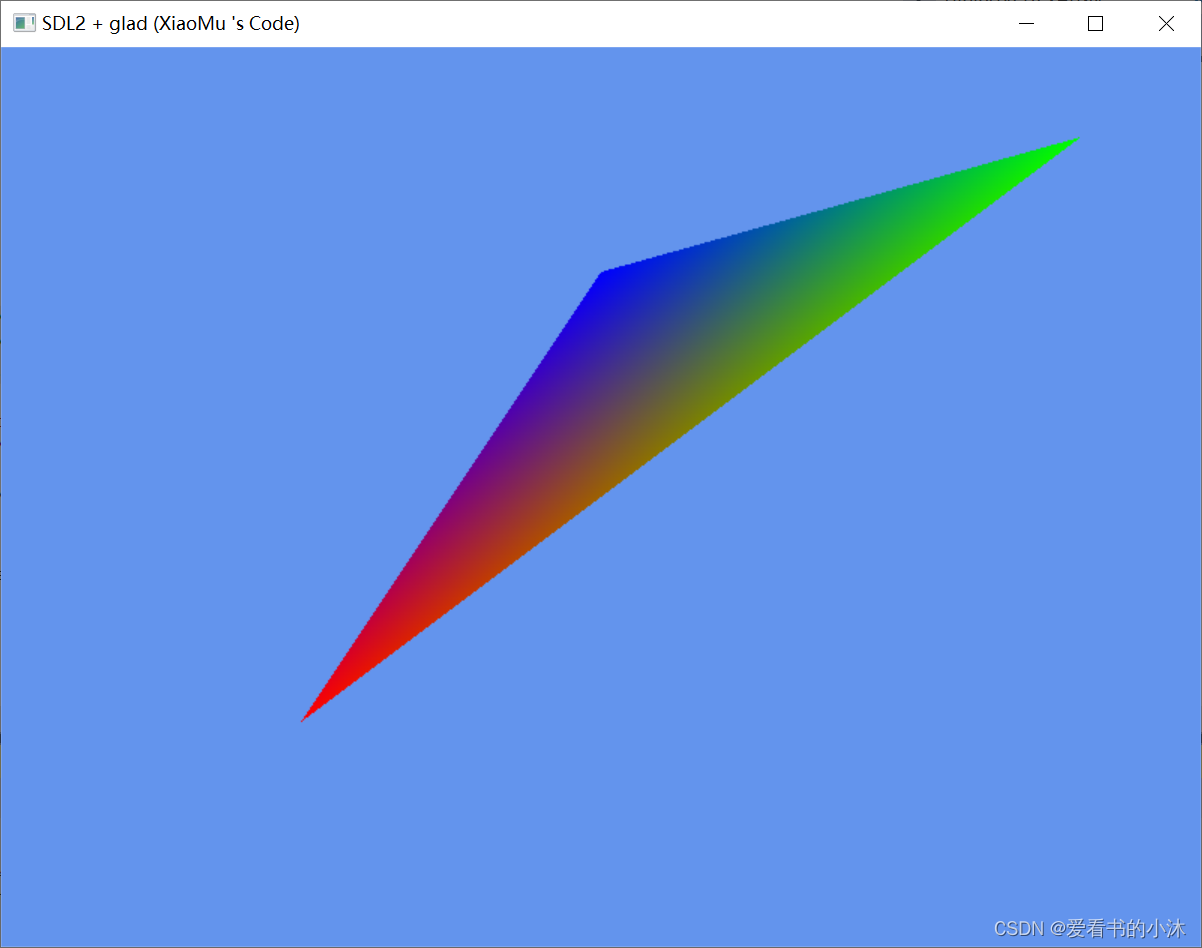
4.11 测试代码:sdl2+glad
编写如下测试代码:
- test.cpp:
#include#include #include bool m_running = true; int main(int argc, char** argv) { // 初始化video子系统 if (SDL_Init(SDL_INIT_VIDEO) < 0) { std::cerr << "SDL INIT FAILED." << std::endl; return -1; } //SDL_GL_SetAttribute(SDL_GL_CONTEXT_MAJOR_VERSION, 3); //SDL_GL_SetAttribute(SDL_GL_CONTEXT_MINOR_VERSION, 3); //SDL_GL_SetAttribute(SDL_GL_CONTEXT_PROFILE_MASK, SDL_GL_CONTEXT_PROFILE_CORE); auto* window = SDL_CreateWindow("SDL2 + glad (XiaoMu 's Code)", SDL_WINDOWPOS_UNDEFINED, SDL_WINDOWPOS_UNDEFINED, 800, 600, SDL_WINDOW_OPENGL | SDL_WINDOW_SHOWN | SDL_WINDOW_RESIZABLE); auto context = SDL_GL_CreateContext(window); gladLoadGLLoader((GLADloadproc)SDL_GL_GetProcAddress); // 用来接收事件的结构体 SDL_Event e; while (m_running) { glClearColor(0.39f, 0.58f, 0.93f, 1.f); glClear(GL_COLOR_BUFFER_BIT); // 事件处理 while (SDL_PollEvent(&e)) { if (e.type == SDL_QUIT) { m_running = false; } } glBegin(GL_TRIANGLES); glColor3f(1, 0, 0); glVertex3f(-0.5, -0.5, 0.0); glColor3f(0, 1, 0); glVertex3f(0.8, 0.8, 0.0); glColor3f(0, 0, 1); glVertex3f(0.0, 0.5, 0.0); glEnd(); SDL_GL_SwapWindow(window); } SDL_GL_DeleteContext(context); SDL_DestroyWindow(window); return 0; } - 1
- 2
- 3
- 4
- 5
- 6
- 7
- 8
- 9
- 10
- 11
- 12
- 13
- 14
- 15
- 16
- 17
- 18
- 19
- 20
- 21
- 22
- 23
- 24
- 25
- 26
- 27
- 28
- 29
- 30
- 31
- 32
- 33
- 34
- 35
- 36
- 37
- 38
- 39
- 40
- 41
- 42
- 43
- 44
- 45
- 46
- 47
- 48
- 49
- 50
- 51
- 52
- 53
- 54
- 55
- 56
结语
如果您觉得该方法或代码有一点点用处,可以给作者点个赞,或打赏杯咖啡;╮( ̄▽ ̄)╭
如果您感觉方法或代码不咋地//(ㄒoㄒ)//,就在评论处留言,作者继续改进;o_O???
如果您需要相关功能的代码定制化开发,可以留言私信作者;(✿◡‿◡)
感谢各位大佬童鞋们的支持!( ´ ▽´ )ノ ( ´ ▽´)っ!!! -
相关阅读:
JAVA期末复习攻略2022学年酸奶公园出品
Volcano社区v1.6.0版本正式发布
pgsql操作json类型
MATLAB程序设计与应用 4.4 特殊形式的函数
js 转成Number , Boolean类型
【GDB】命令脚本
国际阿里云服务器退订过程与时间怎样呢?
python爬虫涨姿势板块
浏览器事件机制详解
Python数据分析-2023-2024 NBA 球员统计数据分析
- 原文地址:https://blog.csdn.net/hhy321/article/details/127942659
