-
大数据培训课程Reduce Join案例实操
Reduce Join案例实操
1.需求
表4-4 订单数据表t_order
id pid amount 1001 01 1 1002 02 2 1003 03 3 1004 01 4 1005 02 5 1006 03 6 表4-5 商品信息表t_product
pid pname 01 小米 02 华为 03 格力 将商品信息表中数据根据商品pid合并到订单数据表中。
表4-6 最终数据形式
id pname amount 1001 小米 1 1004 小米 4 1002 华为 2 1005 华为 5 1003 格力 3 1006 格力 6 2.需求分析
通过将关联条件作为Map输出的key,将两表满足Join条件的数据并携带数据所来源的文件信息,发往同一个ReduceTask,在Reduce中进行数据的串联,如图4-20所示。

图4-20 Reduce端表合并
3.代码实现
1)创建商品和订合并后的Bean类
package com.atguigu.mapreduce.table; import java.io.DataInput; import java.io.DataOutput; import java.io.IOException; import org.apache.hadoop.io.Writable; public class TableBean implements Writable { private String order_id; // 订单id private String p_id; // 产品id private int amount; // 产品数量 private String pname; // 产品名称 private String flag; // 表的标记 public TableBean() { super(); } public TableBean(String order_id, String p_id, int amount, String pname, String flag) { super(); this.order_id = order_id; this.p_id = p_id; this.amount = amount; this.pname = pname; this.flag = flag; } public String getFlag() { return flag; } public void setFlag(String flag) { this.flag = flag; } public String getOrder_id() { return order_id; } public void setOrder_id(String order_id) { this.order_id = order_id; } public String getP_id() { return p_id; } public void setP_id(String p_id) { this.p_id = p_id; } public int getAmount() { return amount; } public void setAmount(int amount) { this.amount = amount; } public String getPname() { return pname; } public void setPname(String pname) { this.pname = pname; } @Override public void write(DataOutput out) throws IOException { out.writeUTF(order_id); out.writeUTF(p_id); out.writeInt(amount); out.writeUTF(pname); out.writeUTF(flag); } @Override public void readFields(DataInput in) throws IOException { this.order_id = in.readUTF(); this.p_id = in.readUTF(); this.amount = in.readInt(); this.pname = in.readUTF(); this.flag = in.readUTF(); } @Override public String toString() { return order_id + “\t” + pname + “\t” + amount + “\t” ; } } 2)编写TableMapper类
package com.atguigu.mapreduce.table; import java.io.IOException; import org.apache.hadoop.io.LongWritable; import org.apache.hadoop.io.Text; import org.apache.hadoop.mapreduce.Mapper; import org.apache.hadoop.mapreduce.lib.input.FileSplit; public class TableMapper extends Mapper 3)编写TableReducer类
package com.atguigu.mapreduce.table; import java.io.IOException; import java.util.ArrayList; import org.apache.commons.beanutils.BeanUtils; import org.apache.hadoop.io.NullWritable; import org.apache.hadoop.io.Text; import org.apache.hadoop.mapreduce.Reducer; public class TableReducer extends Reducer values, Context context) throws IOException, InterruptedException { // 1准备存储订单的集合 ArrayList orderBeans = new ArrayList<>(); // 2 准备bean对象 TableBean pdBean = new TableBean(); for (TableBean bean : values) { if (“order”.equals(bean.getFlag())) {// 订单表 // 拷贝传递过来的每条订单数据到集合中 TableBean orderBean = new TableBean(); try { BeanUtils.copyProperties(orderBean, bean); } catch (Exception e) { e.printStackTrace(); } orderBeans.add(orderBean); } else {// 产品表 try { // 拷贝传递过来的产品表到内存中 BeanUtils.copyProperties(pdBean, bean); } catch (Exception e) { e.printStackTrace(); } } } // 3 表的拼接 for(TableBean bean:orderBeans){ bean.setPname (pdBean.getPname()); // 4 数据写出去 context.write(bean, NullWritable.get()); } } } 4)编写TableDriver类
package com.atguigu.mapreduce.table; import org.apache.hadoop.conf.Configuration; import org.apache.hadoop.fs.Path; import org.apache.hadoop.io.NullWritable; import org.apache.hadoop.io.Text; import org.apache.hadoop.mapreduce.Job; import org.apache.hadoop.mapreduce.lib.input.FileInputFormat; import org.apache.hadoop.mapreduce.lib.output.FileOutputFormat; public class TableDriver { public static void main(String[] args) throws Exception { // 0 根据自己电脑路径重新配置 args = new String[]{“e:/input/inputtable”,”e:/output1″}; // 1 获取配置信息,或者job对象实例 Configuration configuration = new Configuration(); Job job = Job.getInstance(configuration); // 2 指定本程序的jar包所在的本地路径 job.setJarByClass(TableDriver.class); // 3 指定本业务job要使用的Mapper/Reducer业务类 job.setMapperClass(TableMapper.class); job.setReducerClass(TableReducer.class); // 4 指定Mapper输出数据的kv类型 job.setMapOutputKeyClass(Text.class); job.setMapOutputValueClass(TableBean.class); // 5 指定最终输出的数据的kv类型 job.setOutputKeyClass(TableBean.class); job.setOutputValueClass(NullWritable.class); // 6 指定job的输入原始文件所在目录 FileInputFormat.setInputPaths(job, new Path(args[0])); FileOutputFormat.setOutputPath(job, new Path(args[1])); // 7 将job中配置的相关参数,以及job所用的java类所在的jar包, 提交给yarn去运行 boolean result = job.waitForCompletion(true); System.exit(result ? 0 : 1); } } 4.测试
运行程序查看结果
1001 小米 1 1001 小米 1 1002 华为 2 1002 华为 2 1003 格力 3 1003 格力 3 5.总结
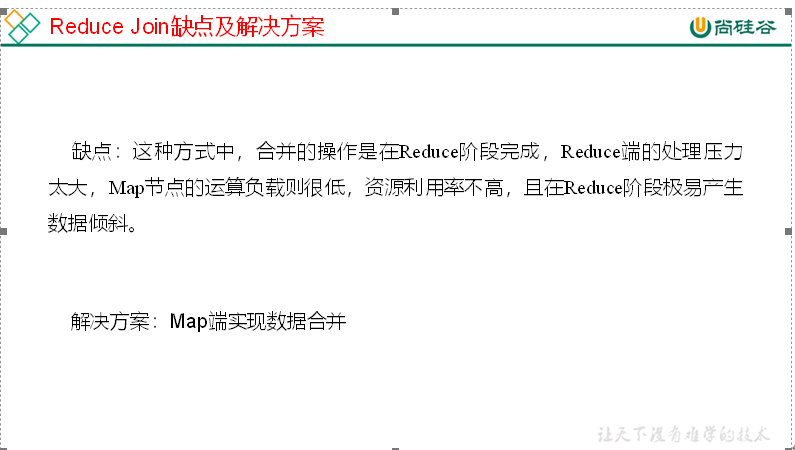
-
相关阅读:
oracle11g安装图解
【mysql】mysql 中 text,longtext,mediumtext 字段类型的意思, 以及区别
Rabbit消息的可靠性
暴力递归转动态规划(十)
【C++笔记】AVL树的模拟实现
[英雄星球六月集训LeetCode解题日报] 第15日 树状数组
Self-attention与multi-head self-attention
GAMS104 现代游戏引擎 2
唯品会获得vip商品详情 API 返回值说明
Android导出aar插件供Unity使用以及通过android scheme启动unityApp
- 原文地址:https://blog.csdn.net/zjjcchina/article/details/127960291