-
servlet和vue的增删改查
Servlet->新增
servlet获取请求参数,将参数转化为对象,调用service
@WebServlet("/addService") public class addAllService extends HttpServlet { private BrandService brandService = new BrandServiceimpl() ; @Override protected void doGet(HttpServletRequest req, HttpServletResponse resp) throws ServletException, IOException { } @Override protected void doPost(HttpServletRequest req, HttpServletResponse resp) throws ServletException, IOException { // 1.接收请求传递的数据 BufferedReader reader = req.getReader(); String param = reader.readLine(); //2.将 param 转化为对象 Brand brand = JSON.parseObject(param,Brand.class); //3.调用service的新增方法 brandService.add(brand); //4.响应数据 resp.getWriter().write("success"); } }- 1
- 2
- 3
- 4
- 5
- 6
- 7
- 8
- 9
- 10
- 11
- 12
- 13
- 14
- 15
- 16
- 17
- 18
- 19
- 20
- 21
- 22
service调用mapper方法进行查询
public class BrandServiceimpl implements BrandService { // 1. 创建sql工程对象 SqlSessionFactory sqlSessionFactory = SqlSessionFactoryUtils.getSqlSessionFactory(); @Override public void add(Brand brand) { // 2. 获取sqlsession对象 SqlSession sqlSession = sqlSessionFactory.openSession(); // 3.获得mapper对象 BrandMapper brandMapper = (BrandMapper)sqlSession.getMapper(BrandMapper.class); // 4.调用方法 brandMapper.add(brand); // 5.提交事物 增加/删除/修改 sqlSession.commit(); // 6.关闭资源 sqlSession.close(); } }- 1
- 2
- 3
- 4
- 5
- 6
- 7
- 8
- 9
- 10
- 11
- 12
- 13
- 14
- 15
- 16
- 17
- 18
- 19
- 20
Vue: 将输入的数据赋值给模型,给确定按钮绑定单机事件,发送请求时,将数据发送到服务器段,接收服务器响应的数据,进行判断
<el-form ref="form" :model="brand" label-width="80px"> <el-form-item label="品牌名称"> <el-input v-model="brand.brandName"></el-input> </el-form-item> <el-form-item label="企业名称"> <el-input v-model="brand.companyName"></el-input> </el-form-item> <el-form-item label="排序"> <el-input v-model="brand.ordered"></el-input> </el-form-item> <el-form-item label="备注"> <el-input type="textarea" v-model="brand.description"></el-input> </el-form-item> <el-form-item label="状态"> <el-switch v-model="brand.status" active-value="1" inactive-value="0" ></el-switch> </el-form-item> <el-form-item> <el-button type="primary" @click="addBrand">提交</el-button> <el-button @click="dialogVisible = false">取消</el-button> </el-form-item> </el-form> </el-dialog> new Vue({ el: "#app", methods: { addBrand(){ // 添加点击确定时,调用这个方法 var _this = this; axios({ method:"post", url:"http://localhost:8080/brand/brand/add", data:_this.brand //发送到服务器的数据 }).then(function (response) { //请求过去获取响应数据 if (response.data == "success"){ //添加成功,关闭窗口 _this.dialogVisible = false //再次调用方法,查询所有的方法 _this.selectAll(); // 添加成功提示框 _this.$message({ message: '操作成功', type: 'success' }); } }) } } data() { // 品牌模型数据 brand: { status: '', brandName: '', companyName: '', id:"", ordered:"", description:"" } }- 1
- 2
- 3
- 4
- 5
- 6
- 7
- 8
- 9
- 10
- 11
- 12
- 13
- 14
- 15
- 16
- 17
- 18
- 19
- 20
- 21
- 22
- 23
- 24
- 25
- 26
- 27
- 28
- 29
- 30
- 31
- 32
- 33
- 34
- 35
- 36
- 37
- 38
- 39
- 40
- 41
- 42
- 43
- 44
- 45
- 46
- 47
- 48
- 49
- 50
- 51
- 52
- 53
- 54
- 55
- 56
- 57
- 58
- 59
- 60
- 61
- 62
- 63
- 64
- 65
- 66
- 67
- 68
- 69
- 70

servlet -> 查询
servlet 调用service的方法处理请求,将查询到的数据响应回去
@WebServlet("/selectAllService") public class SelectAllService extends HttpServlet { private BrandService brandService = new BrandServiceimpl() ; @Override protected void doGet(HttpServletRequest req, HttpServletResponse resp) throws ServletException, IOException { // 1.调用service方法 List<Brand> brands = brandService.selectAll(); // 2.将方法转化为json String s = JSON.toJSONString(brands); // 响应浏览器数据 resp.setContentType("text/json;charset=utf-8"); resp.getWriter().write(s); } }- 1
- 2
- 3
- 4
- 5
- 6
- 7
- 8
- 9
- 10
- 11
- 12
- 13
- 14
- 15
- 16
service调用mapper处理请求
public class BrandServiceimpl implements BrandService { // 1. 创建sql工程对象 SqlSessionFactory sqlSessionFactory = SqlSessionFactoryUtils.getSqlSessionFactory(); @Override public List<Brand> selectAll() { // 2. 获取sqlsession对象 SqlSession sqlSession = sqlSessionFactory.openSession(); // 3.获得mapper对象 BrandMapper brandMapper = (BrandMapper)sqlSession.getMapper(BrandMapper.class); // 4.调用方法 List<Brand> brands = brandMapper.selectAll(); // 5.关闭资源 sqlSession.close(); return brands; } }- 1
- 2
- 3
- 4
- 5
- 6
- 7
- 8
- 9
- 10
- 11
- 12
- 13
- 14
- 15
- 16
- 17
- 18
vue:当页面完成的时候,调用方法,获取数据,将响应的数据赋值到数据模型中
new Vue({ el: "#app", mounted(){ // 当页面加载完成,获取数据 this.selectAll(); }, methods: { // 查询所有数据的方法 selectAll(){ var _this = this; axios({ method:"get", url:"http://localhost:8080/brand/brand/selectAll", }).then(function (response) { //请求过去获取响应数据 _this.tableData = response.data; // 响应的数据,复制给表单属性 }) } data() { return { tableData: [{ brandName: '', companyName: '', ordered: '', status: "" }] } } 表格数据: <!--表格--> <template> <el-table :data="tableData" style="width: 100%" :row-class-name="tableRowClassName" @selection-change="handleSelectionChange" > <el-table-column type="selection" width="55"> </el-table-column> <el-table-column type="index" width="50"> </el-table-column> <el-table-column prop="brandName" label="品牌名称" align="center" > </el-table-column> <el-table-column prop="companyName" label="企业名称" align="center" > </el-table-column> <el-table-column prop="ordered" align="center" label="排序"> </el-table-column> <el-table-column prop="status" align="center" label="当前状态"> </el-table-column> <el-table-column align="center" label="操作"> <el-row> <el-button type="primary">修改</el-button> <el-button type="danger">删除</el-button> </el-row> </el-table-column> </el-table> </template>- 1
- 2
- 3
- 4
- 5
- 6
- 7
- 8
- 9
- 10
- 11
- 12
- 13
- 14
- 15
- 16
- 17
- 18
- 19
- 20
- 21
- 22
- 23
- 24
- 25
- 26
- 27
- 28
- 29
- 30
- 31
- 32
- 33
- 34
- 35
- 36
- 37
- 38
- 39
- 40
- 41
- 42
- 43
- 44
- 45
- 46
- 47
- 48
- 49
- 50
- 51
- 52
- 53
- 54
- 55
- 56
- 57
- 58
- 59
- 60
- 61
- 62
- 63
- 64
- 65
- 66
- 67
- 68
- 69
- 70
- 71
- 72
- 73
- 74
- 75
- 76
- 77
- 78
- 79
- 80
- 81

利用反射的方式,自动处理请求public class BashServiet extends HttpServlet { @Override protected void service(HttpServletRequest req, HttpServletResponse resp) throws ServletException, IOException { // 1. 获取请求路径 String requestURI = req.getRequestURI(); // 2.获取请求最后的方法 int i = requestURI.lastIndexOf('/'); // 3. 获取方法名称 String addBrand = requestURI.substring(i+1); // 4.获取方法,执行方法, Class<? extends BashServiet> aClass = this.getClass(); try { Method method = aClass.getMethod(addBrand, HttpServletRequest.class, HttpServletResponse.class); // 调用方法 method.invoke(this,req,resp); } catch (Exception e) { e.printStackTrace(); } } }- 1
- 2
- 3
- 4
- 5
- 6
- 7
- 8
- 9
- 10
- 11
- 12
- 13
- 14
- 15
- 16
- 17
- 18
- 19
- 20
- 21
- 22
- 23

批量删除
servlet将请求转化为数组,调用service处理方法
public void deleteByIds(HttpServletRequest req, HttpServletResponse resp) throws ServletException, IOException { // 1.接收请求传递的数据 BufferedReader reader = req.getReader(); String param = reader.readLine(); // 2.Json转化为数组 int[] ids = JSON.parseObject(param, int[].class); brandService.deleteByIds(ids); resp.getWriter().write("success"); }- 1
- 2
- 3
- 4
- 5
- 6
- 7
- 8
- 9
- 10
service处理方法
@Override public void deleteByIds(int[] ids) { // 2. 获取sqlsession对象 SqlSession sqlSession = sqlSessionFactory.openSession(); // 3.获得mapper对象 BrandMapper brandMapper = (BrandMapper) sqlSession.getMapper(BrandMapper.class); brandMapper.deleteByIds(ids); // 5.提交事物 增加/删除/修改 sqlSession.commit(); // 6.关闭资源 sqlSession.close(); }- 1
- 2
- 3
- 4
- 5
- 6
- 7
- 8
- 9
- 10
- 11
- 12
vue:
// 批量删除 deleteByIds(){ this.$confirm('此操作将删除该数据, 是否继续?', '提示', { confirmButtonText: '确定', cancelButtonText: '取消', type: 'warning' }).then(() => { //用户点击确认按钮 //1. 创建id数组 [1,2,3], 从 this.multipleSelection 获取即可 for (let i = 0; i < this.multipleSelection.length; i++) { let selectionElement = this.multipleSelection[i]; this.selectedIds[i] = selectionElement.id; } //2. 发送AJAX请求 var _this = this; // 发送ajax请求,添加数据 axios({ method:"post", url:"http://localhost:8080/brand/brand/deleteByIds", data:_this.selectedIds }).then(function (resp) { if(resp.data == "success"){ //删除成功3. // 重新查询数据 _this.selectAll(); // 弹出消息提示 _this.$message({ message: '恭喜你,删除成功', type: 'success' }); } }) }).catch(() => { //用户点击取消按钮 this.$message({ type: 'info', message: '已取消删除' }); }); } }, data() { return { // 被选中的数组 selectedIds:[] } }- 1
- 2
- 3
- 4
- 5
- 6
- 7
- 8
- 9
- 10
- 11
- 12
- 13
- 14
- 15
- 16
- 17
- 18
- 19
- 20
- 21
- 22
- 23
- 24
- 25
- 26
- 27
- 28
- 29
- 30
- 31
- 32
- 33
- 34
- 35
- 36
- 37
- 38
- 39
- 40
- 41
- 42
- 43
- 44
- 45
- 46
- 47
- 48
- 49
- 50
- 51
- 52
- 53
- 54
- 55


查询/分页
servlet接收请求,调用sevice进行查询,将结果返回到浏览器。
public void selectByPageAndCondition(HttpServletRequest request, HttpServletResponse response) throws ServletException, IOException { //1. 接收 当前页码 和 每页展示条数 url?currentPage=1&pageSize=5 String _currentPage = request.getParameter("currentPage"); String _pageSize = request.getParameter("pageSize"); int currentPage = Integer.parseInt(_currentPage); int pageSize = Integer.parseInt(_pageSize); // 获取查询条件对象 BufferedReader br = request.getReader(); String params = br.readLine();//json字符串 //转为 Brand Brand brand = JSON.parseObject(params, Brand.class); //2. 调用service查询 PageBean<Brand> pageBean = brandService.selectByPageAndCondition(currentPage,pageSize,brand); //2. 转为JSON String jsonString = JSON.toJSONString(pageBean); //3. 写数据 response.setContentType("text/json;charset=utf-8"); response.getWriter().write(jsonString); }- 1
- 2
- 3
- 4
- 5
- 6
- 7
- 8
- 9
- 10
- 11
- 12
- 13
- 14
- 15
- 16
- 17
- 18
- 19
- 20
- 21
- 22
- 23
- 24
- 25
service调用mapper接口处理请求
@Override public PageBean<Brand> selectByPageAndCondition(int currentPage, int pageSize, Brand brand) { //2. 获取SqlSession对象 SqlSession sqlSession = factory.openSession(); //3. 获取BrandMapper BrandMapper mapper = sqlSession.getMapper(BrandMapper.class); //4. 计算开始索引 int begin = (currentPage - 1) * pageSize; // 计算查询条目数 int size = pageSize; // 处理brand条件,模糊表达式 String brandName = brand.getBrandName(); if (brandName != null && brandName.length() > 0) { brand.setBrandName("%" + brandName + "%"); } String companyName = brand.getCompanyName(); if (companyName != null && companyName.length() > 0) { brand.setCompanyName("%" + companyName + "%"); } //5. 查询当前页数据 List<Brand> rows = mapper.selectByPageAndCondition(begin, size, brand); //6. 查询总记录数 int totalCount = mapper.selectTotalCountByCondition(brand); //7. 封装PageBean对象 PageBean<Brand> pageBean = new PageBean<>(); pageBean.setRows(rows); pageBean.setTotalCount(totalCount); //8. 释放资源 sqlSession.close(); return pageBean; }- 1
- 2
- 3
- 4
- 5
- 6
- 7
- 8
- 9
- 10
- 11
- 12
- 13
- 14
- 15
- 16
- 17
- 18
- 19
- 20
- 21
- 22
- 23
- 24
- 25
- 26
- 27
- 28
- 29
- 30
- 31
- 32
- 33
- 34
- 35
- 36
- 37
- 38
- 39
- 40
- 41
- 42
mapper处理请求
在这里插入代码片 <!-- 分页--> <select id="selectByPageAndCondition" resultMap="brandResultMap"> select * from tb_brand -- 如果if符合条件,则拼接查询 <where> <if test="brand.brandName != null and brand.brandName != '' "> and brand_name like #{brand.brandName} </if> <if test="brand.companyName != null and brand.companyName != '' "> and company_name like #{brand.companyName} </if> <if test="brand.status != null"> and status = #{brand.status} </if> </where> limit #{begin} , #{size} </select> <!-- 查询总记录数,每有查询时,不拼接查询条件--> <select id="selectTotalCountByCondition" resultType="java.lang.Integer"> select count(*) from tb_brand <where> <if test="brandName != null and brandName != '' "> and brand_name like #{brandName} </if> <if test="companyName != null and companyName != '' "> and company_name like #{companyName} </if> <if test="status != null"> and status = #{status} </if> </where>- 1
- 2
- 3
- 4
- 5
- 6
- 7
- 8
- 9
- 10
- 11
- 12
- 13
- 14
- 15
- 16
- 17
- 18
- 19
- 20
- 21
- 22
- 23
- 24
- 25
- 26
- 27
- 28
- 29
- 30
- 31
- 32
- 33
- 34
- 35
- 36
- 37
- 38
- 39
- 40
- 41
- 42
- 43
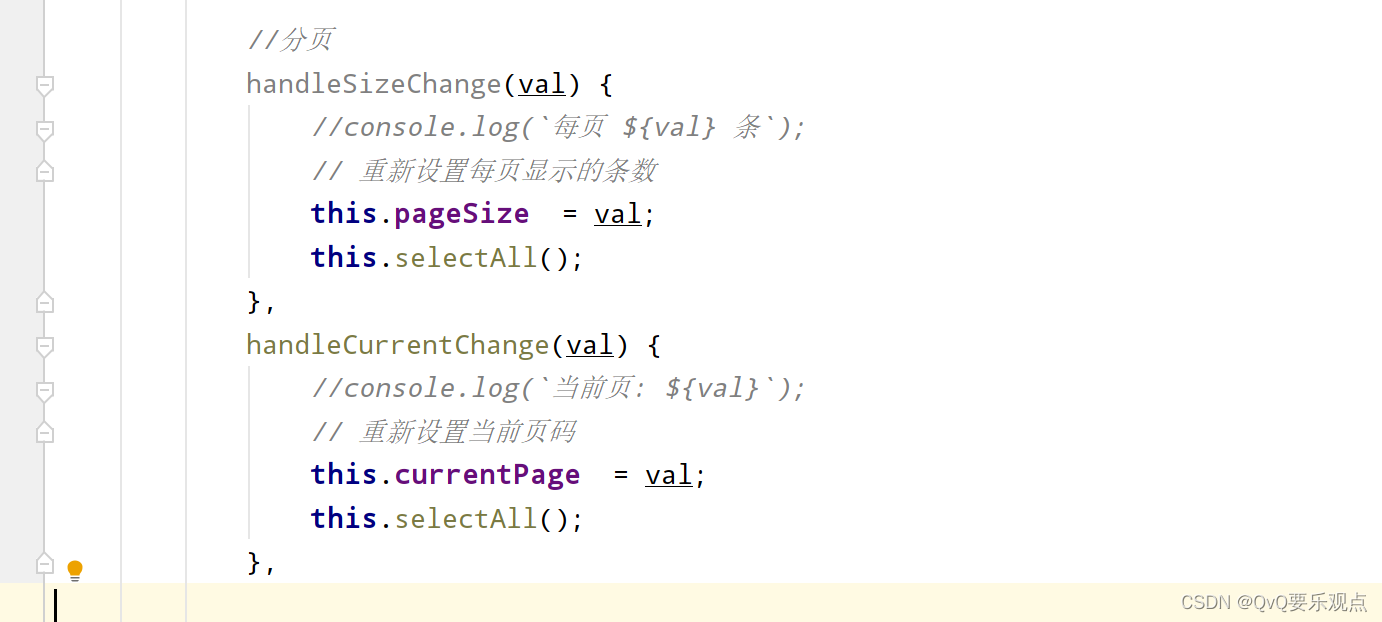
vue

点击第几页就发送请求到第几页
-
相关阅读:
Opencv项目——信用卡数字识别Python代码实现
前端性能优化
express中间件next函数在作用
Spire.Office for Java 7.11.2 - 2022-11-16
如何在麒麟上安装 ONLYOFFICE 桌面编辑器
1.6 线程池原理与实战
C#运算符执行顺序对照表
ubuntu20.04安装cmake
R语言—因子
【计算机视觉40例】案例32:定位人脸
- 原文地址:https://blog.csdn.net/qq_48690030/article/details/127943114
