-
ssh连接腾讯云服务器
一、生成本地SSH-KEY
1. 检查本机是否已经存在SSH-KEY
Linux系统(或者WSL)在/home目录下查看是否存在.ssh文件夹,文件夹内是否存在id_rsa.pub文件;Windows系统可以使用Git Bash终端查看是否存在.ssh文件夹,文件夹内是否存在id_rsa.pub文件
存在该文件证明已经有
ssh-key了,如果没有执行下一步,生成ssh-key。2. 生成本机的
SSH-KEYLinux环境下可以直接使用指令:ssh-keygen -t rsa -C "你的邮箱"
如果是
Windows环境下,使用Git Bash终端执行同样的命令。找到
.ssh文件夹下的id_rsa.pub文件,复制其中的内容。二、服务器端添加认证
1. 登录腾讯云账号
在服务器页面,选择左侧的密钥选项,然后在右侧点击创建密钥

2. 添加key
在创建SSH密钥添加页面
- 选择自己服务器的地域
- 选择使用已有公钥
- 给公钥起名字(建议起一个能标识自己本地机器的名字)
- 粘贴刚刚复制的本地机器的
ssh-key

3. 绑定服务器
- 首先,把目标服务器关机(不关机无法绑定实例)
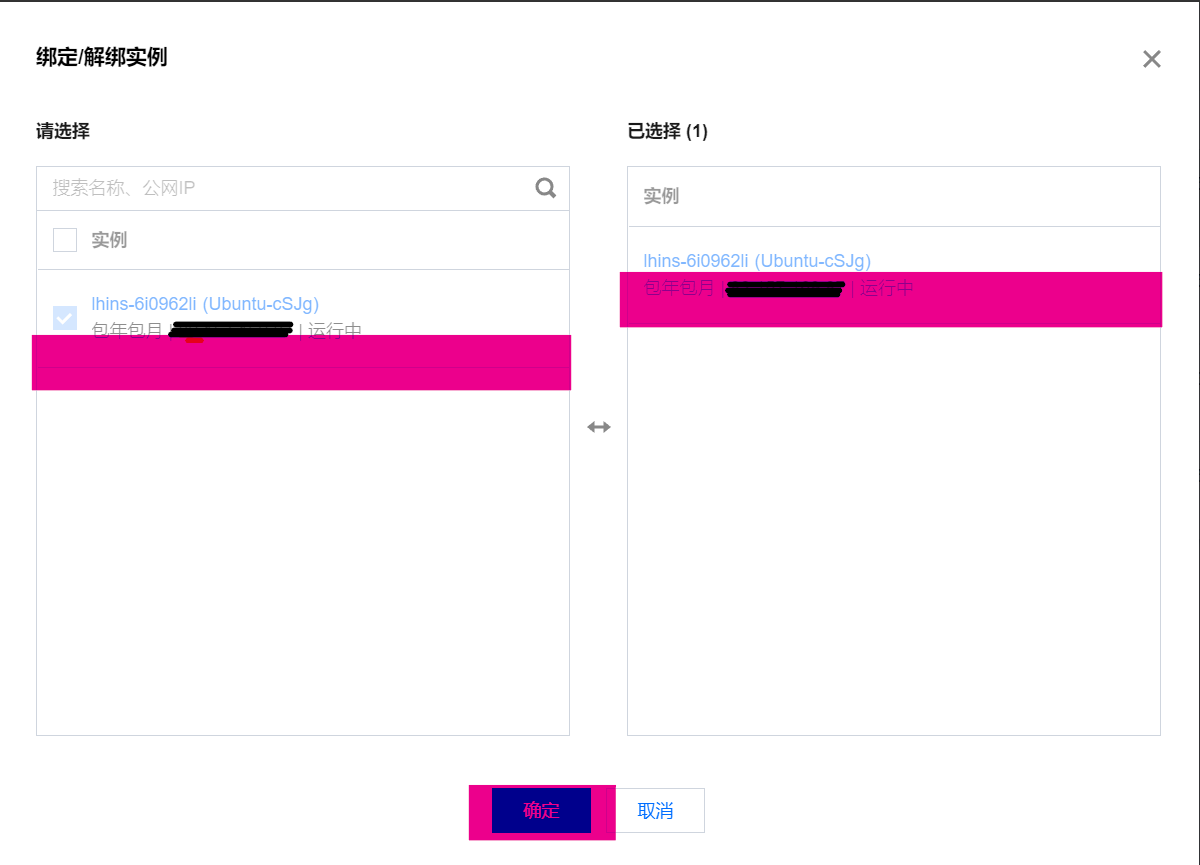
- 在密钥列表页面,点击新添加密钥右侧的绑定/解绑实例按钮

- 选择处于关机状态的目标服务器,点击确定
- 最后,启动服务器
三,连接远程服务器
在终端使用以下命令连接服务器:
ssh 用户名@IP地址
例如:
ssh ubuntu@12.34.56.78
连接成功效果如下:
xxxx@LAPTOP-xxxx:~/.ssh$ ssh ubuntu@12.34.56.78
Welcome to Ubuntu 20.04 LTS (GNU/Linux 5.4.0-126-generic x86_64)

 * Documentation:  https://help.ubuntu.com
 * Management:     https://landscape.canonical.com
 * Support:        https://ubuntu.com/advantage

  System information as of Wed 16 Nov 2022 03:08:03 PM CST

  System load:  0.49              Processes:             139
  Usage of /:   6.1% of 78.64GB   Users logged in:       0
  Memory usage: 8%                IPv4 address for eth0: 13.0.24.5
  Swap usage:   0%

  => There is 1 zombie process.

 * Strictly confined Kubernetes makes edge and IoT secure. Learn how MicroK8s
   just raised the bar for easy, resilient and secure K8s cluster deployment.

   https://ubuntu.com/engage/secure-kubernetes-at-the-edge

Last login: Wed Nov  2 16:00:30 2022 from 123.113.81.186
使用
exit命令可以断开ssh连接。 -
相关阅读:
Leetcode27-移除元素详解
O2O优惠券预测
圆通快递订单创建接口asp版,面单打印接口asp版,asp圆通快递物流轨迹查询接口
前端程序员必备!令人惊艳的报表开发工具,上手迅速,更有模板送
为什么Go是后端开发的未来
Python 中从线程获取返回值
C++ 并发编程实战 第九章
[Vue] 25.Vue.js过渡与动画:使用transition标签实现单元素/组件的过渡和动画效果
NAT+ACL+mstp小综合
MySQL【多表查询】
- 原文地址:https://blog.csdn.net/weixin_43302112/article/details/127886469