-
【详细学习SpringBoot源码之自定义监听器实战演练-6(自定义监听器、自定义监听事件、指定监听事件)】
一.知识回顾
【0.SpringBoot专栏的相关文章都在这里哟,后续更多的文章内容可以点击查看】
【1.SpringBoot初识之Spring注解发展流程以及常用的Spring和SpringBoot注解】
【2.SpringBoot自动装配之SPI机制&SPI案例实操学习&SPI机制核心源码学习】
【3.详细学习SpringBoot自动装配原理分析之核心流程初解析-1】
【4.详细学习SpringBoot自动装配原理之自定义手写Starter案例实操实战-2】
【5.IDEA中集成SpringBoot源码环境详细步骤讲解】
【6.初识SpringBoot核心源码之SpringApplication构造器以及run方法主线流程-3】
【7.详细学习SpringBoot核心源码之SpringApplication构造器&Run方法源码详细流程-4】
【8.详细学习SpringBoot核心源码之监听器原理-5(观察者设计模式、初始化并加载监听器核心流程、事件的发布器核心流程、SpringBoot中默认的监听器以及默认的事件类型)】二.SpringBoot源码之自定义监听器
上一篇文章我们详细的学习了SpringBoot中的监听器机制,清楚的知道了SpringBoot中默认给我们提供了多个监听器,提供了一个默认的事件发布器,还有很多默认的事件,接下里我们就在前面的基础上来自定义实现一个监听器。
2.1 监听所有事件
创建一个自定义监听器监听所有的事件。创建一个自定义MyApplicationListener的类,实现ApplicationListener接口在泛型中指定要监听的事件类型即可,如果要监听所有的事件,那么泛型就写ApplicationEvent。
import org.springframework.context.ApplicationEvent; import org.springframework.context.ApplicationListener; /** * TODO:自定义监听器实现步骤 * 1.实现ApplicationListener接口,泛型中是触发监听的事件,我们指定所有的ApplicationEvent事件 * 2.需要我们在spring.factories文件中配置 */ public class MyApplicationListener implements ApplicationListener<ApplicationEvent> { @Override public void onApplicationEvent(ApplicationEvent applicationEvent) { System.out.println("MyApplicationListener started>>>>>:"); } }- 1
- 2
- 3
- 4
- 5
- 6
- 7
- 8
- 9
- 10
- 11
- 12
- 13
- 14
- 15
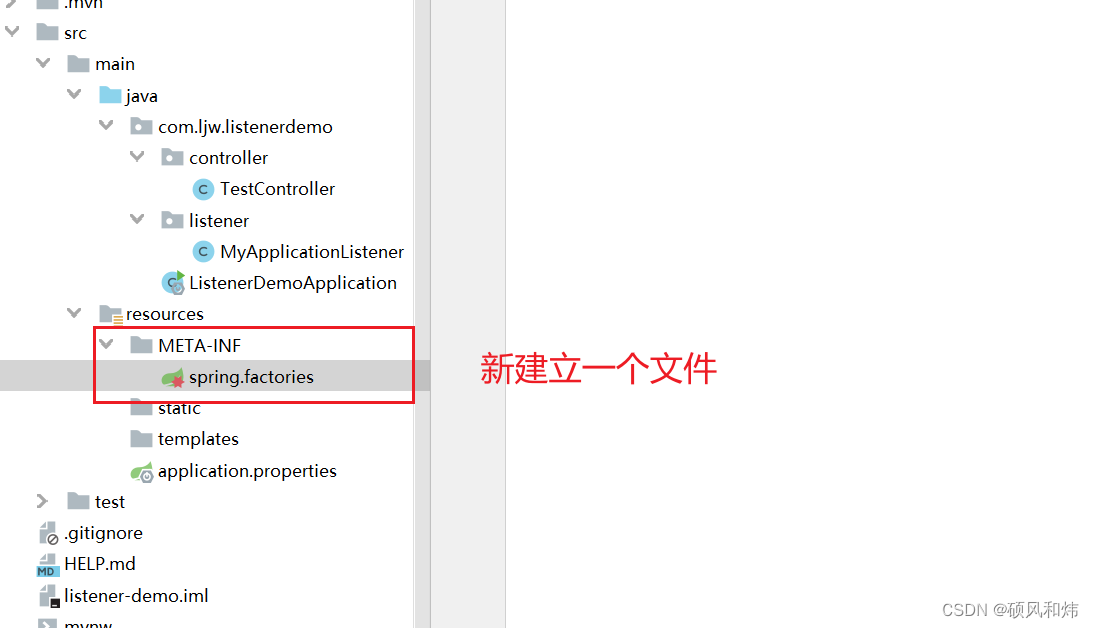
在resources目录下创建一个文件夹META-INF,并在目录下创建又给文件spring.factories文件。
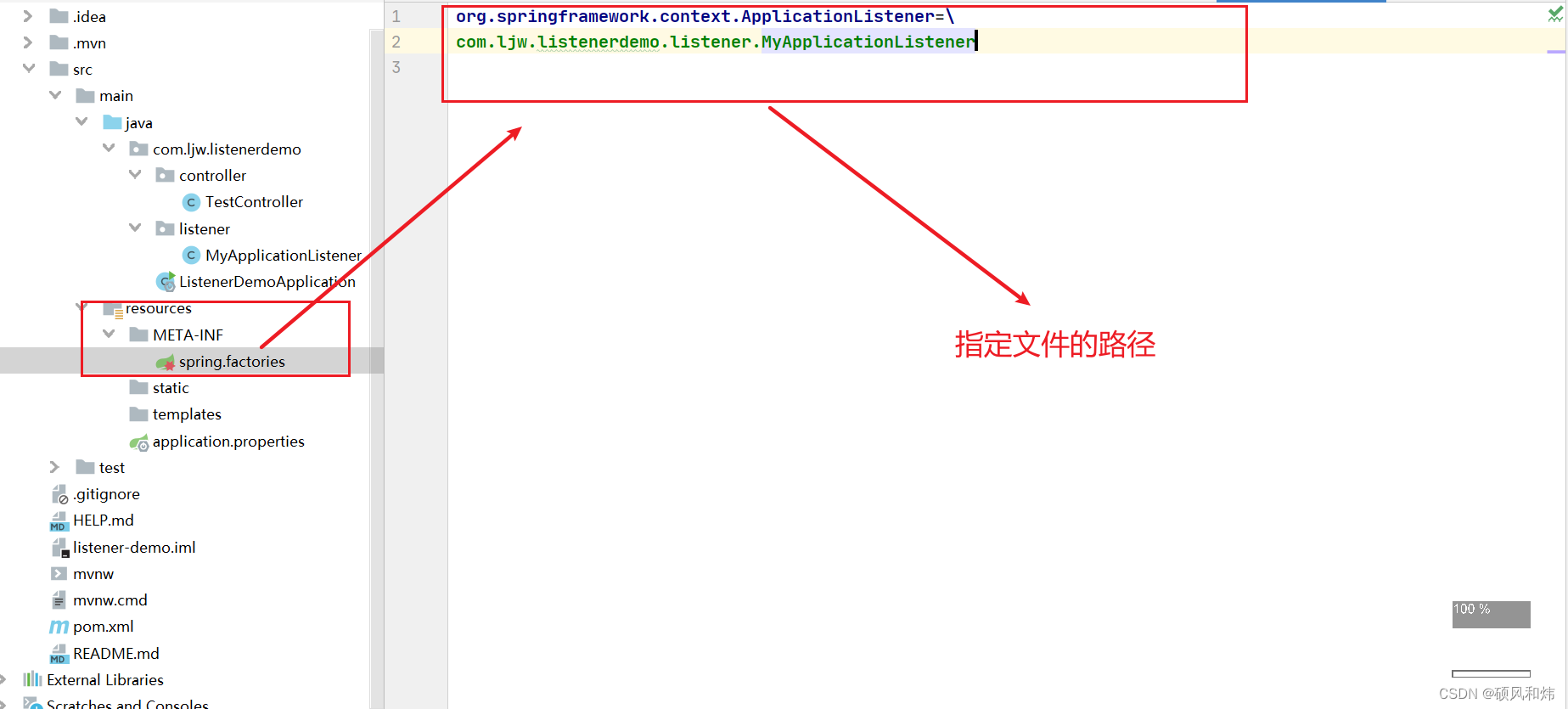
之后为了在容器启动中能够发下我们的监听器并且添加到SimpleApplicationEventMulticaster中,我们需要在spring.factories中注册自定义的监听器
controller层模拟一个触发请求的监听事件
@RestController public class TestController { @Autowired ApplicationContext applicationContext; /** * TODO:通过模拟一个请求来进行事件的发布以及监听的小demo */ @GetMapping("/testListener") public String testListener(){ applicationContext.publishEvent(new Object()); return "testListener"; } }- 1
- 2
- 3
- 4
- 5
- 6
- 7
- 8
- 9
- 10
- 11
- 12
- 13
- 14
- 15
- 16
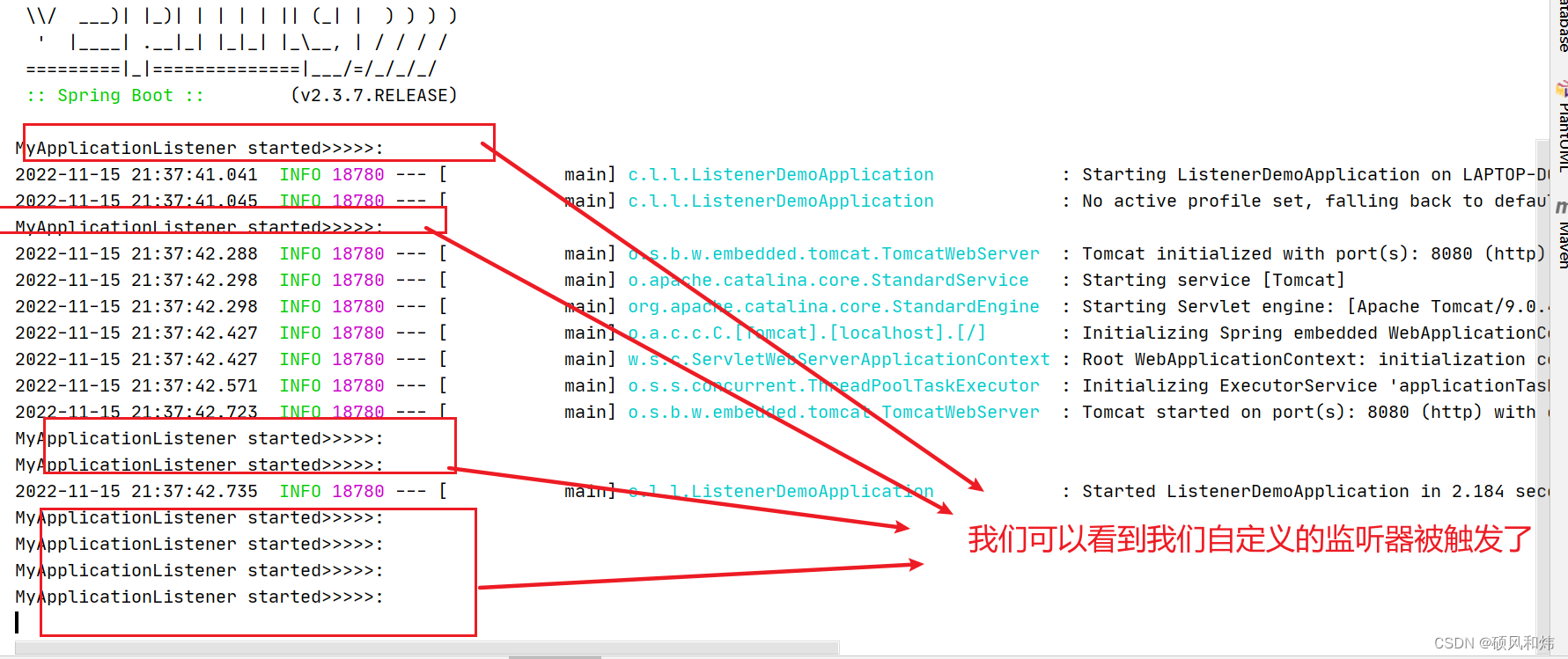
启动服务的时候就可以看到相关事件发布的时候,我们的监听器被触发了。
2.2 监听特定事件
如果我们想要监听特定的事件就需要在实现接口的时候在泛型处指定即可。
import org.springframework.boot.context.event.ApplicationStartingEvent; import org.springframework.context.ApplicationEvent; import org.springframework.context.ApplicationListener; /** * TODO:自定义监听器实现步骤 * 1.实现ApplicationListener接口,泛型中是触发监听的事件,我们指定所有的ApplicationEvent事件 * 2.需要我们在spring.factories文件中配置 */ public class MyApplicationListener implements ApplicationListener<ApplicationStartingEvent> { @Override public void onApplicationEvent(ApplicationStartingEvent applicationStartingEvent) { System.out.println("MyApplicationListener>>>>"+applicationStartingEvent.toString()); } }- 1
- 2
- 3
- 4
- 5
- 6
- 7
- 8
- 9
- 10
- 11
- 12
- 13
- 14
- 15
- 16
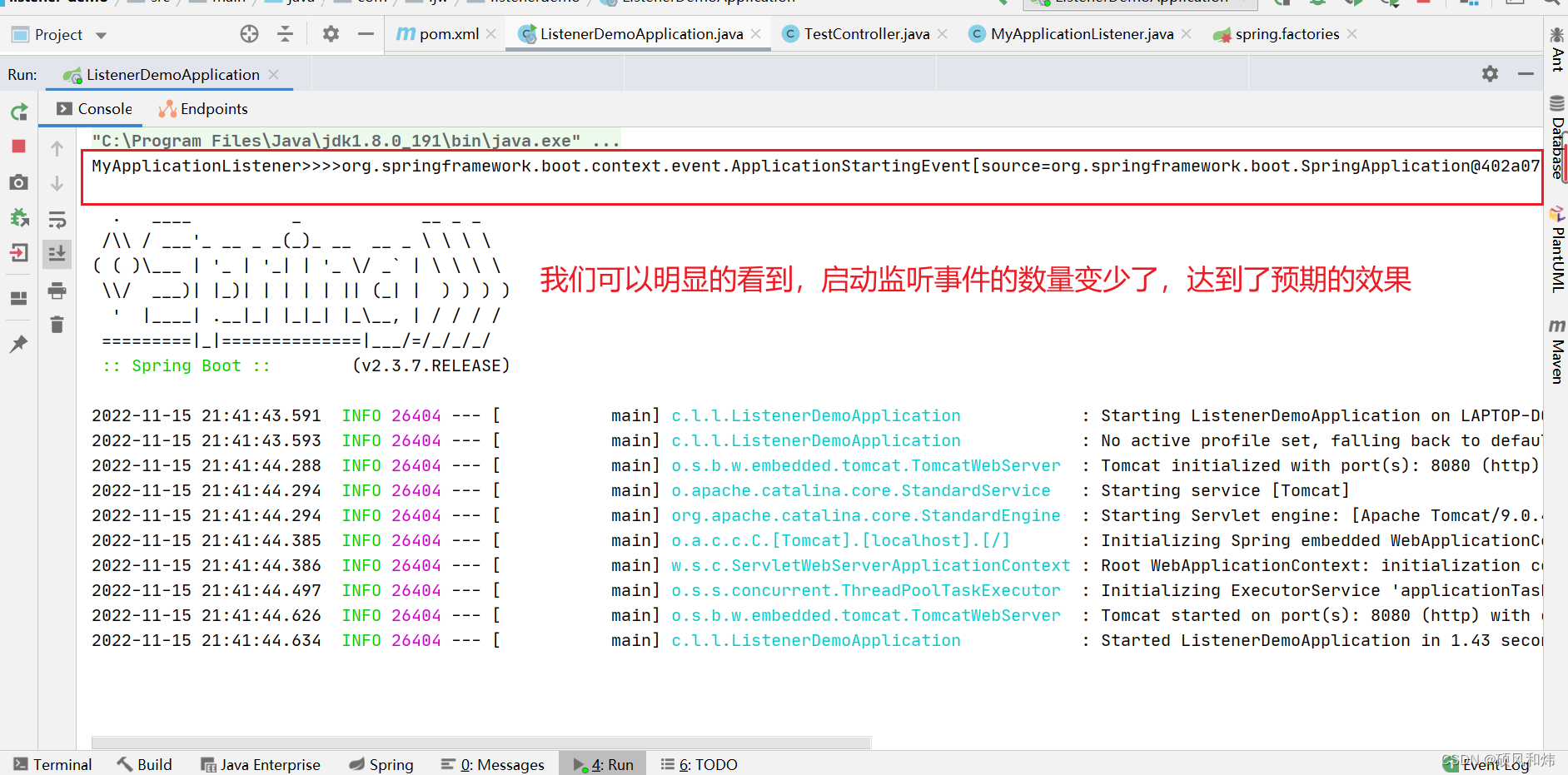
启动服务查看运行效果:
2.3 自定义事件
如果我们想要通过自定义的监听器来监听自定义的事件呢?我们就需要在之前自定义监听器的基础上,再创建自定义的事件类,只需要继承ApplicationEvent。
import org.springframework.context.ApplicationEvent; /** * TODO:自定义事件类需要继承ApplicationEvent */ public class EventDemo extends ApplicationEvent{ public EventDemo(Object source) { super(source); } }- 1
- 2
- 3
- 4
- 5
- 6
- 7
- 8
- 9
- 10
- 11
- 12
然后在我们自定义的监听器中监听自定义的事件
/** * TODO:自定义监听器实现步骤 * 1.实现ApplicationListener接口,泛型中是触发监听的事件,我们指定所有的ApplicationEvent事件 * 2.需要我们在spring.factories文件中配置 */ public class MyApplicationListener implements ApplicationListener<EventDemo> { @Override public void onApplicationEvent(EventDemo eventDemo) { System.out.println("MyApplicationListener>>>>>"+eventDemo); } }- 1
- 2
- 3
- 4
- 5
- 6
- 7
- 8
- 9
- 10
- 11
- 12
- 13
controller层特定的业务场景中类发布对应的事件了
import com.ljw.listenerdemo.event.EventDemo; import org.springframework.beans.factory.annotation.Autowired; import org.springframework.beans.factory.annotation.Qualifier; import org.springframework.context.ApplicationContext; import org.springframework.web.bind.annotation.GetMapping; import org.springframework.web.bind.annotation.RestController; @RestController public class TestController { @Autowired ApplicationContext applicationContext; /** * TODO:通过模拟一个请求来进行事件的发布以及监听的小demo */ @GetMapping("/testListener") public String testListener(){ applicationContext.publishEvent(new EventDemo(new Object())); return "testListener"; } }- 1
- 2
- 3
- 4
- 5
- 6
- 7
- 8
- 9
- 10
- 11
- 12
- 13
- 14
- 15
- 16
- 17
- 18
- 19
- 20
- 21
- 22
- 23
项目启动
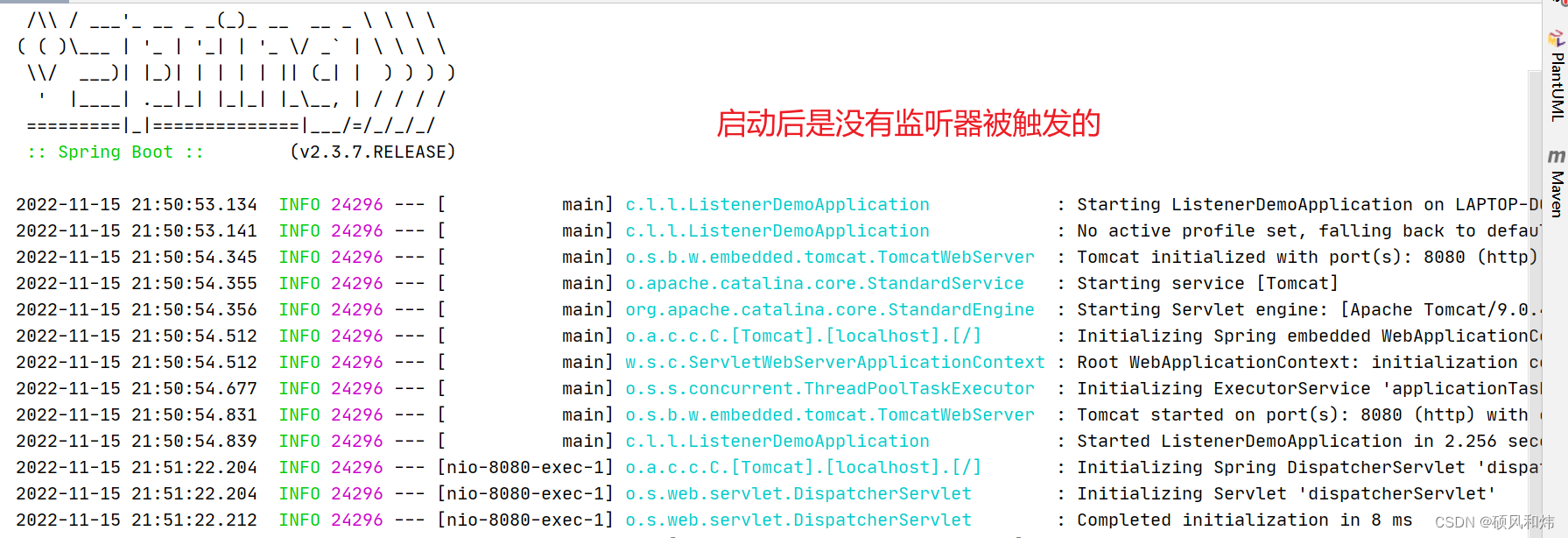
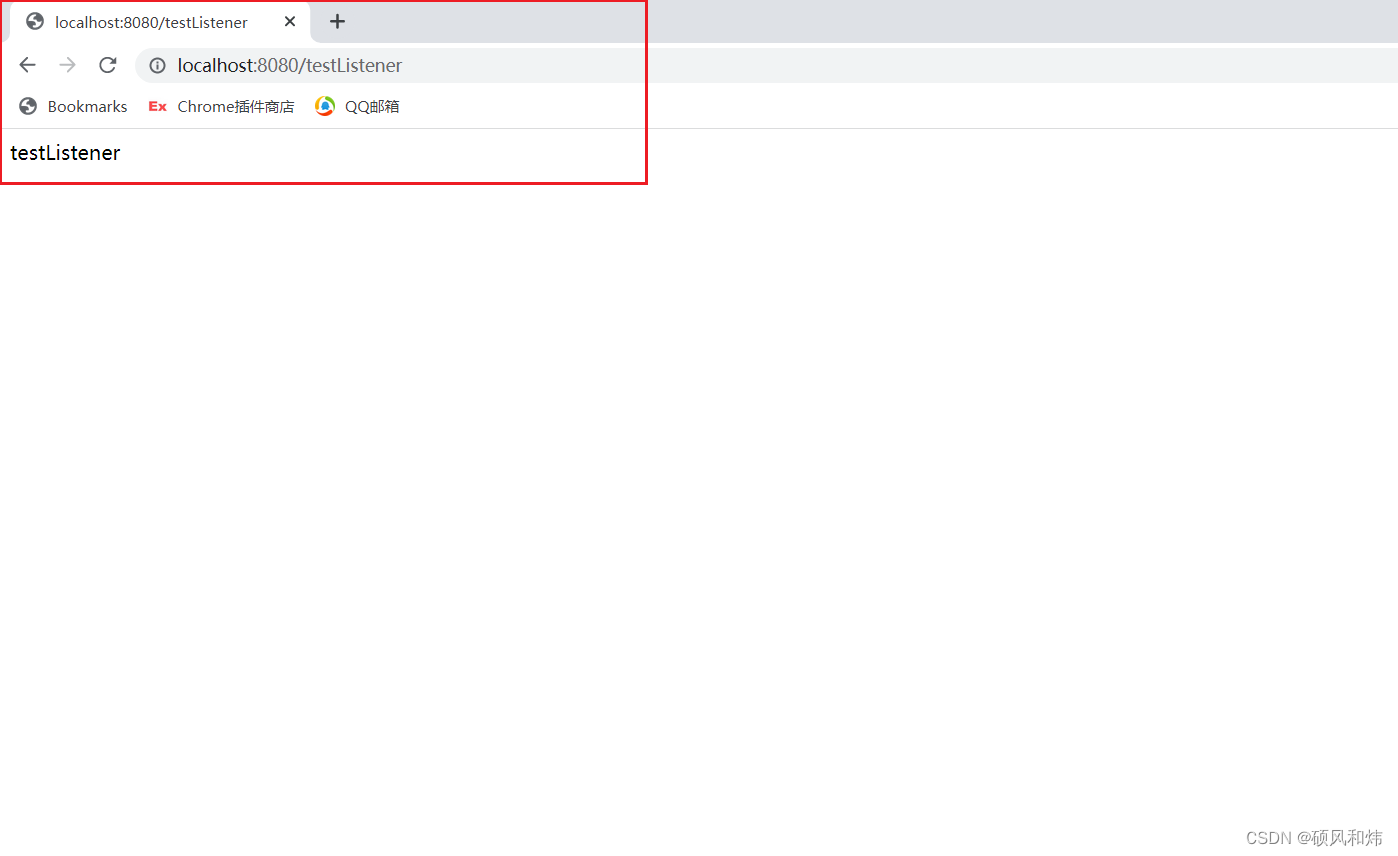
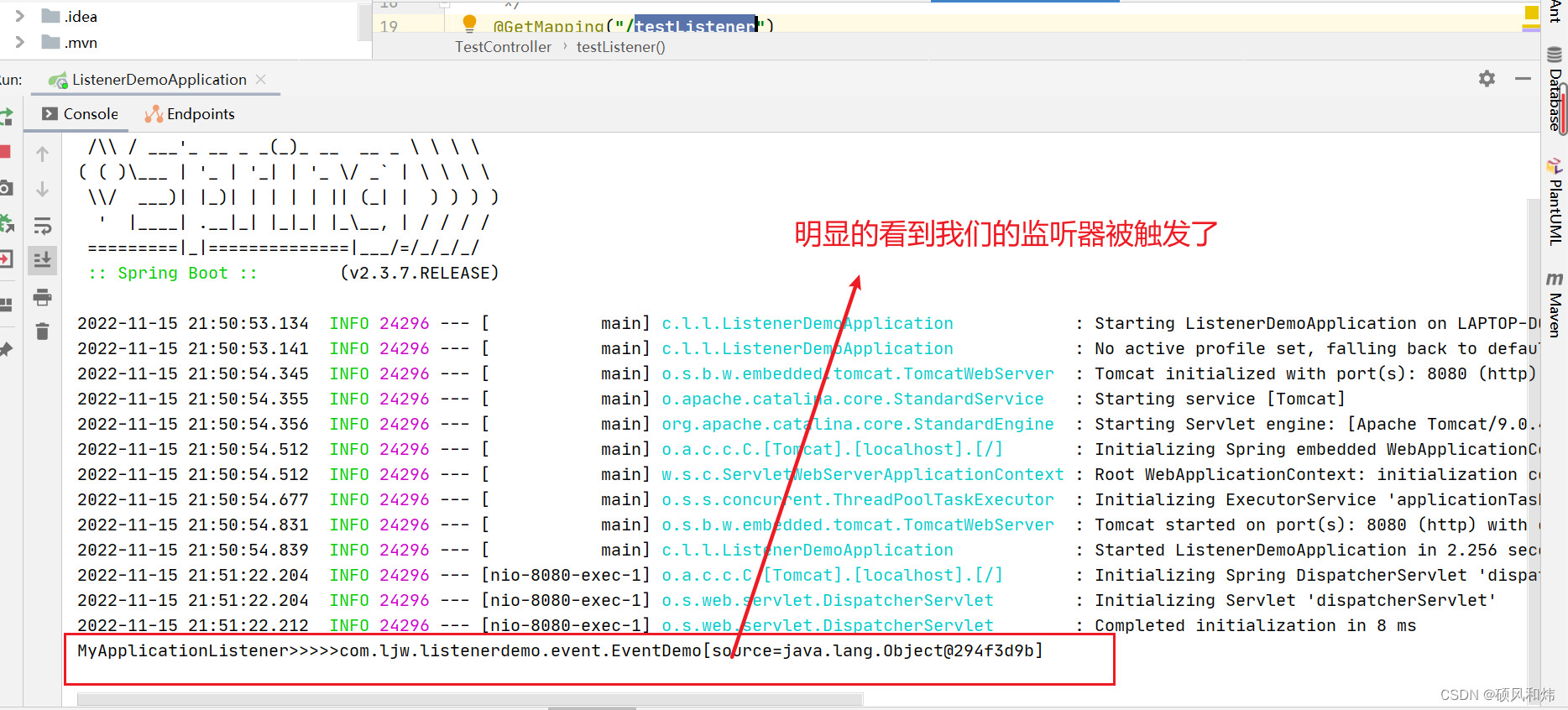
浏览器发送请求,返回控制台查看结果
明显的看到对应的监听器触发了,达到了我们预期的效果。
好了,到这里【详细学习SpringBoot源码之自定义监听器实战演练-6(自定义监听器、自定义监听事件、指定监听事件)】就先学习到这里,下一篇我们将学习SpringBoot中配置文件的加载。希望对你有所帮助。我们一起加油。敬请期待。
-
相关阅读:
LQ0014 求和【思维】
eNSP - MPLS
sharepoint2016-2019升级到sharepoint订阅版
对elementui中一个el-form-item中包含多个输入框或下拉框等的表单验证处理问题
缓存与数据一致性问题
基于PHP+MySQL毕业设计选题管理系统(含论文)
http中get和post怎么选
LinkHashSet、Treeset的Comparable接口自然排序和Comparator比较器排序使用
C++ 新特性 | C++ 11 | 移动语义与右值引用
如何从800万数据中快速捞出自己想要的数据?
- 原文地址:https://blog.csdn.net/Coder_ljw/article/details/127872730