-
html5里引用vue.js,实现自定义组件,子父组件相互传参
在html里直接引用vue.js,实现自定义组件、子父相互传参
目录
自定义组件
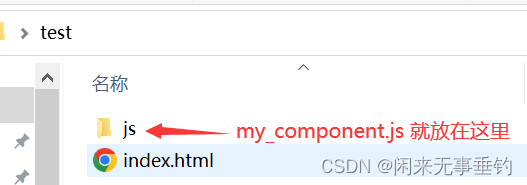
目录结构
一、首先,引用vue.js到页面,版本根据自己的需要,我这里是2点多的版本
<script src="https://unpkg.com/vue@2.7.14/dist/vue.js">script>二、创建页面index.html
- <body>
- <div id="app">
- <my-load>my-load>
- div>
- body>
三、编写组件内容
新建一个js文件,内容如下,我这里文件名是 my_component.js
- //只渲染静态的
- // let str = `
- ////
 //
// - // `
- // let myComponent = Vue.extend({
- // template:str ,
- // })
- //或者动态在data中返回
- let str = `

{{childrenTxt}}
- `
- let myComponent = Vue.extend({
- template:str ,
- data:function(){
- return {
- childrenTxt:'我是子组件的值哦'
- }
- }
- })
- Vue.component('my-load',myComponent )
四、引用组件
在刚刚创建的index.html文件中引用刚刚创建组件文件my_component.js
- <script>
- new Vue({
- el:'#app',
- data:{},
- mounted(){},
- methods:{},
- })
- script>
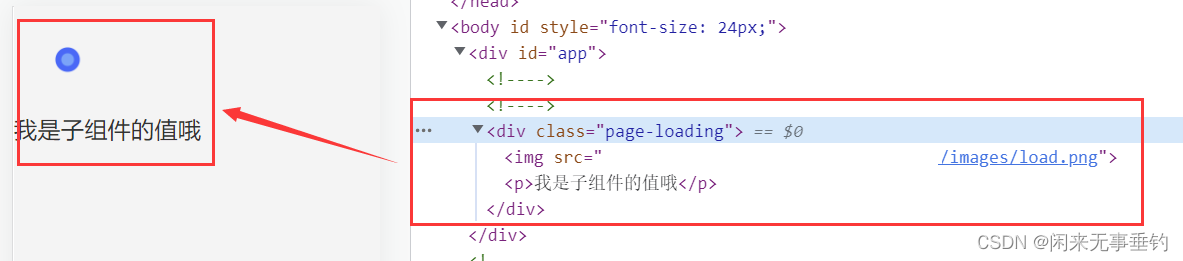
这时候看页面组件的结构已经渲染到页面了,效果如下
父组件给子组件传值
一、父组件也就是index.html准备数据 ,传给子组件也就是my_component.js
注意:组件传值的名字不可以大写,要小写
例如:father_data 就通过它传给子组件,子组件就是通过father_data来接收,testTxt是要传的值 ,father_data 不能有大写字母,否则值传不过去
- <body>
- <div id="app">
- <my-load :father_data="testTxt">my-load>
- div>
- body>
- <script>
- new Vue({
- el:'#app',
- data:{
- testTxt:'今天是周末啊',
- },
- mounted(){},
- methods:{},
- })
- script>
二、子组件my_component.js接收值
- let str = `
{{childrenTxt}}
这是父组件传过来的哦:{{father_data}}
- `
- let myComponent = Vue.extend({
- template:str,
- props:['father_data'],//接收父组件传的值
- data:function(){
- return {
- childrenTxt:'我是子组件的值哦'
- }
- }
- })
- Vue.component('my-load',myComponent )
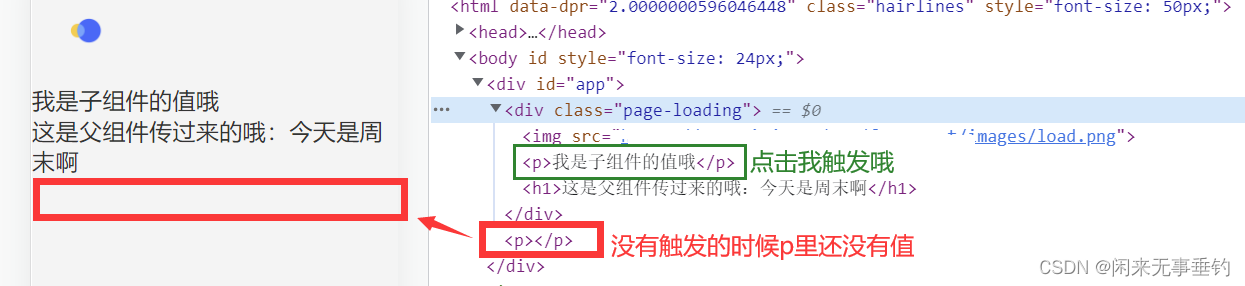
最后渲染的页面效果如下:

子组件向父组件传值
一、子组件my_component.js 准备数据和传值给父组件index.html
- let str = `
{{childrenTxt}}
这是父组件传过来的哦:{{father_data}}
- `
- let myComponent = Vue.extend({
- template:str,
- props:['father_data'],
- data:function(){
- return {
- childrenTxt:'我是子组件的值哦',
- childrenData:'放假啦'
- }
- },
- methods:{
- clickFun(){//当点击这个p标签的时候把值传给父组件
- this.$emit('childfun',this.childrenData)
- }
- },
- })
- Vue.component('my-load',myComponent )
二、父组件index.html接收子组件的值
- <body>
- <div id="app">
- <my-load :father_data="testTxt" @childfun="childfun">my-load>
- <p>{{childtext}}p>
- div>
- body>
- <script>
- new Vue({
- el:'#app',
- data:{
- testTxt:'今天是周末啊',
- childtext:'',//用来存接收子组件的值
- },
- mounted(){},
- methods:{
- childfun(val){
- console.log('val',val)
- this.childtext = val
- },
- },
- })
- script>
最后渲染的效果如下:

以上是vue写法,以下为vue3写法
vue3组件用法
自定义一个简单的header头部引入index
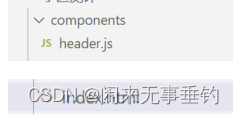
1、新建index.html 、同级新建目录 components ,该目录下新建组件header.js
2、组件header.js添加内容
- /**
- **props 接收index传递过来的值header_data 和 li_current
- **header_data 是index页面 传递给 header组件的导航数据
- **menuClick 点击方法, menuitem 传递给index的点击方法,并把值index传递过去
- */
- export default {
- data() {
- return {};
- },
- methods:{
- menuClick(index){
- this.$emit('menuitem',index)
- }
- },
- props:["header_data","li_current"],
- template:`
- {{item.name}}
- `,
- };
2、index页面引用
- <top-header :header_data="headerdata" :li_current="liCurrent" @menuitem="menuitem">top-header>
- const headerdata = ref([])//定义导航数据类型
- const liCurrent = ref(0)//当前导航下标
- headerdata.value = [{id:0,name:'首页'},{id:0,name:'列表'},{id:0,name:'详情'},{id:0,name:'其他'},]
- //点击导航改变当前index,传给组件header
- const menuitem = (index) => {
- console.log(index)
- liCurrent.value = index
- }
注意:
html中默认不能使用module形式,即不能用import导入文件,会报如下图错误
解决办法:在script标签上加上type=module属性来改变方式

踩坑:注册组件名字 header 、Header 无效,需要换其他的名字
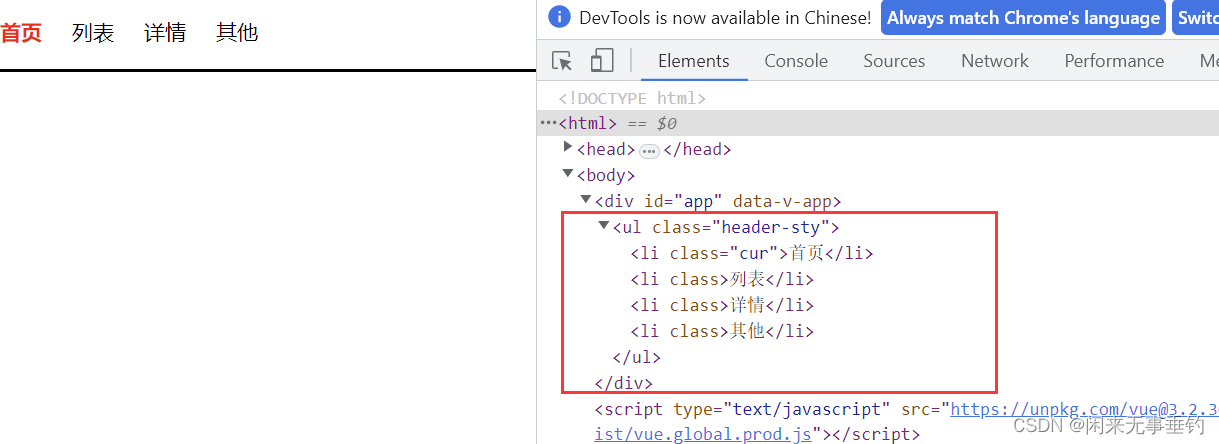
到此完成vue3在html里的组件应用,效果如下:
最后附vue3组件的完整代码示例:
index.html
- html>
- <html>
- <head>
- <meta charset="UTF-8">
- <meta name="viewport" content="width=device-width, initial-scale=1, maximum-scale=1, minimum-scale=1, user-scalable=no">
- <style>
- *{padding:0;margin:0;border:0}
- .header-sty{height:50px;border-bottom: 2px solid;width: 100%;line-height: 50px;}
- .header-sty li{list-style: none;;float: left;margin-right: 20px;font-size: 14px;cursor: pointer;}
- .header-sty li.cur{font-weight: bold;color:red}
- style>
- <title>title>
- head>
- <body>
- <div id="app" >
- <top-header :header_data="headerdata" :li_current="liCurrent" @menuitem="menuitem">top-header>
- div>
- body>
- html>
- <script type="module" >
- const { createApp, reactive, toRefs, ref, watch, onMounted ,onBeforeMount} = Vue;
- import Header from './components/header.js'
- const app = createApp({
- setup() {
- const headerdata = ref([])//定义导航数据类型
- const liCurrent = ref(0)//当前导航下标
- onMounted(() => {
- headerdata.value = [{id:0,name:'首页'},{id:0,name:'列表'},{id:0,name:'详情'},{id:0,name:'其他'},]
- console.log(headerdata.value)
- })
- //点击导航改变当前index,传给组件header
- const menuitem = (index) => {
- console.log(index)
- liCurrent.value = index
- }
- return{
- headerdata,
- menuitem,
- liCurrent
- }
- },
- })
- app.component('top-header', Header);
- app.mount("#app");
- script>
header.js
- // header component
- export default {
- data() {
- return {};
- },
- methods:{
- menuClick(index){
- this.$emit('menuitem',index)
- }
- },
- props:["header_data","li_current"],
- template:`
- {{item.name}}
- `,
- };
-
相关阅读:
序列超图的下一项推荐 笔记
解析90后创客教育的主观积极性
软考 系统架构设计师系列知识点之软件架构风格(3)
js 数据类型
信钰证券:积极因素不断积累 机构看多中长期市场
ElasticSearch详解
程序媛过中秋的正确打开方式——使用Python绘制月饼消消乐,素描图,词云图,字符画图及提取轮廓
Linux学习第20天:Linux按键输入驱动开发: 大道至简 量入为出
基于自主发明专利的杰林码哈希算法、对称加密算法和无损压缩算法的可文件追踪管控且支持linux和windows的文件压缩包工具SDK和JLM PACK软件介绍
【C++】运算符与表达式(学习笔记)
- 原文地址:https://blog.csdn.net/qq_39109182/article/details/127821485