-
富文本编辑器(添加列表)
使用:QTextCursor->insertList()//在光标处插入一个列表
QTextListFormat (列表格式)
列表由一个或多个项组成,表示为文本块。列表的格式指定列表中项目的外观。特别是,它决定了每个项目的缩进和样式。
构造函数:

常用的函数:
isvalid() 判断格式是否有效 setnumberPiefix() 设置数字前缀 setnumberSuffix() 设置数字后缀 setIndent() 设置缩进 setStyle() 设置列表样式 QTextListFormat::style
QTextListFormat::ListDisc 一个填充的圆圈 QTextListFormat::ListCircle 一个空的圆圈 QTextListFormat::ListSquare 一个填充的正方形 QTextListFormat::ListDecimal 按升序排列的十进制值 QTextListFormat::ListLowerAlpha 按字母顺序排列的小写拉丁字符 QTextListFormat::ListUpperAlpha 按字母顺序排列的大写拉丁字符 QTextListFormat::ListLowerRoman 小写罗马数字(仅支持 4999 个项目) QTextListFormat::ListUpperRoman 大写罗马数字(仅支持 4999 个项目) l例子:
- resize(800,800);
- QTextEdit *text=new QTextEdit(this);
- text->setFixedSize(500,500);//设置文本框大小
- text->move(100,100);
- QTextCursor cursor=text->textCursor();//获取文本中的光标位置
- QTextListFormat listformat;
- listformat.setStyle(QTextListFormat::ListDisc);//设置风格(黑圈)
- listformat.setIndent(1);//设置缩进
- cursor.insertList(listformat);//插入列表

按回车的话也会生成列表:
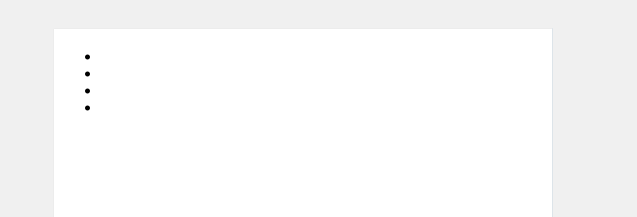
QTextCursor ->createList() 把光标所在的内容当作列表第一行
- resize(800,800);
- QTextEdit *text=new QTextEdit(this);
- text->setFixedSize(500,500);//设置文本框大小
- text->move(100,100);
- text->setFont(QFont("宋体",12));//设置字体和大小
- text->setText("11111111");//添加一行数据
- QTextCursor cursor=text->textCursor();//获取文本中的光标位置
- QTextListFormat listformat;
- listformat.setStyle(QTextListFormat::ListDisc);//设置风格
- listformat.setIndent(1);//设置缩进
- //cursor.insertList(listformat);
- cursor.insertList(listformat);//设置一个列表接收
- cursor.createList(listformat);//获取光标位置的内容作为第一行

QTextList(列表)
用来接收插入textEdit的list对象。
常用的函数:
add() 添加一个文本块 count() 返回列表中的项数 item() 返回列表中的文本块 itemText() 返回给定文本块的内容 remove() 删除文本块 removeItem() 删除所处位置的项 setFromat() 设置格式 - QTextList* list=cursor.insertList(listformat);//设置一个列表
- //插入4条数据
- cursor.insertText("222222222\n");
- cursor.insertText("333333333\n");
- cursor.insertText("444444444\n");
- cursor.insertText("555555555");
- qDebug()<<list->count();
- QTextBlock block=list->item(1);//获取索引值为1的文本块
- qDebug()<<block.text();//输出文本块内容
- list->remove(list->item(3));//移除一个文本块
- qDebug()<<list->count();


-
相关阅读:
Vue-devtools、React Developer Tools安装
【React + Ant Design】表单如何在前置项未填写时禁止后置项交互并提示
13.< tag-动态规划和回文字串>lt.647. 回文子串 + lt.516.最长回文子序列
23 种设计模式大纲
Linphone3.5.2 ARM RV1109音视频对讲开发记录
springboot227旅游管理系统
ELK日志保留7天-索引生命周期策略
一站式开源持续测试平台 MerterSphere 之测试跟踪操作详解
【python】参数的定义及调用
Neo4j Cannot to link java.nio.DirectByteBuffer
- 原文地址:https://blog.csdn.net/qq_45303986/article/details/127811655