-
关联接口的处理
当第一个接口返回taskId值和processInstanceId值,在第2个接口中要使用,处理方法:

1、Python 做接口测试的处理方式:
def test_data(self):
    time.sleep(20)
    url = "‘’‘’‘’/business/base/approval/myStart"
    method = "Post"
    data = {"pageNum":1,"pageSize":10,"procInstState":"0","startTime":1616947200000,"endTime":1619625600000,"procInstName":""}
    #index_response_dict = self.rm.run_main(method, url, data=data, header=header)
    res = requests.post(url=url, json=data, headers=header, verify=False)
    index_response_dict = json.loads(res.text)
    a = index_response_dict['data']['list'][0]
    businessId = a['businessId']
    processInstanceId = a['processInstanceId']
    taskId = a['taskId']
    title1 = a['title']
    return businessId,processInstanceId,taskId
def test_approval_agree(self): data = self.test_data() method = "Post" url = "oaprocess/signature/approval/agree" data = { "attachmentDtoList": [ ], "businessId": data[0], "comment": "部门负责人测试通过", "processId": data[1], "taskId": [2] } res = self.rm.run_main(method, url, data=data, header=header)2、jmeter 关联的处理:
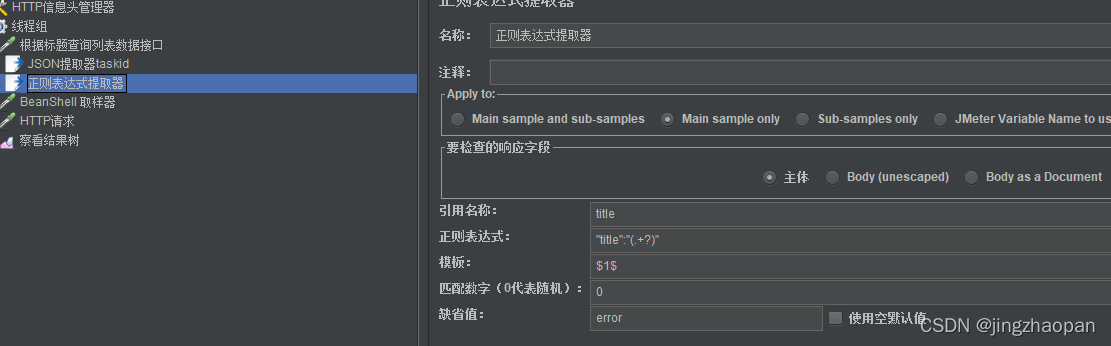
在后置处理器中添加JSON提取器(正则表达式取样器);
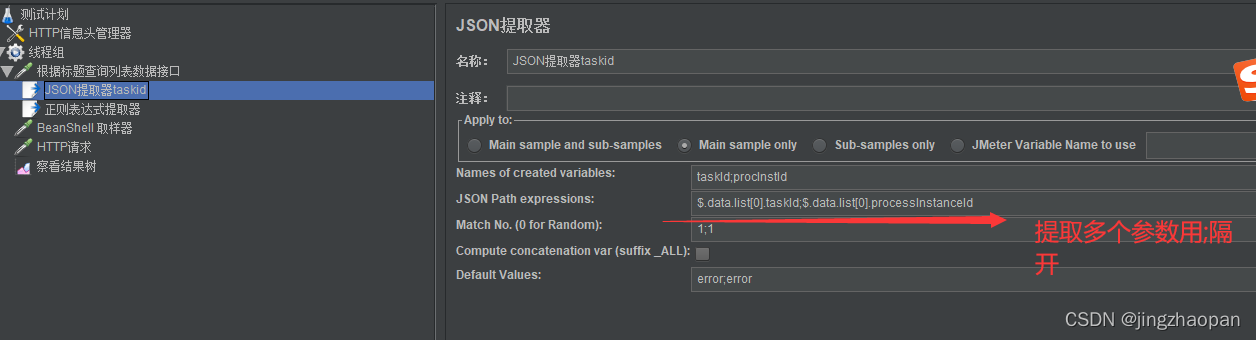
Main sampleand sub-samples:应用于主sample及子sample
Main sample only:默认的是这个,应用于主sample
Sub-samples only:应用于子sample
JMeterVariableName to use:应用于变量命名的内容
Variable names : 名称
JSONPath Expression:JSON表达式
Match Numbers:0随机;n取第几个匹配值;-1匹配所有,后续引用用 变量名_N 取第N个值
Default Value:未取到值的时候默认值
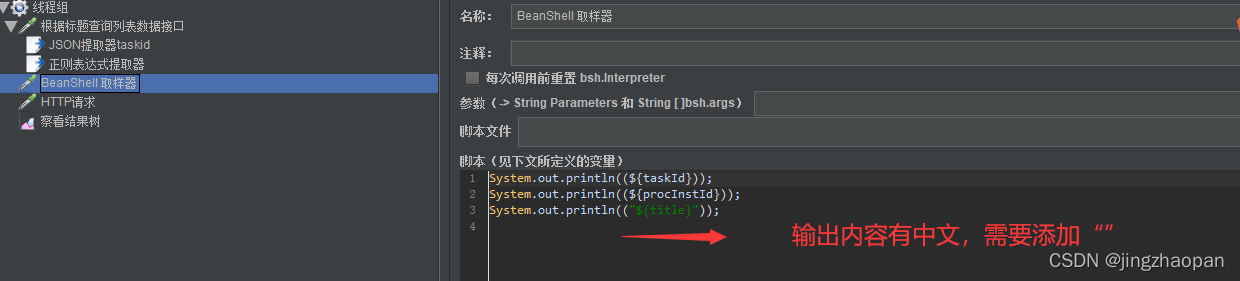
在线程组中添加取样器中 BeanShell 取样器; 添加BeanShell 取样器目的检查提取字段对应的值是否正确;

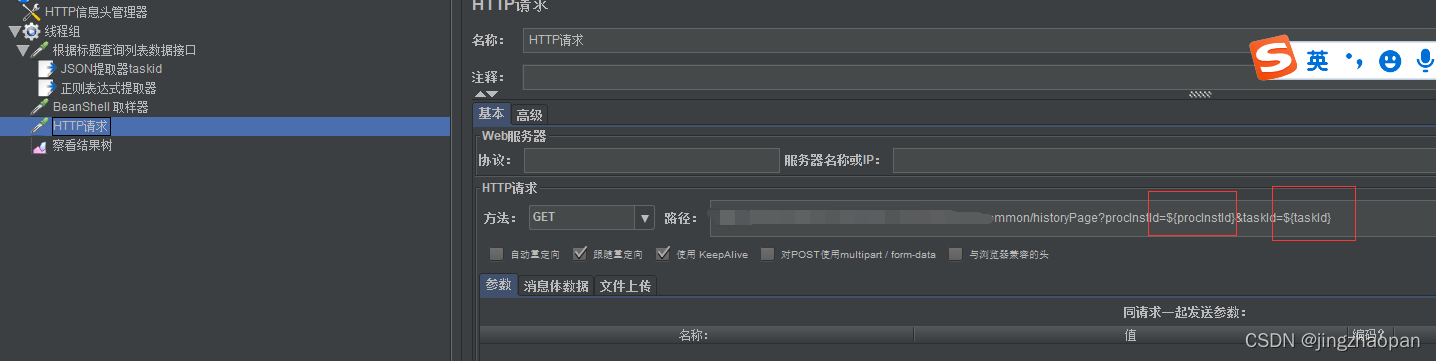
在需要传数据的接口中做关联使用:
-
相关阅读:
# Leetcode刷题day7|454.四数相加II, 383. 赎金信,15. 三数之和 ,18四数之和
第一天-基本知识整理,目的:能写点东西
[Azure - Security] Azure的多重身份验证(二):在Azure portal 登陆时候设置MFA/2FA验证
丁鹿学堂:从零开始手写promise(二)
C++超市商品管理系统
项目如何实现富文本框文件上传
直流负载箱的维护和保养方法有哪些?
不确定性弥漫的零食市场,三只松鼠如何交出确定性答案?
无人机通信协议MAVLink简介
【JavaEE初阶】网络原理|认识协议|协议分层|TCP/IP模型|封装和分用
- 原文地址:https://blog.csdn.net/jingzhaopan/article/details/121845333