-
redis 集群 哨兵
同一个主机:
1 先创建一个文件夹
/usr/local/myredis

2:把redis.conf 和 sentinel.conf 拷贝到当前文件夹下面
正常安装
redis.conf在这里

sentinel.conf在你上传tar.gz 解压的位置


创建对应的文件夹

在每个文件夹里面创建对应的配置文件
touch redis1/redis1.conf
touch redis2/redis2.conf
touch redis3/redis3.conf
touch redis4/redis4.conf
touch redis5/redis5.conf
touch redis6/redis6.conf把内容复制到配置文件里面
include ./redis.conf port 7001 pidfile "./redis_7001.pid" dbfilename "dump7001.rdb" dir "/usr/local/myredis" logfile "./redis_err_7001.log" cluster-enabled yes cluster-config-file "nodes-7001.conf" cluster-node-timeout 15000- 1
- 2
- 3
- 4
- 5
- 6
- 7
- 8
- 9
全局替换端口
:s/替换前的内容/替换后的内容/g
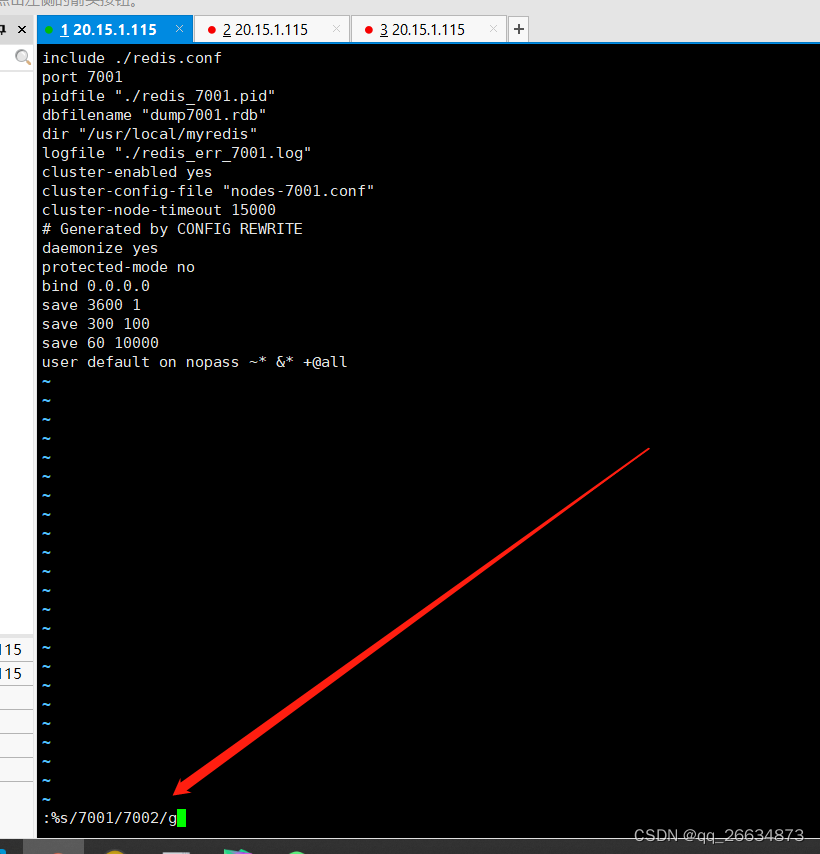

启动每一个redis
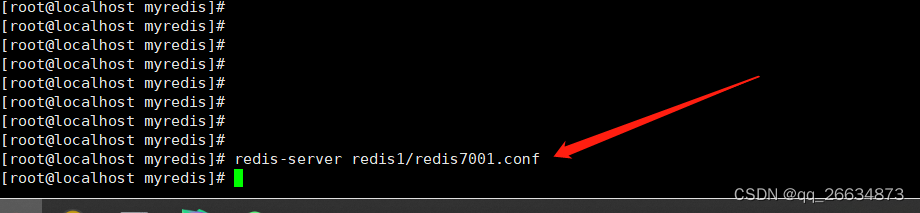
启动完成后如下

这里启动后,每一个redis也是单机的,执行下面的命令组成集群redis-cli --cluster create 20.15.1.115:7001 20.15.1.115:7002 20.15.1.115:7003 20.15.1.115:7004 20.15.1.115:7005 20.15.1.115:7006 --cluster-replicas 1- 1

可能出现在的问题
1:使用旧的命令
./redis-trib.rb create --replicas 1 20.15.1.115:7001 20.15.1.115:7002 20.15.1.115:7003 20.15.1.115:7004 20.15.1.115:7005 20.15.1.115:7006
这个是以前老版本的,现在不能使用了
2:
执行上面的的命令可能没有反应 ----> 这里因为centos7的gcc 版本默认是4.8的
需要升级(网上找一下资料)3:

这个是因为之前启动过,集群停了再启动, 清空,重置一下,每一个节点都要操作一遍

但是这里又有一个问题。。。。 如果真的全部宕机了,不可能全部清了数据在启动吧现在修改sentinel的配置
# 修改sentinel26379conf配置文件 bind 0.0.0.0 port 26379 daemonize yes pidfile "./redis-sentinel26379.pid" logfile "./sentinel-26379.log" dir "/usr/local/myredis" # 哨兵 监控 主节点名称 IP地址 端口 判断失效的哨兵个数 sentinel monitor mymaster 20.15.1.115 7001 2 # 配置主服务的密码(如果主节点设置密码这块必须要进行配置) #sentinel auth-pass mymaster enjoyitlife sentinel down-after-milliseconds mymaster 1000 sentinel failover-timeout mymaster 5000- 1
- 2
- 3
- 4
- 5
- 6
- 7
- 8
- 9
- 10
- 11
- 12
- 13
- 14
- 15

修改对应的端口 26379 26380 26381
启动 sentinel


最后就是

连接

查看集群信息

连接 sentinel 输入 info 查看哨兵信息
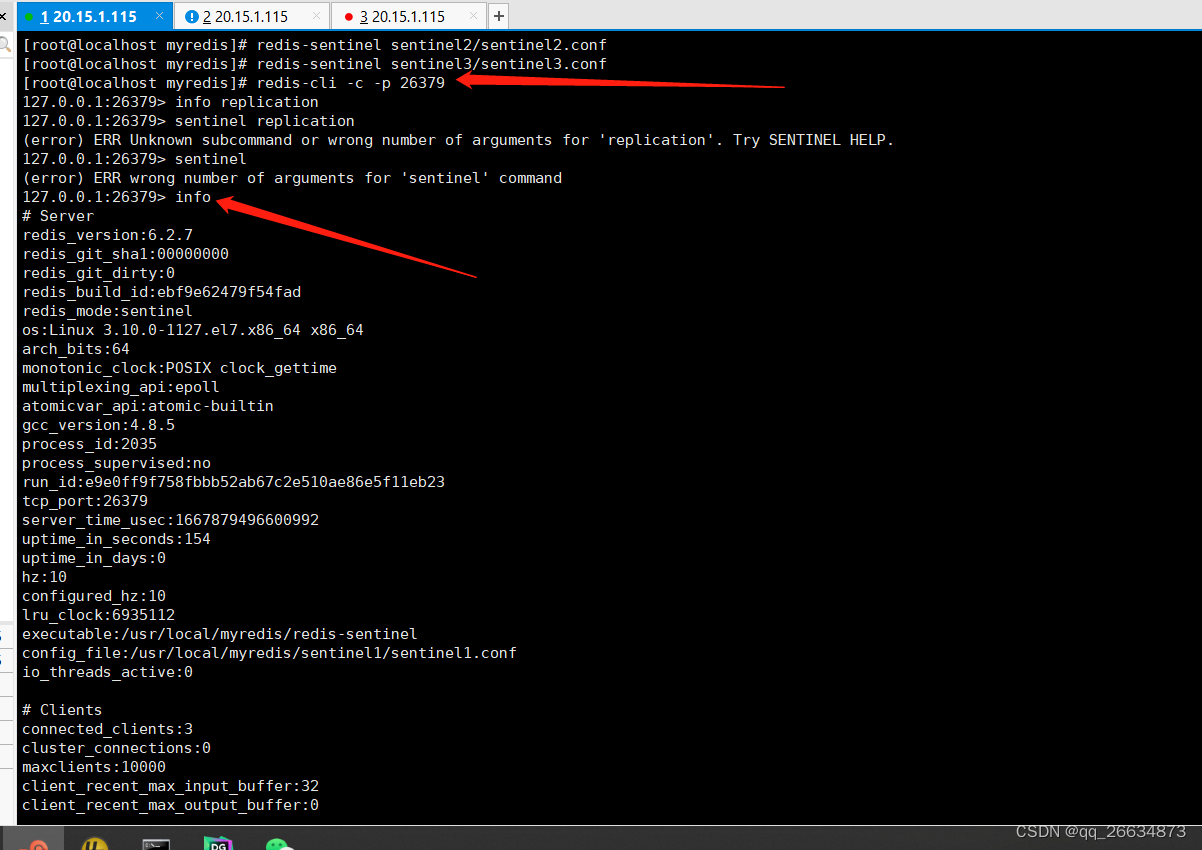
java中使用工具
public class JedisSentinelPoolUtils { private static JedisSentinelPool jedisSentinelPool=null; public static Jedis getJedisFromSentinel(){ if(jedisSentinelPool==null){ Set<String> sentinelSet=new HashSet<>(); sentinelSet.add("20.15.1.115:26379"); JedisPoolConfig jedisPoolConfig =new JedisPoolConfig(); jedisPoolConfig.setMaxTotal(10); //最大可用连接数 jedisPoolConfig.setMaxIdle(5); //最大闲置连接数 jedisPoolConfig.setMinIdle(5); //最小闲置连接数 jedisPoolConfig.setBlockWhenExhausted(true); //连接耗尽是否等待 jedisPoolConfig.setMaxWaitMillis(2000); //等待时间 jedisPoolConfig.setTestOnBorrow(true); //取连接的时候进行一下测试 ping pong jedisSentinelPool=new JedisSentinelPool("mymaster",sentinelSet,jedisPoolConfig); return jedisSentinelPool.getResource(); }else{ return jedisSentinelPool.getResource(); } } }- 1
- 2
- 3
- 4
- 5
- 6
- 7
- 8
- 9
- 10
- 11
- 12
- 13
- 14
- 15
- 16
- 17
- 18
- 19
- 20
- 21
- 22
- 23
- 24
测试
public class JedisSentinelPoolTest { public static void main(String[] args) { Jedis jedisFromSentinel = JedisSentinelPoolUtils.getJedisFromSentinel(); String set = jedisFromSentinel.set("aaaa", "bbbb"); System.out.println(set); System.out.println(jedisFromSentinel.get("aaaa")); } }- 1
- 2
- 3
- 4
- 5
- 6
- 7
- 8
- 9
- 10
- 11
- 12
- 13
- 14
-
相关阅读:
【Java】面向对象程序设计 错题本
前端base64转文件输出
【壁纸小程序】搭建自己的壁纸小程序-微信抖音双端
【QT】QFileInfo文件信息读取
【证明】线性变换在两个基下的矩阵相似
【附源码】计算机毕业设计SSM天气预报系统
macos 环境下搭建 windbg 虚拟机双机调试环境
ROS1学习笔记:服务中的Service和Client(ubuntu20.04)
新风机小助手-风压变速器
【无标题】
- 原文地址:https://blog.csdn.net/qq_26634873/article/details/127746726
