-
Spring boot项目集成阿里云短信服务发送短信验证码
集成阿里云短信服务发送短信
前言
前期准备:需要在阿里云中开通了短信服务并进行相应的配置,可以在我的《阿里云短信服务》中查看系列博客。
系列博客:
一、阿里云 短信服务——发送短信验证码图文教程
二、阿里云 短信服务——开启验证码防盗刷监控
三、阿里云 短信服务——短信发送频率限制
言归正传,本篇博客主要内容是在项目中运用阿里云的短信服务发送短信验证码。
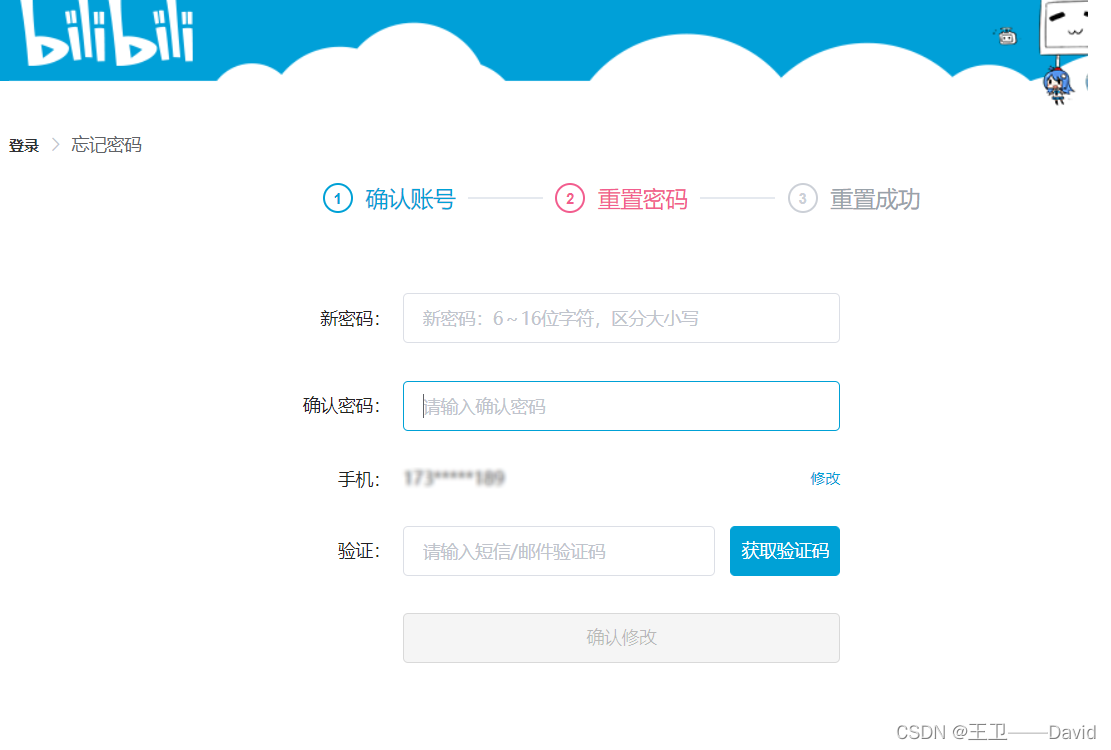
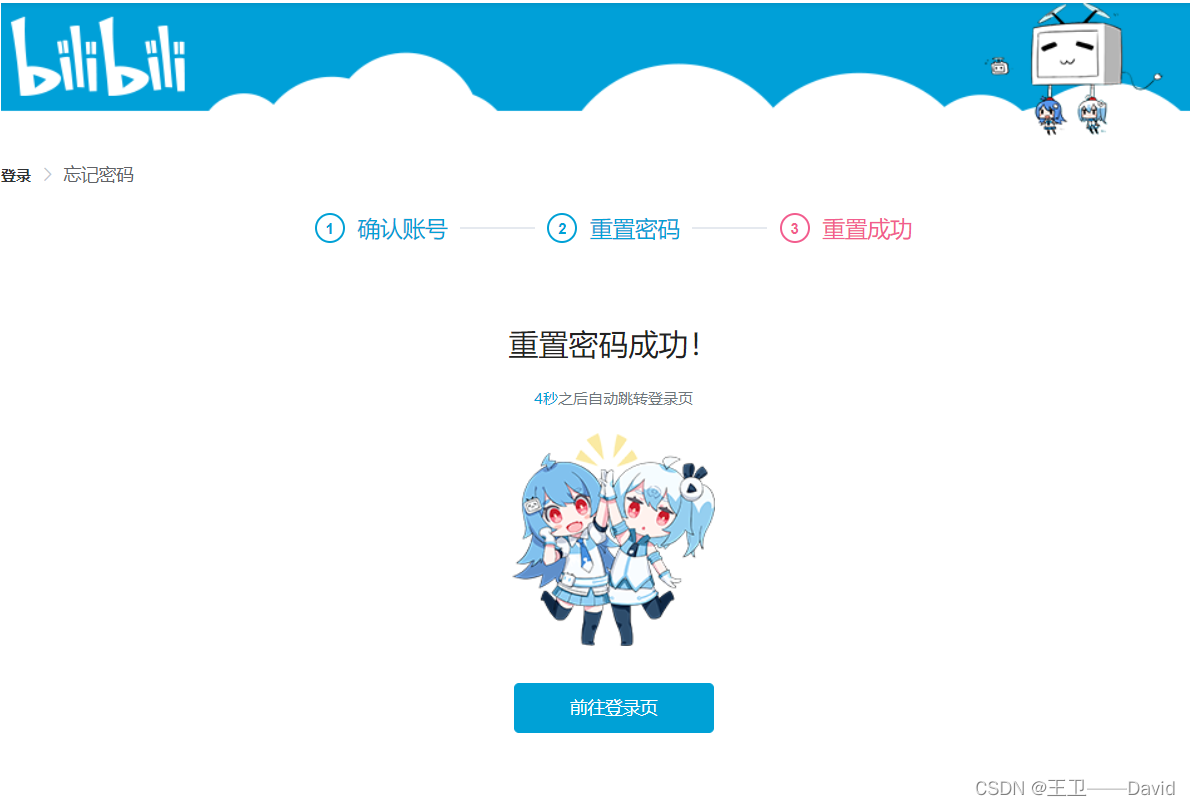
业务场景:用户忘记密码,通过发送短信验证码验证用户的真实性
参考bilibili忘记密码的界面理解业务
实现步骤
阿里云官网实现参考地址:SDK地址
在项目不仅要能够实现发送短信验证码,更需要考虑到之后的可复用性、可维护、可扩充性。所以咱们不能仅仅的实现功能。为了之后如果需要发送其他形式的短信,如通知短信、营销短信。以及实现其他阿里云提供的短信服务相关的API如:查询短信发送统计信息、发送卡片短信、批量发送短信等等与短信相关的业务。需要将核心的配置抽离出来,再根据各种业务需求封账相应的实现类。这儿以业务发送短信中的发送短信验证码为例。1.pom文件引入依赖
<dependency> <groupId>com.aliyungroupId> <artifactId>dysmsapi20170525artifactId> <version>2.0.22version> dependency>- 1
- 2
- 3
- 4
- 5
- 6
2.编写阿里云短信服务核心配置类
这块儿用到了nacos做配置管理,accessKeyId,accessKeySecret,endpoint都是从naocs中读取
import org.springframework.beans.factory.annotation.Value; import org.springframework.cloud.context.config.annotation.RefreshScope; import org.springframework.context.annotation.Configuration; /** * @author : [WangWei] * @version : [v1.0] * @className : ALiYunSMSConfig * @description : [阿里云短信服务配置类] * @createTime : [2022/11/7 15:39] * @updateUser : [WangWei] * @updateTime : [2022/11/7 15:39] * @updateRemark : [描述说明本次修改内容] */ @Configuration @RefreshScope public class ALiYunSMSConfig { //阿里云账号的accessKeyId @Value("${aliyun.sms.accessKeyId}") private String accessKeyId; //阿里云账号的accessKeySecret @Value("${aliyun.sms.accessKeySecret}") private String accessKeySecret; //短信服务访问的域名 @Value("${aliyun.sms.endpoint}") private String endpoint; /* * @version V1.0 * Title: createClient * @author Wangwei * @description 创建短信服务的代理 * @createTime 2022/11/7 15:47 * @param [] * @return com.aliyun.dysmsapi20170525.Client */ public com.aliyun.dysmsapi20170525.Client createClient() throws Exception { com.aliyun.teaopenapi.models.Config config = new com.aliyun.teaopenapi.models.Config() // 您的 AccessKey ID .setAccessKeyId(accessKeyId) // 您的 AccessKey Secret .setAccessKeySecret(accessKeySecret); // 访问的域名 config.endpoint =endpoint ; return new com.aliyun.dysmsapi20170525.Client(config); } }- 1
- 2
- 3
- 4
- 5
- 6
- 7
- 8
- 9
- 10
- 11
- 12
- 13
- 14
- 15
- 16
- 17
- 18
- 19
- 20
- 21
- 22
- 23
- 24
- 25
- 26
- 27
- 28
- 29
- 30
- 31
- 32
- 33
- 34
- 35
- 36
- 37
- 38
- 39
- 40
- 41
- 42
- 43
- 44
- 45
- 46
- 47
3.短信服务管理业务实现类SMSConfigServiceImpl
用于实现短信服务相关的方法,目前只是实现了发送短信的方法。
sendShortMessage()实现发送短信,可以通过传入的参数不同,发送不同形式的短信,如短信验证码、通知短信、营销短信。
import com.aliyun.dysmsapi20170525.Client; import com.aliyun.dysmsapi20170525.models.*; import com.aliyun.teautil.models.RuntimeOptions; import com.tfjy.arprobackend.config.ALiYunSMSConfig; import org.apache.logging.log4j.LogManager; import org.apache.logging.log4j.Logger; import org.springframework.beans.factory.annotation.Autowired; import org.springframework.stereotype.Service; /** * @author : [WangWei] * @version : [v1.0] * @className : SMSConfigServiceImpl * @description : [短信服务管理业务实现类] * @createTime : [2022/11/5 17:16] * @updateUser : [WangWei] * @updateTime : [2022/11/5 17:16] * @updateRemark : [描述说明本次修改内容] */ @Service public class SMSConfigServiceImpl{ private static final Logger log = LogManager.getLogger(); //阿里云短信服务配置类 @Autowired ALiYunSMSConfig aLiYunSMSConfig; /* * @version V1.0 * Title: sendShortMessage * @author Wangwei * @description 发送短信 * @createTime 2022/11/7 16:02 * @param [sendSmsRequest] * @return com.aliyun.dysmsapi20170525.models.SendSmsResponse */ public SendSmsResponse sendShortMessage(SendSmsRequest sendSmsRequest) throws Exception { //初始化配置信息 Client client=aLiYunSMSConfig.createClient(); //TODO 配置运行时间选项暂时未进行配置 RuntimeOptions runtime = new RuntimeOptions(); SendSmsResponse sendSmsResponse; try { //发送短信 sendSmsResponse=client.sendSmsWithOptions(sendSmsRequest, runtime); }catch (Exception e){ throw new Exception("调用阿里云发送短信接口失败",e); } log.info("调用阿里云发送短信接口成功"); return sendSmsResponse; } }- 1
- 2
- 3
- 4
- 5
- 6
- 7
- 8
- 9
- 10
- 11
- 12
- 13
- 14
- 15
- 16
- 17
- 18
- 19
- 20
- 21
- 22
- 23
- 24
- 25
- 26
- 27
- 28
- 29
- 30
- 31
- 32
- 33
- 34
- 35
- 36
- 37
- 38
- 39
- 40
- 41
- 42
- 43
- 44
- 45
- 46
- 47
- 48
- 49
- 50
- 51
- 52
- 53
4.短信验证码配置类
主要是与发送短信验证码有关的参数配置,也将其放到了nacos中,使用的时候读取nacos中的配置
import org.springframework.beans.factory.annotation.Value; import org.springframework.cloud.context.config.annotation.RefreshScope; import org.springframework.context.annotation.Configuration; /** * @author : [WangWei] * @version : [v1.0] * @className : SMSConfigModel * @description : [短信验证码配置类] * @createTime : [2022/11/5 16:06] * @updateUser : [WangWei] * @updateTime : [2022/11/5 16:06] * @updateRemark : [描述说明本次修改内容] */ @RefreshScope @Configuration public class SMVCodeConfigModel { //短信签名名称 @Value("${aliyun.sms.sMVCode.signName}") private String signName; //短信模板CODE @Value("${aliyun.sms.sMVCode.templateCode}") private String templateCode; //短信模板变量对应的实际值 private String templateParam; //短信验证码存储在redis中的时间 单位分钟 @Value("${aliyun.sms.sMVCode.limitTime}") private String limitTime; public String getSignName() { return signName; } public void setSignName(String signName) { signName = signName; } public String getTemplateCode() { return templateCode; } public void setTemplateCode(String templateCode) { templateCode = templateCode; } public String getTemplateParam() { return templateParam; } public void setTemplateParam(String templateParam) { templateParam = templateParam; } public String getLimitTime() { return limitTime; } public void setLimitTime(String limitTime) { this.limitTime = limitTime; } }- 1
- 2
- 3
- 4
- 5
- 6
- 7
- 8
- 9
- 10
- 11
- 12
- 13
- 14
- 15
- 16
- 17
- 18
- 19
- 20
- 21
- 22
- 23
- 24
- 25
- 26
- 27
- 28
- 29
- 30
- 31
- 32
- 33
- 34
- 35
- 36
- 37
- 38
- 39
- 40
- 41
- 42
- 43
- 44
- 45
- 46
- 47
- 48
- 49
- 50
- 51
- 52
- 53
- 54
- 55
- 56
- 57
- 58
- 59
- 60
- 61
- 62
- 63
- 64
5.发送短信验证码核心代码
//生成六位手机验证码 String verificationCode = randomCodeUtils.randomCode(); //拼接阿里云短信模板变量对应的实际值"{\"code\":\"+verificationCode+\"}"; HashMap hashMap = new HashMap(); hashMap.put("code", verificationCode); String templateParam = JSON.toJSONString(hashMap); //配置发送阿里云短信的请求体 SendSmsRequest sendSmsRequest=new SendSmsRequest(); //设置短信签名名称 sendSmsRequest.setSignName(smvCodeConfigModel.getSignName()); //设置短信模板Code sendSmsRequest.setTemplateCode(smvCodeConfigModel.getTemplateCode()); //设置发送短信的手机号 sendSmsRequest.setPhoneNumbers(phoneNumber); //设置短信模板变量对应的实际值 sendSmsRequest.setTemplateParam(templateParam); //发送短信响应体 SendSmsResponse sendSmsResponse; try { //调用阿里云短信服务发送短信验证码 sendSmsResponse = smsConfigService.sendShortMessage(sendSmsRequest); log.info("调用阿里云短信服务发送短信验证码"); } catch (Exception e) { throw new Exception("调用阿里云短信服务发送短信验证码接口失败!", e); } if (!sendSmsResponse.getBody().getCode().equals("OK")) { log.error("调用阿里云短信服务发送短信验证码失败 {}", sendSmsResponse); return false; } log.info("调用阿里云短信服务发送短信验证码成功 {}", sendSmsResponse);- 1
- 2
- 3
- 4
- 5
- 6
- 7
- 8
- 9
- 10
- 11
- 12
- 13
- 14
- 15
- 16
- 17
- 18
- 19
- 20
- 21
- 22
- 23
- 24
- 25
- 26
- 27
- 28
- 29
- 30
生成六位随机数的方法
public String randomCode() { StringBuffer stringBuffer = new StringBuffer (); Random random = new Random(); for (int i = 0; i < 6; i++) { stringBuffer.append(random.nextInt(10)); } return stringBuffer.toString(); }- 1
- 2
- 3
- 4
- 5
- 6
- 7
- 8
实现效果

如果博主的文章对您有所帮助,可以评论、点赞、收藏,支持一下博主!!!
-
相关阅读:
JS基本数据类型中null和undefined区别及应用
CodeChecker的安装及基本使用
Kafka 消息队列 ( 五 ) 常见面试题
Huawei 大型 WLAN 组网 AC 间漫游
公寓报修系统(IDEA,SSM,MySQL)
flink-sql所有语法详解
4.2uboot对设备树的支持——dtb的修改原理
Java程序设计——注解(Java高级应用)
dpdk环境搭建和工作原理
RV1126 快速启动
- 原文地址:https://blog.csdn.net/wangwei021933/article/details/127737625