-
JavaScript 66 JavaScript Async 66.2 异步的 JavaScript
JavaScript
66 JavaScript Async
66.2 异步的 JavaScript
“I will finish later!”
与其他函数并行运行的函数称为异步(asynchronous)
一个很好的例子是 JavaScript setTimeout()
66.2.1 异步 JavaScript
上一节的例子中,其实做了很大的简化。
目的只是为了演示回调函数的语法:
function myDisplayer(some) { document.getElementById("demo").innerHTML = some; } function myCalculator(num1, num2, myCallback) { let sum = num1 + num2; myCallback(sum); } myCalculator(5, 5, myDisplayer);- 1
- 2
- 3
- 4
- 5
- 6
- 7
- 8
- 9
- 10
在上面的例子中,
myDisplayer是函数的名称。它作为参数传递给
myCalculator()。在现实世界中,回调最常与异步函数一起使用。
一个典型的例子是 JavaScript
setTimeout()。66.2.2 等待超时
在使用 JavaScript 函数
setTimeout()时,可以指定超时时执行的回调函数:setTimeout(myFunction, 3000); function myFunction() { document.getElementById("demo").innerHTML = "I love You !!"; }- 1
- 2
- 3
- 4
- 5
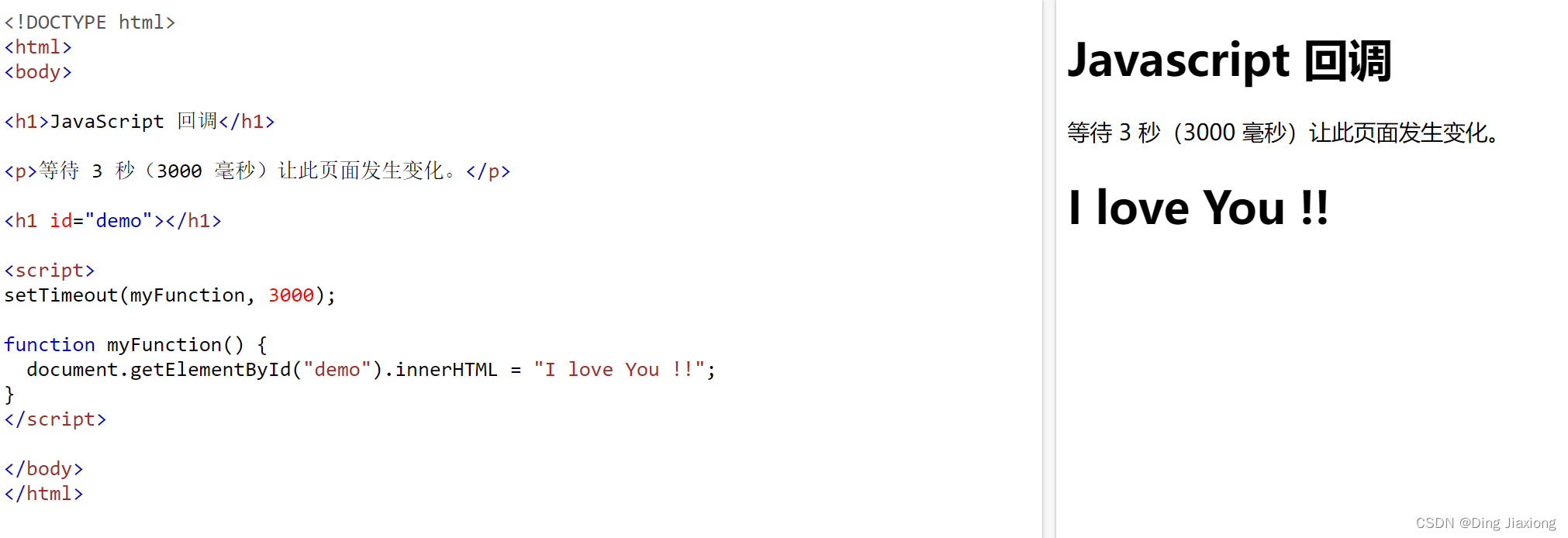
在上面的示例中,
myFunction被用作回调。函数(函数名)作为参数传递给
setTimeout()。3000 是超时前的毫秒数,所以 3 秒后会调用
myFunction()。【在这里栗子中就是3秒后显示“”】当将函数作为参数传递时,请记住不要使用括号。
正确:setTimeout(myFunction, 3000);
错误:setTimeout(myFunction(), 3000);
在上面的例子中,
function(){ myFunction("I love You !!!"); }用作回调。它是一个完整的函数。完整的函数作为参数被传递给 setTimeout()。3000 是超时前的毫秒数,所以 3 秒后会调用
myFunction()。66.2.3 等待间隔
在使用 JavaScript 函数
setInterval()时,可以指定每个间隔执行的回调函数:setInterval(myFunction, 1000); function myFunction() { let d = new Date(); document.getElementById("demo").innerHTML= d.getHours() + ":" + d.getMinutes() + ":" + d.getSeconds(); }- 1
- 2
- 3
- 4
- 5
- 6
- 7
- 8
- 9
在上面的例子中,
myFunction用作回调。函数(函数名)作为参数传递给
setInterval()。1000 是间隔之间的毫秒数,因此
myFunction()将每秒调用一次。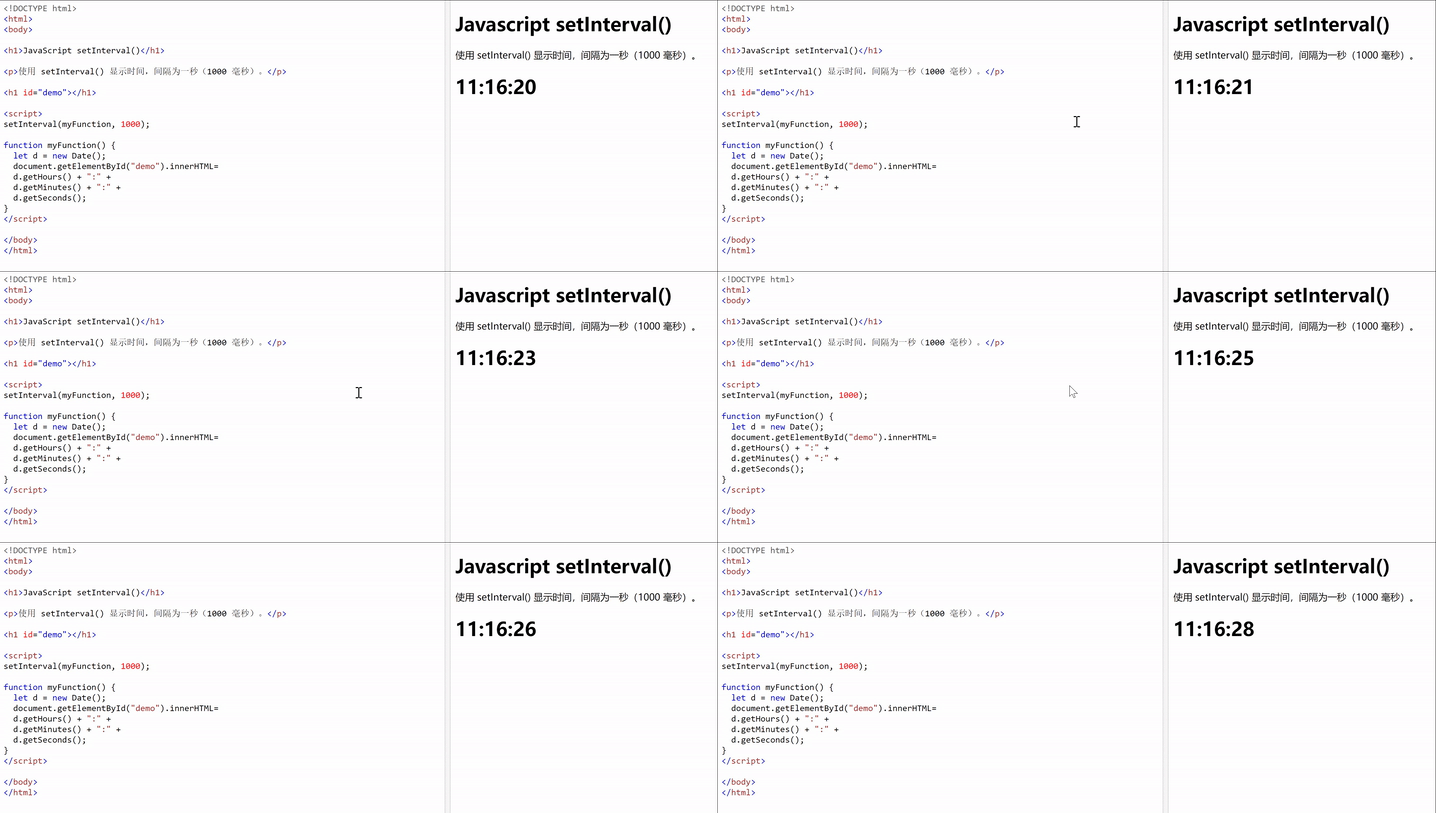
每隔一秒调用一次,就达到了时间进行的效果。
66.2.4 等待文件
如果创建函数来加载外部资源(如脚本或文件),则在内容完全加载之前无法使用这些内容。
这是使用回调的最佳时机。
此例加载一个 HTML 文件 (
mycar.html),并在文件完全加载后在网页中显示该 HTML 文件:function myDisplayer(some) { document.getElementById("demo").innerHTML = some; } function getFile(myCallback) { let req = new XMLHttpRequest(); req.open('GET', "mycar.html"); req.onload = function() { if (req.status == 200) { myCallback(this.responseText); } else { myCallback("Error: " + req.status); } } req.send(); } getFile(myDisplayer);- 1
- 2
- 3
- 4
- 5
- 6
- 7
- 8
- 9
- 10
- 11
- 12
- 13
- 14
- 15
- 16
- 17
- 18

在上面的示例中,
myDisplayer用作回调。函数(函数名)作为参数传递给
getFile()。以下是
mycar.html的副本:mycar.html

A car is a wheeled, self-powered motor vehicle used for transportation.
Most definitions of the term specify that cars are designed to run primarily on roads, to have seating for one to eight people, to typically have four wheels.

(Wikipedia)
- 1
- 2
- 3
- 4
- 5
- 6
-
相关阅读:
HWS-2022 夏令营线上赛 WP
【最新Tomcat】IntelliJ IDEA通用配置Tomcat教程(超详细)
【C++】vector的模拟实现
Wireshark Lua插件入门
文本词语分析易语言代码
还在stream中使用peek?不要被这些陷阱绊住了
代码随想录算法训练营19期第52天
golang数据结构与算法——递归、迷宫回溯和二叉树的遍历
Vue使用脚手架(nextTick、Vue封装的过度与动画、vue脚手架配置代理)(九)
京东详情api
- 原文地址:https://blog.csdn.net/weixin_44226181/article/details/127712165
