-
springboot:自定义starter
目录
一、springboot starter简介
启动器starter命名
#官方
spring-boot-starter-jdbc
spring-boot-starter-web
spring-boot-starter-freemarker
#第三方
sms-spring-boot-starter
myLog-spring-boot-starter什么是SpringBoot starter机制
SpringBoot中的starter是一种非常重要的机制(自动化配置),能够抛弃以前繁杂的配置,将其统一集成进starter,
应用者只需要在maven中引入starter依赖,SpringBoot就能自动扫描到要加载的信息并启动相应的默认配置。
starter让我们摆脱了各种依赖库的处理,需要配置各种信息的困扰。SpringBoot会自动通过classpath路径下的类发现需要的Bean,
并注册进IOC容器。SpringBoot提供了针对日常企业应用研发各种场景的spring-boot-starter依赖模块。
所有这些依赖模块都遵循着约定成俗的默认配置,并允许我们调整这些配置,即遵循“约定大于配置”的理念。为什么要自定义starter
在我们的日常开发工作中,经常会有一些独立于业务之外的配置模块,我们经常将其放到一个特定的包下,
然后如果另一个工程需要复用这块功能的时候,需要将代码硬拷贝到另一个工程,重新集成一遍,麻烦至极。
如果我们将这些可独立于业务代码之外的功能配置模块封装成一个个starter,复用的时候只需要将其在pom中引用依赖即可,
SpringBoot为我们完成自动装配,简直不要太爽什么时候需要创建自定义starter
在我们的日常开发工作中,可能会需要开发一个通用模块,以供其它工程复用。SpringBoot就为我们提供这样的功能机制,
我们可以把我们的通用模块封装成一个个starter,这样其它工程复用的时候只需要在pom中引用依赖即可,
由SpringBoot为我们完成自动装配。常见场景:
1.通用模块-短信发送模块
2.基于AOP技术实现日志切面
3.分布式雪花ID,Long-->string,解决精度问题
jackson2/fastjson
4.微服务项目的数据库连接池配置
5.微服务项目的每个模块都要访问redis数据库,每个模块都要配置redisTemplate
也可以通过starter解决二、ssm短信启动器制作
创建Starter项目
ssm-spring-boot-starter

该组件可用于注解(@Data)等 就不用再写setget的方法了

创建项目成功之后
定义Starter需要的配置类
引入需要的pom依赖
org.springframework.boot
spring-boot-configuration-processor
true
在新建的项目中 新建一个properties 的包 里面放
SmsProperties
- package com.cdl.ssmspringbootstarter.properties;
- import org.springframework.boot.context.properties.ConfigurationProperties;
- /**
- * @author cdl
- * @site www.cdl.com
- * @create 2022-11-03 16:57
- *
- *短信发送时,一般要提供短信发送凭证
- * spring:
- * application:
- * name: ssm-spring-boot-starter
- *当需要使用自定义sms的模块时,在yml文件中进行配置
- * spboot:
- * sms:
- * xxx(accessKeyId): ssm-spring-boot-starter
- *
- * @ConfigurationProperties 此时是会报错的 需要在starer项目的配置类中解决
- */
- @ConfigurationProperties(prefix = "spboot.sms")
- public class SmsProperties {
- //短信发送接口的账号
- private String accessKeyId;//这个随便定义 但是要与xxx保持一致
- //短信发送接口的凭证
- private String accessKeySecret;
- public String getAccessKeyId() {
- return accessKeyId;
- }
- public void setAccessKeyId(String accessKeyId) {
- this.accessKeyId = accessKeyId;
- }
- public String getAccessKeySecret() {
- return accessKeySecret;
- }
- public void setAccessKeySecret(String accessKeySecret) {
- this.accessKeySecret = accessKeySecret;
- }
- }
编写Starter项目的业务功能
新建一个service的包 放入业务代码
SmsService
- package com.cdl.ssmspringbootstarter.service;
- /**
- * @authorCDL
- * @site www.cdl.com
- *
- */
- public interface SmsService {
- /**
- * 发送短信
- *
- * @param phone 要发送的手机号
- * @param signName 短信签名-在短信控制台中找
- * @param templateCode 短信模板-在短信控制台中找
- * @param data 要发送的内容
- */
- void send(String phone, String signName, String templateCode, String data);
- }
SmsServiceImpl
- package com.cdl.ssmspringbootstarter.service;
- /**
- * 接入阿里短信接口的业务类(没有买阿里的服务 只是模拟一下)
- */
- public class SmsServiceImpl implements SmsService {
- private String accessKeyId;//访问ID、即帐号
- private String accessKeySecret;//访问凭证,即密码
- public SmsServiceImpl(String accessKeyId, String accessKeySecret) {
- this.accessKeyId = accessKeyId;
- this.accessKeySecret = accessKeySecret;
- }
- @Override
- public void send(String phone, String signName, String templateCode, String data) {
- // 调阿里的接口
- System.out.println("接入短信系统,accessKeyId=" + accessKeyId + ",accessKeySecret=" + accessKeySecret);
- System.out.println("短信发送,phone=" + phone + ",signName=" + signName + ",templateCode=" + templateCode + ",data=" + data);
- }
- }
编写自动配置类
1. @Configuration:
定义一个配置类
2. @EnableConfigurationProperties:
@EnableConfigurationProperties注解的作用是@ConfigurationProperties注解生效。
如果只配置@ConfigurationProperties注解,在IOC容器中是获取不到properties配置文件转化的bean的新建一个config的包 放配置类
SmsAutoConfig
- package com.cdl.ssmspringbootstarter.config;
- import com.cdl.ssmspringbootstarter.properties.SmsProperties;
- import com.cdl.ssmspringbootstarter.service.SmsService;
- import com.cdl.ssmspringbootstarter.service.SmsServiceImpl;
- import org.springframework.beans.factory.annotation.Autowired;
- import org.springframework.boot.context.properties.EnableConfigurationProperties;
- import org.springframework.context.annotation.Bean;
- import org.springframework.context.annotation.Configuration;
- /**
- * @author cdl
- * @site www.cdl.com
- * @create 2022-11-03 17:21
- */
- @Configuration
- @EnableConfigurationProperties({SmsProperties.class})
- public class SmsAutoConfig {
- @Autowired
- private SmsProperties smsProperties;
- //将短信发送的业务类交给spring容器进行管理
- @Bean
- public SmsService smsService(){
- return new SmsServiceImpl(smsProperties.getAccessKeyId(),
- smsProperties.getAccessKeySecret());
- }
- }
编写spring.factories文件加载自动配置类
在resources下新建META-INF文件夹,然后创建spring.factories文件
spring.factories
org.springframework.boot.autoconfigure.EnableAutoConfiguration=com.cdl.ssmspringbootstarter.config.SmsAutoConfig注1:其中AutoConfig是starter配置文件的类限定名,多个之间逗号分割,还可以\进行转义即相当于去掉后面换行和空格符号
# Auto Configure
org.springframework.boot.autoconfigure.EnableAutoConfiguration=\
com.baomidou.mybatisplus.autoconfigure.MybatisPlusLanguageDriverAutoConfiguration,\
com.baomidou.mybatisplus.autoconfigure.MybatisPlusAutoConfiguration打包安装
打包时需要注意一下,SpringBoot项目打包的JAR是可执行JAR,它的类放在BOOT-INF目录下,
如果直接作为其他项目的依赖,会找不到类。可以通过修改pom文件来解决,代码如下:
org.springframework.boot
spring-boot-maven-plugin
exec

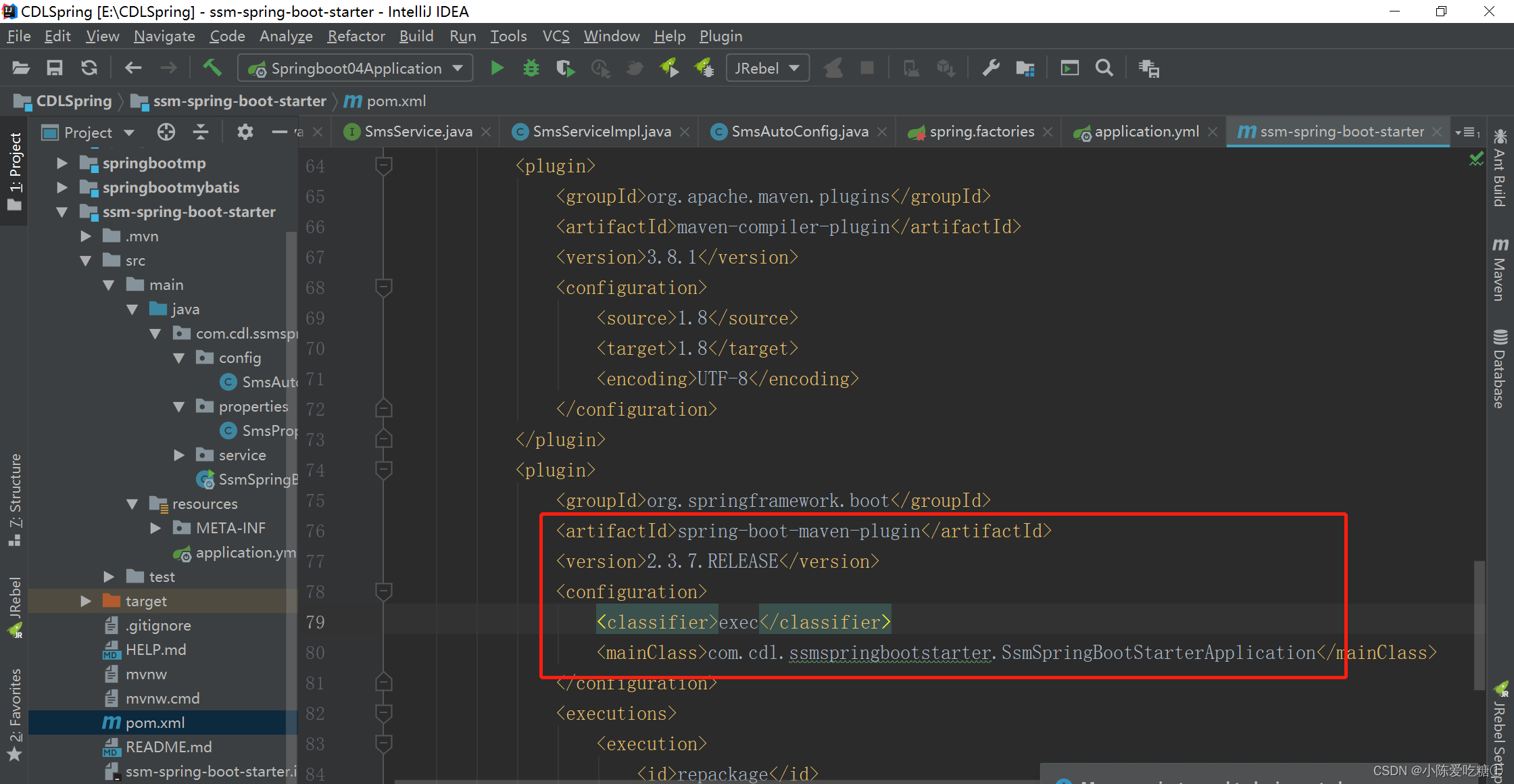

右键 按步骤执行

出现jar包

到这里就制作完成了
三、sms短信调用启动器starter测试
其它项目引用
新建一个项目
spingbootxy
勾选以下两个组件

添加pom依赖
#构建项目测试用的spboot项目,勾选组件lombok以及spring-boot-starter-web
#添加自定义starter依赖如下com.cdl ssm-spring-boot-starter 0.0.1-SNAPSHOT pom.xml
- "1.0" encoding="UTF-8"?>
- <project xmlns="http://maven.apache.org/POM/4.0.0" xmlns:xsi="http://www.w3.org/2001/XMLSchema-instance"
- xsi:schemaLocation="http://maven.apache.org/POM/4.0.0 https://maven.apache.org/xsd/maven-4.0.0.xsd">
- <modelVersion>4.0.0modelVersion>
- <groupId>com.cdlgroupId>
- <artifactId>springbootxyartifactId>
- <version>0.0.1-SNAPSHOTversion>
- <name>springbootxyname>
- <description>Demo project for Spring Bootdescription>
- <properties>
- <java.version>1.8java.version>
- <project.build.sourceEncoding>UTF-8project.build.sourceEncoding>
- <project.reporting.outputEncoding>UTF-8project.reporting.outputEncoding>
- <spring-boot.version>2.3.7.RELEASEspring-boot.version>
- properties>
- <dependencies>
- <dependency>
- <groupId>org.springframework.bootgroupId>
- <artifactId>spring-boot-starter-webartifactId>
- dependency>
- <dependency>
- <groupId>org.projectlombokgroupId>
- <artifactId>lombokartifactId>
- <optional>trueoptional>
- dependency>
- <dependency>
- <groupId>org.springframework.bootgroupId>
- <artifactId>spring-boot-starter-testartifactId>
- <scope>testscope>
- <exclusions>
- <exclusion>
- <groupId>org.junit.vintagegroupId>
- <artifactId>junit-vintage-engineartifactId>
- exclusion>
- exclusions>
- dependency>
- <dependency>
- <groupId>com.cdlgroupId>
- <artifactId>ssm-spring-boot-starterartifactId>
- <version>0.0.1-SNAPSHOTversion>
- dependency>
- dependencies>
- <dependencyManagement>
- <dependencies>
- <dependency>
- <groupId>org.springframework.bootgroupId>
- <artifactId>spring-boot-dependenciesartifactId>
- <version>${spring-boot.version}version>
- <type>pomtype>
- <scope>importscope>
- dependency>
- dependencies>
- dependencyManagement>
- <build>
- <plugins>
- <plugin>
- <groupId>org.apache.maven.pluginsgroupId>
- <artifactId>maven-compiler-pluginartifactId>
- <version>3.8.1version>
- <configuration>
- <source>1.8source>
- <target>1.8target>
- <encoding>UTF-8encoding>
- configuration>
- plugin>
- <plugin>
- <groupId>org.springframework.bootgroupId>
- <artifactId>spring-boot-maven-pluginartifactId>
- <version>2.3.7.RELEASEversion>
- <configuration>
- <mainClass>com.cdl.springbootxy.SpringbootxyApplicationmainClass>
- configuration>
- <executions>
- <execution>
- <id>repackageid>
- <goals>
- <goal>repackagegoal>
- goals>
- execution>
- executions>
- plugin>
- plugins>
- build>
- project>
配置
application.yml
- server:
- port: 8080
- spring:
- application:
- name: springbootxy
- spboot:
- sms:
- access-key-id: xiaochen
- access-key-secret: 123456
调用jar中业务层的方法 写一个controller
SmsController
- package com.cdl.springbootxy.controller;
- import com.cdl.ssmspringbootstarter.service.SmsService;
- import org.springframework.beans.factory.annotation.Autowired;
- import org.springframework.web.bind.annotation.RequestMapping;
- import org.springframework.web.bind.annotation.RestController;
- /**
- * @author cdl
- * @site www.cdl.com
- * @create 2022-11-03 17:58
- */
- @RestController
- public class SmsController {
- @Autowired
- private SmsService smsService;
- @RequestMapping("/sms/send")
- public String sendSms(){
- smsService.send("16607478549","签名","1000","你好自定义短信发送starter");
- return "success";
- }
- }
在启动类运行,若启动类没有问题则是成功的

前端使用浏览器访问测试的controller 模仿发送

控制台

可见能够使用成功 该新项目中没有发送的业务代码
四、AOP的日志starter制作及测试
创建Starter项目
mylog-spring-boot-starter

创建成功之后 导入pom依赖
org.springframework.boot
spring-boot-configuration-processor
true
org.springframework.boot
spring-boot-starter-aop
pom.xml
- "1.0" encoding="UTF-8"?>
- <project xmlns="http://maven.apache.org/POM/4.0.0" xmlns:xsi="http://www.w3.org/2001/XMLSchema-instance"
- xsi:schemaLocation="http://maven.apache.org/POM/4.0.0 https://maven.apache.org/xsd/maven-4.0.0.xsd">
- <modelVersion>4.0.0modelVersion>
- <groupId>com.cdlgroupId>
- <artifactId>mylog-spring-boot-starterartifactId>
- <version>0.0.1-SNAPSHOTversion>
- <name>mylog-spring-boot-startername>
- <description>Demo project for Spring Bootdescription>
- <properties>
- <java.version>1.8java.version>
- <project.build.sourceEncoding>UTF-8project.build.sourceEncoding>
- <project.reporting.outputEncoding>UTF-8project.reporting.outputEncoding>
- <spring-boot.version>2.3.7.RELEASEspring-boot.version>
- properties>
- <dependencies>
- <dependency>
- <groupId>org.springframework.bootgroupId>
- <artifactId>spring-boot-starterartifactId>
- dependency>
- <dependency>
- <groupId>org.projectlombokgroupId>
- <artifactId>lombokartifactId>
- <optional>trueoptional>
- dependency>
- <dependency>
- <groupId>org.springframework.bootgroupId>
- <artifactId>spring-boot-starter-testartifactId>
- <scope>testscope>
- <exclusions>
- <exclusion>
- <groupId>org.junit.vintagegroupId>
- <artifactId>junit-vintage-engineartifactId>
- exclusion>
- exclusions>
- dependency>
- <dependency>
- <groupId>org.springframework.bootgroupId>
- <artifactId>spring-boot-configuration-processorartifactId>
- <optional>trueoptional>
- dependency>
- <dependency>
- <groupId>org.springframework.bootgroupId>
- <artifactId>spring-boot-starter-aopartifactId>
- dependency>
- dependencies>
- <dependencyManagement>
- <dependencies>
- <dependency>
- <groupId>org.springframework.bootgroupId>
- <artifactId>spring-boot-dependenciesartifactId>
- <version>${spring-boot.version}version>
- <type>pomtype>
- <scope>importscope>
- dependency>
- dependencies>
- dependencyManagement>
- <build>
- <plugins>
- <plugin>
- <groupId>org.apache.maven.pluginsgroupId>
- <artifactId>maven-compiler-pluginartifactId>
- <version>3.8.1version>
- <configuration>
- <source>1.8source>
- <target>1.8target>
- <encoding>UTF-8encoding>
- configuration>
- plugin>
- <plugin>
- <groupId>org.springframework.bootgroupId>
- <artifactId>spring-boot-maven-pluginartifactId>
- <version>2.3.7.RELEASEversion>
- <configuration>
- <mainClass>com.cdl.mylogspringbootstarter.MylogSpringBootStarterApplicationmainClass>
- configuration>
- <executions>
- <execution>
- <id>repackageid>
- <goals>
- <goal>repackagegoal>
- goals>
- execution>
- executions>
- plugin>
- plugins>
- build>
- project>
编写相关属性类
新建一个properties的包 放相关类
MyLogProperties
- package com.cdl.mylogspringbootstarter.properties;
- import org.springframework.boot.context.properties.ConfigurationProperties;
- /**
- * @author cdl
- * @site www.cdl.com
- * @create 2022-11-03 18:26
- */
- @ConfigurationProperties(prefix = "spboot.mylog")
- public class MyLogProperties {
- private boolean enabled;
- public boolean isEnabled() {
- return enabled;
- }
- public void setEnabled(boolean enabled) {
- this.enabled = enabled;
- }
- }
编写Starter项目的业务功能
记得添加web的依赖
    org.springframework.boot
    spring-boot-starter-web
WebLogAspect
- package com.cdl.mylogspringbootstarter.aop;
- import lombok.extern.slf4j.Slf4j;
- import org.aspectj.lang.JoinPoint;
- import org.aspectj.lang.annotation.AfterReturning;
- import org.aspectj.lang.annotation.Aspect;
- import org.aspectj.lang.annotation.Before;
- import org.aspectj.lang.annotation.Pointcut;
- import org.springframework.stereotype.Component;
- import org.springframework.web.context.request.RequestContextHolder;
- import org.springframework.web.context.request.ServletRequestAttributes;
- import javax.servlet.http.HttpServletRequest;
- import java.util.Arrays;
- @Aspect
- @Component
- @Slf4j
- public class WebLogAspect {
- //@Pointcut("execution(public * com.zking..controller.*.*(..))")
- @Pointcut("execution(* *..*Controller.*(..))")
- public void webLog(){}
- @Before("webLog()")
- public void doBefore(JoinPoint joinPoint) throws Throwable {
- // 接收到请求,记录请求内容
- ServletRequestAttributes attributes = (ServletRequestAttributes) RequestContextHolder.getRequestAttributes();
- HttpServletRequest request = attributes.getRequest();
- // 记录下请求内容
- log.info("开始服务:{}", request.getRequestURL().toString());
- log.info("客户端IP :{}" , request.getRemoteAddr());
- log.info("参数值 :{}", Arrays.toString(joinPoint.getArgs()));
- }
- @AfterReturning(returning = "ret", pointcut = "webLog()")
- public void doAfterReturning(Object ret) throws Throwable {
- // 处理完请求,返回内容
- log.info("返回值 : {}" , ret);
- }
- }
编写自动配置类
MyLogAutoConfig
- package com.cdl.mylogspringbootstarter.config;
- import com.cdl.mylogspringbootstarter.aop.WebLogAspect;
- import com.cdl.mylogspringbootstarter.properties.MyLogProperties;
- import org.springframework.boot.autoconfigure.condition.ConditionalOnMissingBean;
- import org.springframework.boot.autoconfigure.condition.ConditionalOnProperty;
- import org.springframework.boot.context.properties.EnableConfigurationProperties;
- import org.springframework.context.annotation.Bean;
- import org.springframework.context.annotation.Configuration;
- /**
- * @author cdl
- * @site www.cdl.com
- * @create 2022-11-03 18:39
- *
- *
- * @ConditionalOnProperty
- * * 配置属性a:
- * * 1:不配置a matchifmissing=false 不满足 matchifmissing=true 满足
- * * 2:配置a=false matchifmissing=false 不满足 matchifmissing=true 不满足
- * * 3:配置a=true matchifmissing=false 满足 matchifmissing=true 满足
- *
- *
- */
- @Configuration
- @EnableConfigurationProperties({MyLogProperties.class})
- @ConditionalOnProperty(prefix = "spboot.mylog",
- value = "enabled")
- public class MyLogAutoConfig {
- @Bean
- @ConditionalOnMissingBean
- public WebLogAspect webLogAspect(){
- return new WebLogAspect();
- }
- }
编写spring.factories文件加载自动配置类
在resources下新建META-INF文件夹,然后创建spring.factories文件
spring.factories
org.springframework.boot.autoconfigure.EnableAutoConfiguration=com.cdl.mylogspringbootstarter.config.MyLogAutoConfig打包安装
打包时需要注意一下,SpringBoot项目打包的JAR是可执行JAR,它的类放在BOOT-INF目录下,
如果直接作为其他项目的依赖,会找不到类。可以通过修改pom文件来解决,代码如下:
org.springframework.boot
spring-boot-maven-plugin
exec
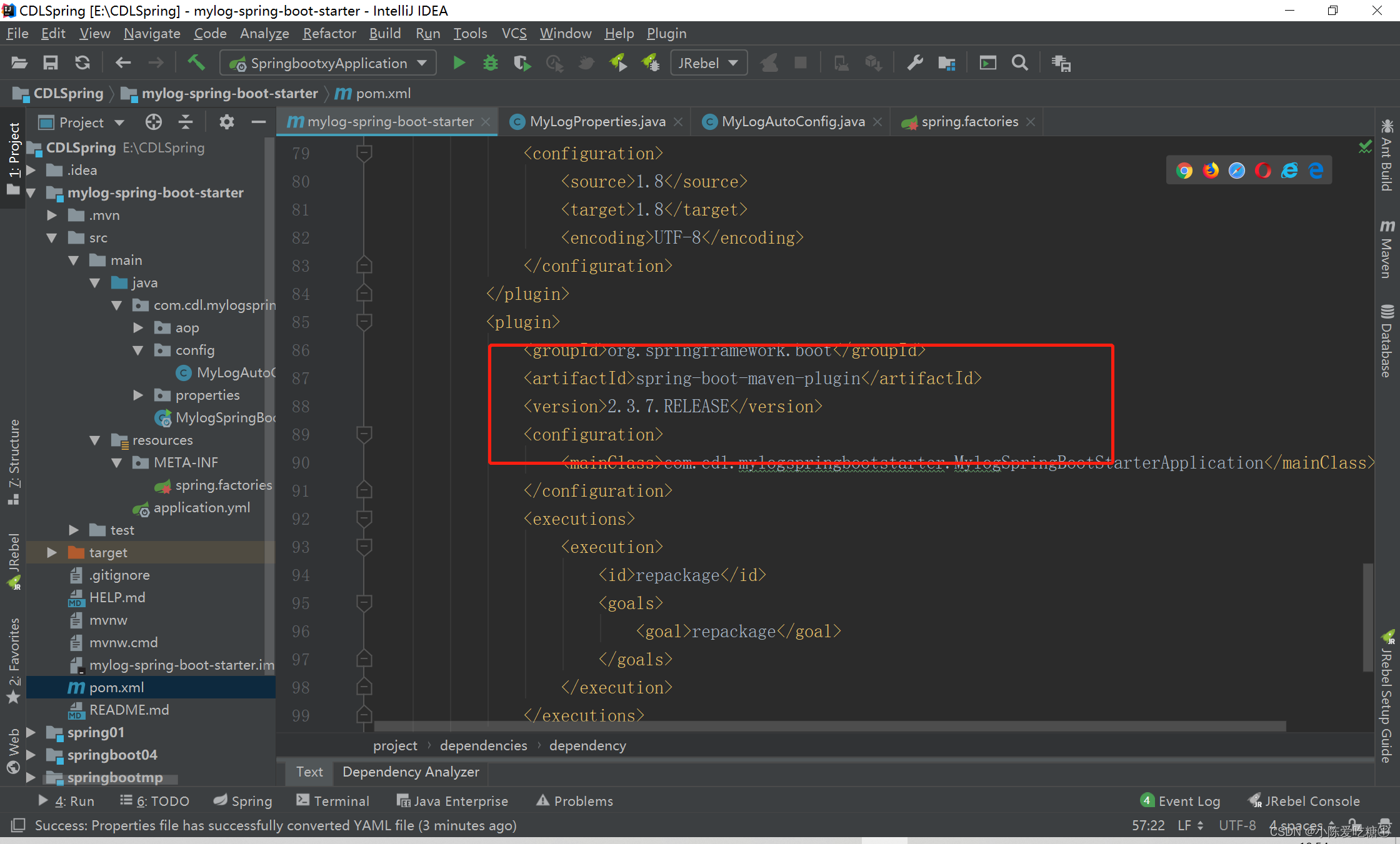

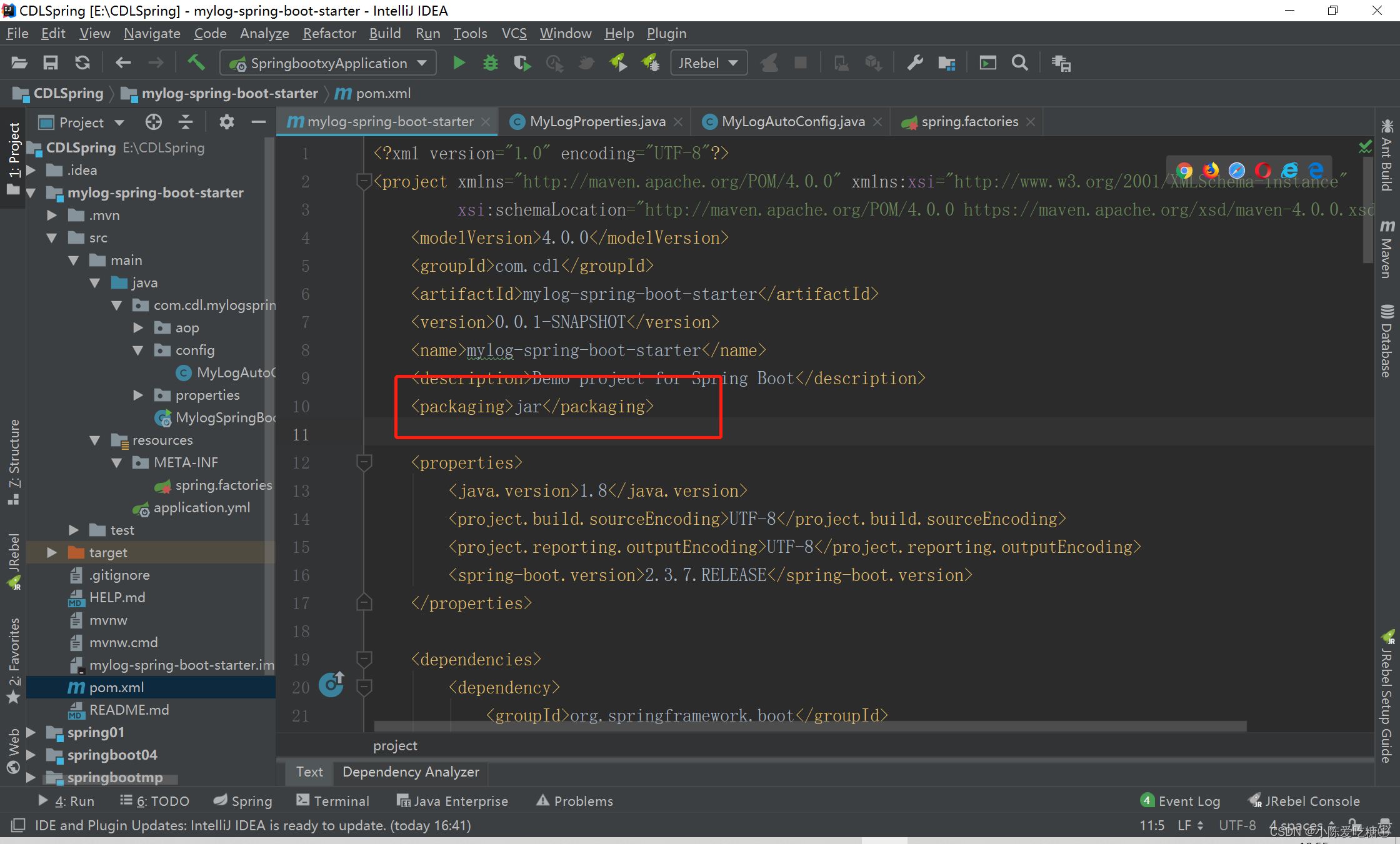
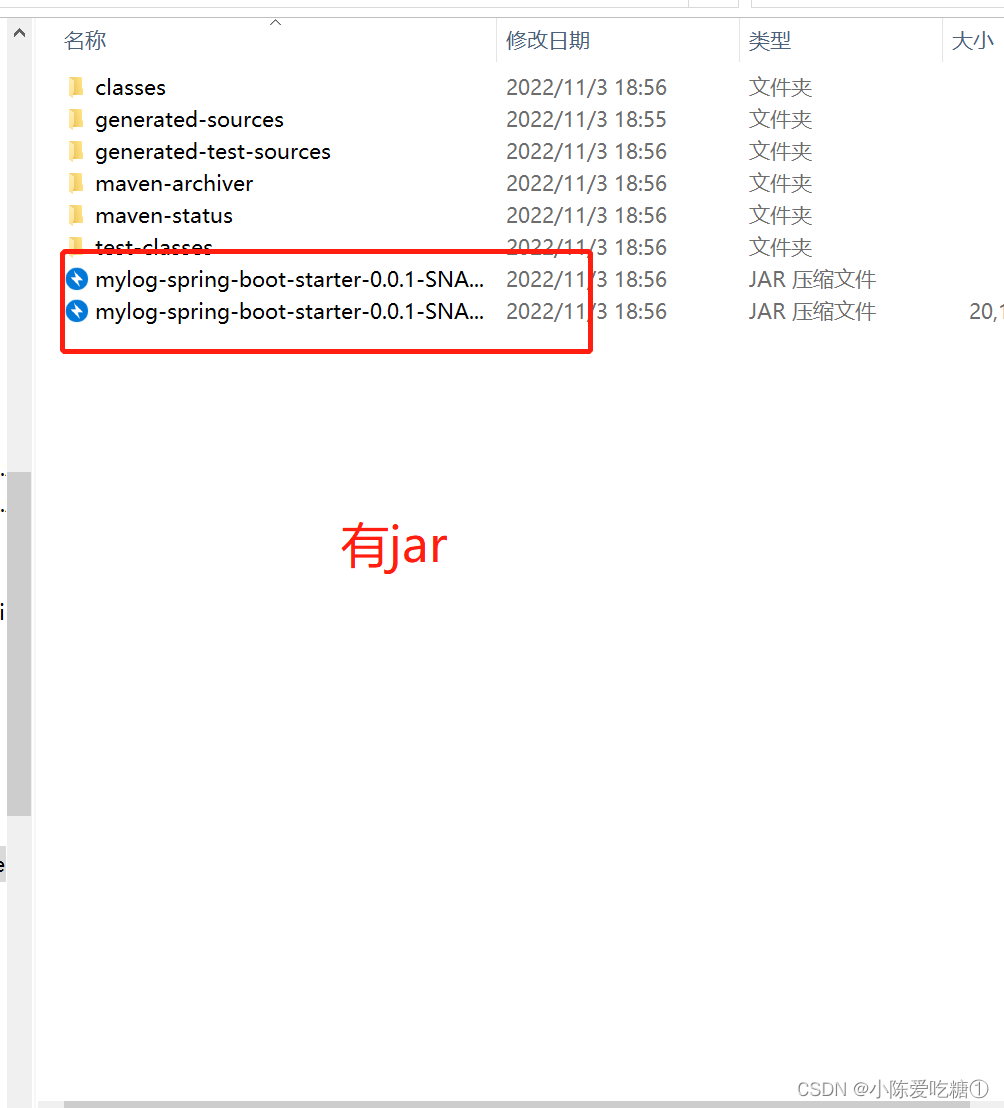
运行之前 查看本地
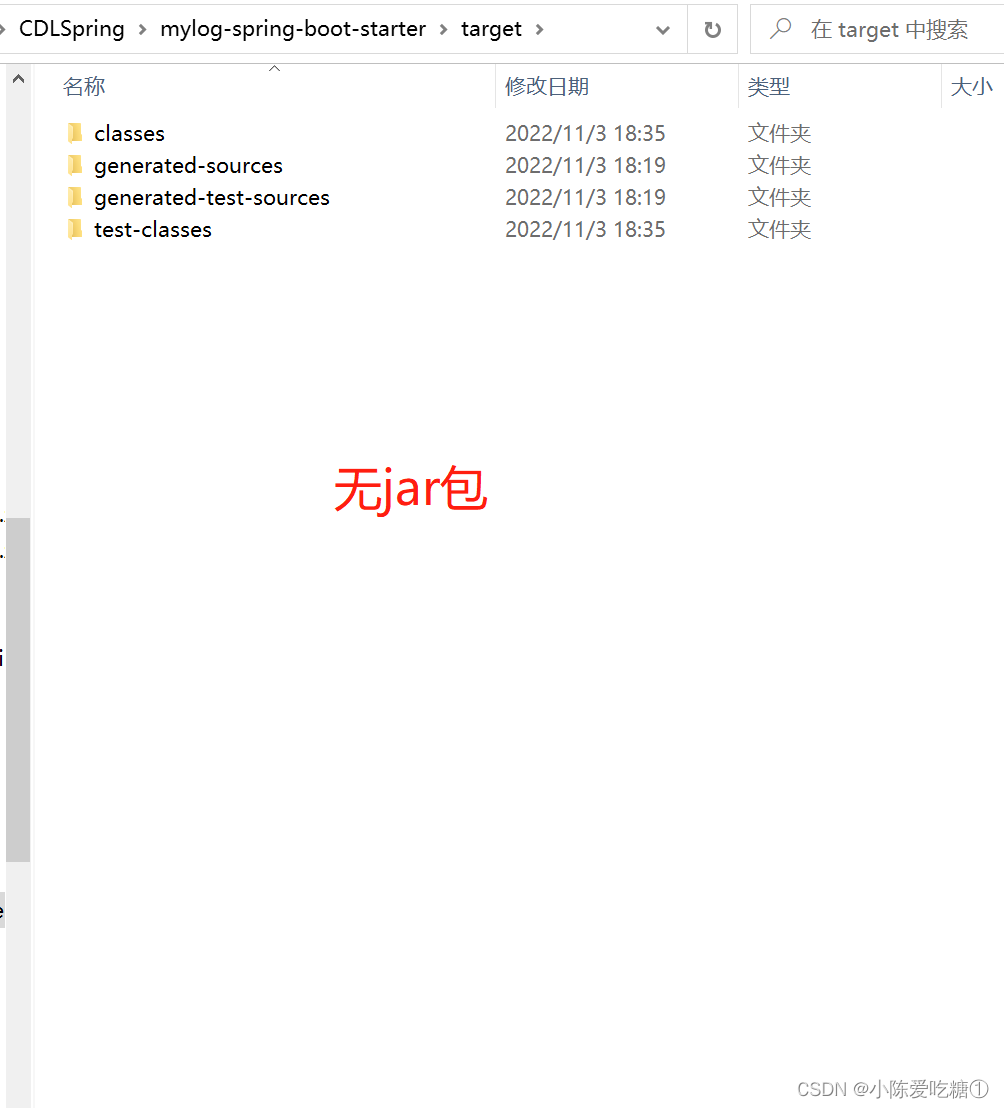
按步骤操作

其它项目引用
springbootxy
引入pom依赖(刚刚打成的jar包)
com.cdl
mylog-spring-boot-starter
0.0.1-SNAPSHOT
pom.xml
- "1.0" encoding="UTF-8"?>
- <project xmlns="http://maven.apache.org/POM/4.0.0" xmlns:xsi="http://www.w3.org/2001/XMLSchema-instance"
- xsi:schemaLocation="http://maven.apache.org/POM/4.0.0 https://maven.apache.org/xsd/maven-4.0.0.xsd">
- <modelVersion>4.0.0modelVersion>
- <groupId>com.cdlgroupId>
- <artifactId>springbootxyartifactId>
- <version>0.0.1-SNAPSHOTversion>
- <name>springbootxyname>
- <description>Demo project for Spring Bootdescription>
- <properties>
- <java.version>1.8java.version>
- <project.build.sourceEncoding>UTF-8project.build.sourceEncoding>
- <project.reporting.outputEncoding>UTF-8project.reporting.outputEncoding>
- <spring-boot.version>2.3.7.RELEASEspring-boot.version>
- properties>
- <dependencies>
- <dependency>
- <groupId>org.springframework.bootgroupId>
- <artifactId>spring-boot-starter-webartifactId>
- dependency>
- <dependency>
- <groupId>org.projectlombokgroupId>
- <artifactId>lombokartifactId>
- <optional>trueoptional>
- dependency>
- <dependency>
- <groupId>org.springframework.bootgroupId>
- <artifactId>spring-boot-starter-testartifactId>
- <scope>testscope>
- <exclusions>
- <exclusion>
- <groupId>org.junit.vintagegroupId>
- <artifactId>junit-vintage-engineartifactId>
- exclusion>
- exclusions>
- dependency>
- <dependency>
- <groupId>com.cdlgroupId>
- <artifactId>ssm-spring-boot-starterartifactId>
- <version>0.0.1-SNAPSHOTversion>
- dependency>
- <dependency>
- <groupId>com.cdlgroupId>
- <artifactId>mylog-spring-boot-starterartifactId>
- <version>0.0.1-SNAPSHOTversion>
- dependency>
- dependencies>
- <dependencyManagement>
- <dependencies>
- <dependency>
- <groupId>org.springframework.bootgroupId>
- <artifactId>spring-boot-dependenciesartifactId>
- <version>${spring-boot.version}version>
- <type>pomtype>
- <scope>importscope>
- dependency>
- dependencies>
- dependencyManagement>
- <build>
- <plugins>
- <plugin>
- <groupId>org.apache.maven.pluginsgroupId>
- <artifactId>maven-compiler-pluginartifactId>
- <version>3.8.1version>
- <configuration>
- <source>1.8source>
- <target>1.8target>
- <encoding>UTF-8encoding>
- configuration>
- plugin>
- <plugin>
- <groupId>org.springframework.bootgroupId>
- <artifactId>spring-boot-maven-pluginartifactId>
- <version>2.3.7.RELEASEversion>
- <configuration>
- <mainClass>com.cdl.springbootxy.SpringbootxyApplicationmainClass>
- configuration>
- <executions>
- <execution>
- <id>repackageid>
- <goals>
- <goal>repackagegoal>
- goals>
- execution>
- executions>
- plugin>
- plugins>
- build>
- project>
配置
application.yml
- server:
- port: 8080
- spring:
- application:
- name: springbootxy
- spboot:
- sms:
- access-key-id: xiaochen
- access-key-secret: 123456
- mylog:
- enabled: true
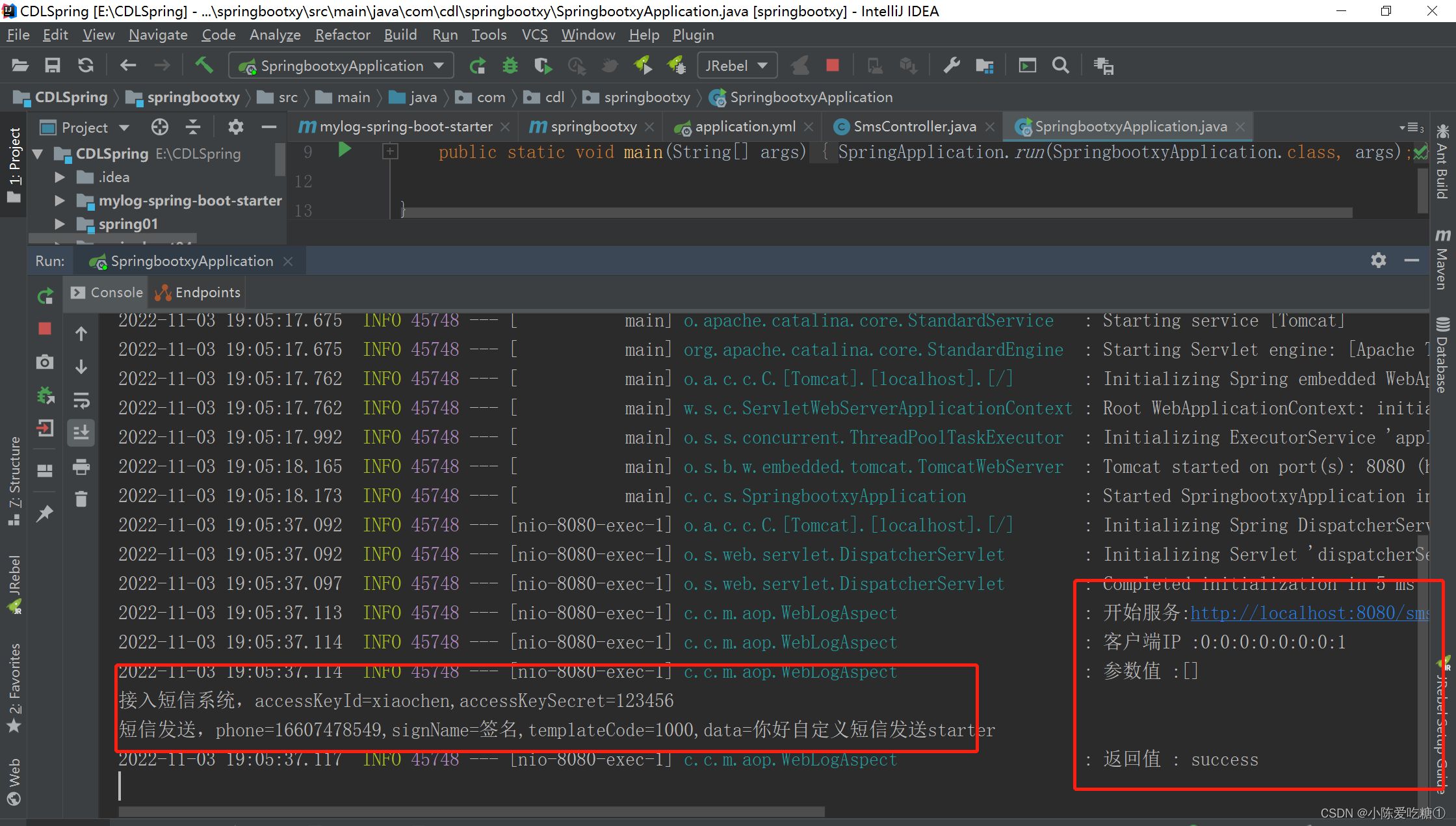
运行启动类
和之前测试短信发送一样 浏览器访问

-
相关阅读:
XmlElement注解在Java的数组属性上,以产生多个相同的XML元素
在定义指针的时候,写成「int* p;」和「int *p;」哪个更好?
阿里二面:JVM调优你会吗?
My Code Style
思维导图结构化梳理Java进阶方向
Spring Cloud入门看这一篇就够了
windbg调试分析dump工具,使用windbg分析Qt崩溃原因
ZigBee 3.0实战教程-Silicon Labs EFR32+EmberZnet-3-05:如何导入已有的工程
使用静态CRLSP配置MPLS TE隧道
教你如何使用关键词获取淘宝和天猫的商品信息
- 原文地址:https://blog.csdn.net/weixin_62735525/article/details/127673386
