-
Redis相关知识
目录
一,Redis的命令操作
1.Redis简介
Redis是一个开源(BSD许可),内存存储的数据结构服务器,可用作数据库,高速缓存和消息队列代理。
它支持字符串、哈希表、列表、集合、有序集合,位图,hyperloglogs等数据类型。内置复制、Lua脚本、LRU收回、事务以及不同级别磁盘持久化功能,
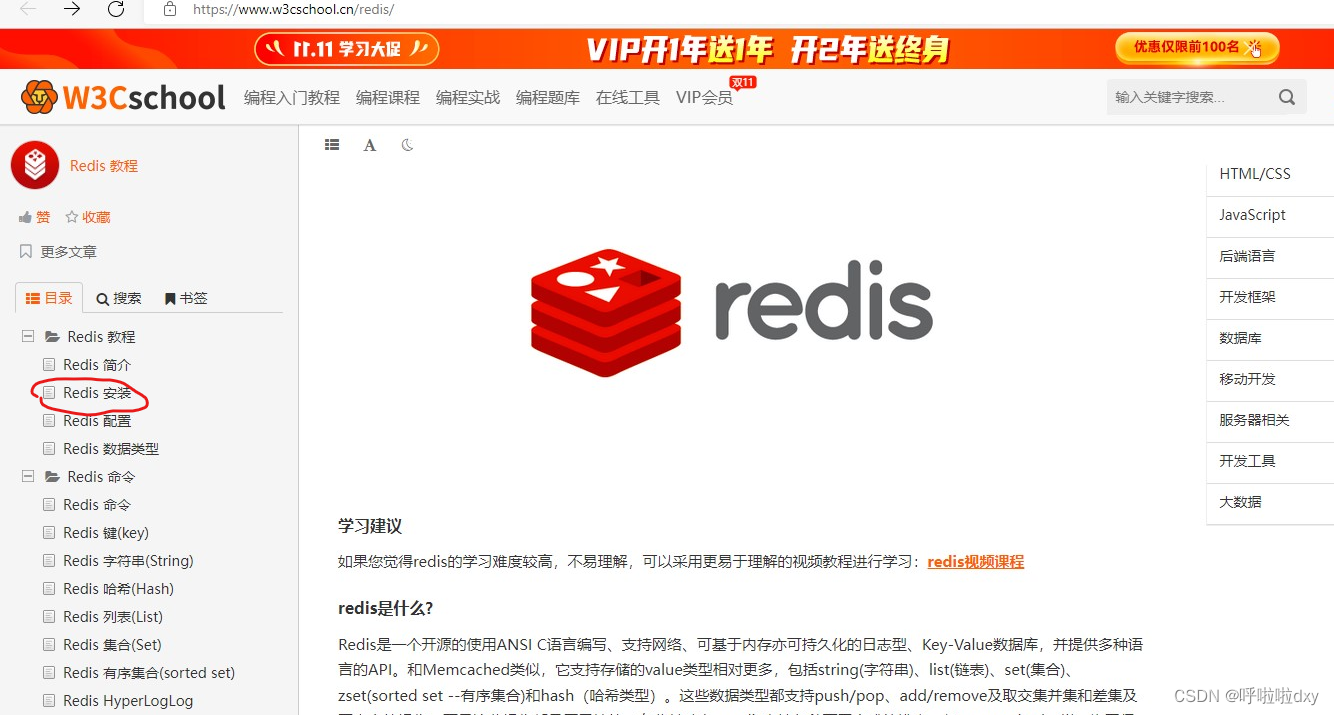
同时通过Redis Sentinel提供高可用,通过Redis Cluster提供自动分区学习网址:Redis 教程_w3cschool
Redis用途:1. 数据库 2. 缓存
集群:哨兵、主从、分片式2.Redis安装(按步骤执行以下步骤即可)
1.解压redis
tar -zxvf redis-5.0.0.tar.gz -C /usr/local2.安装gcc
yum install gcc3.编译redis
cd /redis-5.0.0
make4.检测安装情况
make install5.修改redis.conf文件
cp redis.conf redis_bak.conf
将daemonize no 改为 daemonize yes6.启动redis
./redis-server ../redis.conf7.测试redis启动是否成功
./redis-cli
ping附录
Linux在文件中查找关键字
vim xxx.conf
先"/" 然后"关键字" 再enter;"n"指找下一个查看redis进程:
ps -ef | grep redis
yum install -y lsof
lsof -i:6379
杀掉redis进程:kill -9 进程pid以上为无密码链接,修改为有密码,并且外部访问的方式如下
1.修改redis.conf
注释:bind 127.0.0.1
修改:requirepass 1234562.杀掉redis进程
3.启动redis.conf的新配置
./src/redis-server redis.conf4.客户端redis-cli链接redis,重新测试
./src/redis-cli -h 127.0.0.1 -p 6379 -a 123456
ping
select 15.redismanager链接测试成功
3.redis命令
set key //保存
set name zs
set age 12
set sex nanget key //获取
get nametype key //查看类型
type age //string 说明type返回的是键值对存储类型,而不是值存储类型keys *或keys key //查看所有或者指定的key
keys *SETEX KEY_NAME TIMEOUT VALUE // 给键值对设置过期时间
setex zs 60 livettl key // 获取键值对剩余的存活时间
ttl zsRedis哈希(Hash)
Redis hash 是一个string类型的field和value的映射表,hash特别适合用于存储对象。
- hset key field1 value1 [field2 value2] 同时将多个field-value设置到哈希表key中
- hset user name zs age 12 sex nv
- hget key field #获取指定的字段值
- hget user age
- hdel key field #删除指定的字段值
- hdel user age
- hgetall key #查询指定key的所有字段
- hgetall user
- hexists key field #查询指定key中的字段是否存在
- hexists user name
- hlen key #获取指定key中的长度
- hlen user
Redis列表(List)
Redis列表是简单的字符串列表,按照插入顺序排序。你可以添加一个元素到列表的头部(左边)或者尾部(右边)
- lpush key value1 value2 value3 #将一个或多个值插入到列表头部
- lpush en a b c d e f g
- llen key #获取列表的长度
- llen en
- lindex key index #根据索引获取列表中的元素
- lindex en 1 #返回f,说明下标从0开始,同时先进后出
- lrange key start sop #查看指定范围内的元素
- lrange en 1 3 #返回fed,说明下标从0开始,同时先进后出
Redis集合(Set)
Redis 的 Set 是 String 类型的无序集合。集合成员是唯一的,这就意味着集合中不能出现重复的数据
- sadd key value1 [value2] #向集合添加一个或多个元素
- sadd hobby lanqiu zuqiu bingpangqiu zhuoqiu
- scard key #获取集合中的元素数量
- scard hobby
- exists key #是否存在
- exists hobby
有序集合(sort set)
二,java代码操作Redis
1.java连接Redis
首先在编码前我们先将环境搭好,导入相关依赖
- <groupId>redis.clientsgroupId>
- <artifactId>jedisartifactId>
- <version>2.9.0version>
其次就是相关连接,Jedis jedis = new Jedis("192.168.230.129", 6379);这里如果是自身有云服务器的话直接连接服务器
这边由于本人窘迫连接的地址为虚拟机上的地址

- Jedis jedis = new Jedis("192.168.195.139", 6379);
- jedis.auth("123456");
- System.out.println(jedis.ping());
- jedis.select(1);
2.java操作Redis
Redis字符串(String)
set key //保存
jedis.set("string_name","wangwu");
get key //获取
System.out.println(jedis.get("string_name"));
type key //查看类型
System.out.println(jedis.type("string_name"));
keys * 或keys key //查看所有或者指定的key
System.out.println(jedis.keys("*"));
SETEX KEY_NAME TIMEOUT VALUE // 给键值对设置过期时间
jedis.setex("string_zs",30,"活着");
ttl key // 获取键值对剩余的存活时间
System.out.println(jedis.ttl("string_zs"));Redis哈希(Hash)
hset key field1 value1 [field2 value2] #同时将多个field-value设置到哈希表key中
jedis.hset("java_user","name","zs");
jedis.hset("java_user","sex","男");
jedis.hset("java_user","age","12");hget key field #获取指定的字段值
System.out.println(jedis.hget("java_user", "sex"));hdel key field #删除指定的字段值
jedis.hdel("java_user","sex");hgetall key #查询指定key的所有字段
Map
System.out.println(java_user_map);hexists key field #查询指定key中的字段是否存在
Boolean java_user = jedis.hexists("java_user","sex");
System.out.println(java_user);hlen key #获取指定key中的长度
Long java_user_len = jedis.hlen("java_user");
System.out.println(java_user_len);Redis列表(List)
lpush key value1 value2 value3 #将一个或多个值插入到列表头部
jedis.lpush("java_hobby", "篮球", "足球", "羽毛球");
llen key #获取列表的长度
Long java_hobby_len = jedis.llen("java_hobby");
System.out.println(java_hobby_len);
lindex key index #根据索引获取列表中的元素
System.out.println(jedis.lindex("java_hobby", 0));
lrange key start sop #查看指定范围内的元素
System.out.println(jedis.lrange("java_hobby", 0, 1));Redis集合(Set)
// # sadd key value1 [value2] #向集合添加一个或多个元素
jedis.sadd("java_set_user","张三","李四","王五","张三丰");
// # scard key #获取集合中的元素数量
System.out.println(jedis.scard("java_set_user"));
// # exists key #是否存在
System.out.println(jedis.exists("java_set_user"));三,Spring注解式缓存Redis
1.Spring整合Redis
导入相关依赖
- <redis.spring.version>1.7.1.RELEASEredis.spring.version>
- <dependency>
- <groupId>redis.clientsgroupId>
- <artifactId>jedisartifactId>
- <version>${redis.version}version>
- dependency>
- <dependency>
- <groupId>org.springframework.datagroupId>
- <artifactId>spring-data-redisartifactId>
- <version>${redis.spring.version}version>
- dependency>
Redis-properties(连接Redis相关)
- redis.hostName=192.168.195.139
- redis.port=6379
- redis.password=123456
- redis.timeout=10000
- redis.maxIdle=300
- redis.maxTotal=1000
- redis.maxWaitMillis=1000
- redis.minEvictableIdleTimeMillis=300000
- redis.numTestsPerEvictionRun=1024
- redis.timeBetweenEvictionRunsMillis=30000
- redis.testOnBorrow=true
- redis.testWhileIdle=true
- redis.expiration=3600
spring-redis.xml文件(相关配置)
- "1.0" encoding="UTF-8"?>
- <beans xmlns="http://www.springframework.org/schema/beans"
- xmlns:xsi="http://www.w3.org/2001/XMLSchema-instance"
- xmlns:context="http://www.springframework.org/schema/context"
- xmlns:cache="http://www.springframework.org/schema/cache"
- xsi:schemaLocation="http://www.springframework.org/schema/beans
- http://www.springframework.org/schema/beans/spring-beans.xsd
- http://www.springframework.org/schema/context
- http://www.springframework.org/schema/context/spring-context.xsd
- http://www.springframework.org/schema/cache
- http://www.springframework.org/schema/cache/spring-cache.xsd">
- <bean id="poolConfig" class="redis.clients.jedis.JedisPoolConfig">
- <property name="maxIdle" value="${redis.maxIdle}"/>
- <property name="maxTotal" value="${redis.maxTotal}"/>
- <property name="maxWaitMillis" value="${redis.maxWaitMillis}"/>
- <property name="minEvictableIdleTimeMillis" value="${redis.minEvictableIdleTimeMillis}"/>
- <property name="numTestsPerEvictionRun" value="${redis.numTestsPerEvictionRun}"/>
- <property name="timeBetweenEvictionRunsMillis" value="${redis.timeBetweenEvictionRunsMillis}"/>
- <property name="testOnBorrow" value="${redis.testOnBorrow}"/>
- <property name="testWhileIdle" value="${redis.testWhileIdle}"/>
- bean>
- <bean id="connectionFactory" class="org.springframework.data.redis.connection.jedis.JedisConnectionFactory"
- destroy-method="destroy">
- <property name="poolConfig" ref="poolConfig"/>
- <property name="hostName" value="${redis.hostName}"/>
- <property name="port" value="${redis.port}"/>
- <property name="password" value="${redis.password}"/>
- <property name="timeout" value="${redis.timeout}"/>
- bean>
- <bean id="redisTemplate" class="org.springframework.data.redis.core.RedisTemplate">
- <property name="connectionFactory" ref="connectionFactory"/>
- <property name="keySerializer">
- <bean class="org.springframework.data.redis.serializer.StringRedisSerializer"/>
- property>
- <property name="valueSerializer">
- <bean class="org.springframework.data.redis.serializer.GenericJackson2JsonRedisSerializer"/>
- property>
- <property name="hashKeySerializer">
- <bean class="org.springframework.data.redis.serializer.StringRedisSerializer"/>
- property>
- <property name="hashValueSerializer">
- <bean class="org.springframework.data.redis.serializer.GenericJackson2JsonRedisSerializer"/>
- property>
- <property name="enableTransactionSupport" value="true"/>
- bean>
- <bean id="redisCacheManager" class="org.springframework.data.redis.cache.RedisCacheManager">
- <constructor-arg name="redisOperations" ref="redisTemplate"/>
- <property name="defaultExpiration" value="${redis.expiration}"/>
- <property name="usePrefix" value="true"/>
- <property name="cachePrefix">
- <bean class="org.springframework.data.redis.cache.DefaultRedisCachePrefix">
- <constructor-arg index="0" value="-cache-"/>
- bean>
- property>
- bean>
- <bean id="cacheKeyGenerator" class="com.zking.ssm.redis.CacheKeyGenerator">bean>
- <cache:annotation-driven cache-manager="redisCacheManager" key-generator="cacheKeyGenerator"/>
- beans>
注意:redis.properties与jdbc.properties在与Spring做整合时会发生冲突;所以引入配置文件的地方要放到SpringContext.xml中
SpringContext.xml配置如下
- "1.0" encoding="UTF-8"?>
- <beans xmlns="http://www.springframework.org/schema/beans"
- xmlns:xsi="http://www.w3.org/2001/XMLSchema-instance"
- xsi:schemaLocation="http://www.springframework.org/schema/beans http://www.springframework.org/schema/beans/spring-beans.xsd">
- <bean id="propertyConfigurer"
- class="org.springframework.beans.factory.config.PropertyPlaceholderConfigurer">
- <property name="systemPropertiesModeName" value="SYSTEM_PROPERTIES_MODE_OVERRIDE" />
- <property name="ignoreResourceNotFound" value="true" />
- <property name="locations">
- <list>
- <value>classpath:jdbc.propertiesvalue>
- <value>classpath:redis.propertiesvalue>
- list>
- property>
- bean>
- <import resource="applicationContext-mybatis.xml">import>
- <import resource="applicationContext-ehcache.xml">import>
- <import resource="applicationContext-redis.xml">import>
- <import resource="applicationContext-shiro.xml"/>
- beans>
2.redis注解式缓存
@Cacheable
配置在方法或类上,作用:本方法执行后,先去缓存看有没有数据,如果没有,从数据库中查找出来,给缓存中存一份,返回结果, 下次本方法执行,在缓存未过期情况下,先在缓存中查找,有的话直接返回,没有的话从数据库查找
value:缓存位置的一段名称,不能为空
key:缓存的key,默认为空,表示使用方法的参数类型及参数值作为key,支持SpEL
condition:触发条件,满足条件就加入缓存,默认为空,表示全部都加入缓存,支持SpEL- @RunWith(SpringJUnit4ClassRunner.class)
- @ContextConfiguration(locations={"classpath:applicationContext.xml"})
@Cacheable 的测试代码
- @Cacheable(value = "user-clz",key = "'clz:'+#cid",condition = "#cid < 5")
- Clazz selectByPrimaryKey(Integer cid);
代码如下
- public void test1(){
- 测试 Cacheable 中的value,以及缓存的应用体现
- System.out.println(clazzBiz.selectByPrimaryKey(1));
- System.out.println("======================================");
- System.out.println(clazzBiz.selectByPrimaryKey(1));
- 测试 Cacheable 中的 key
- System.out.println(clazzBiz.selectByPrimaryKey(3));
- System.out.println("======================================");
- System.out.println(clazzBiz.selectByPrimaryKey(3));
- 测试 Cacheable 中的 condition
- System.out.println(clazzBiz.selectByPrimaryKey(4));
- System.out.println("======================================");
- System.out.println(clazzBiz.selectByPrimaryKey(4));
- }
测试结果为:redis中有数据,则访问redis;如果没有数据,则访问MySQL;
@CachePut
类似于更新操作,即每次不管缓存中有没有结果,都从数据库查找结果,并将结果更新到缓存,并返回结果
value 缓存的名称,在 spring 配置文件中定义,必须指定至少一个
key 缓存的 key,可以为空,如果指定要按照 SpEL 表达式编写,如果不指定,则缺省按照方法的所有参数进行组合
condition 缓存的条件,可以为空,使用 SpEL 编写,返回 true 或者 false,只有为 true 才进行缓存测试代码
- @CachePut(value = "user-clz-put")
- Clazz selectByPrimaryKey(Integer cid);
- @Test
- public void test2(){
- 测试 Cacheput 中的 key
- System.out.println(clazzBiz.selectByPrimaryKey(4));
- System.out.println("======================================");
- System.out.println(clazzBiz.selectByPrimaryKey(4));
- }
测试结果为:只存不取
@CacheEvict
用来清除用在本方法或者类上的缓存数据(用在哪里清除哪里)
value:缓存位置的一段名称,不能为空
key:缓存的key,默认为空,表示使用方法的参数类型及参数值作为key,支持SpEL
condition:触发条件,满足条件就加入缓存,默认为空,表示全部都加入缓存,支持SpEL
allEntries:true表示清除value中的全部缓存,默认为false测试代码
- @CacheEvict(value = "user-clz-put",key = "'clz:'+#cid") 删除指定的缓存数据
- @CacheEvict(value = "user-clz-put",allEntries = true) // 删除以 user-clz-put开头的 缓存
- int deleteByPrimaryKey(Integer cid);
- @Test
- public void test3(){
- 测试 CacheEvict 中的 key
- clazzBiz.deleteByPrimaryKey(2);
- }
测试结果为:可以配置删除指定缓存数据,也可以删除符合规则的所有缓存数据
3.Redis击穿穿透以及雪崩
击穿:高并发量的同时key失效,导致请求直接到达数据库;
设置锁
1.获取 Redis 锁,如果没有获取到,则回到任务队列继续排队
2.获取到锁,从数据库拉取数据并放入缓存中
3.释放锁,其他请求从缓存中拿到数据限流:请求redis之前做流量削峰
穿透: 很多请求都在访问数据库一定不存在的数据,造成请求将缓存和数据库都穿透的情况。
规则排除
可以增加一些参数检验。例如数据库数据 id 一般都是递增的,如果请求 id = -10 这种参数,势必绕过Redis。避免这种情况,可以对用户真实性检验等操作。null值填充
当缓存穿透时,redis存入一个类似null的值,下次访问则直接缓存返回空,当数据库中存在该数据的值则需要把redis存在的null值清除并载入新值,此方案不能解决频繁随机不规则的key请求。雪崩: 雪崩和击穿类似,不同的是击穿是一个热点 Key 某时刻失效,而雪崩是大量的热点 Key 在一瞬间失效 。
给不同的热点key设置不同的缓存策略
-
相关阅读:
我最喜欢的白版应用,AI加持的新功能开源!强烈推荐
Python asyncio 库源码分析
Java开发之多线程包含代码调试【面试篇 持续更新】
Spring Boot 2.x源码系列【4】启动流程深入解析之启动监听器
Springboot毕设项目系部期末考务管理系统ftt6kjava+VUE+Mybatis+Maven+Mysql+sprnig)
全球化系统设计:多时区处理
TDK | CeraLink 电容器快速切换逆变器的革新
HTML+CSS大作业【传统文化艺术耍牙15页】学生个人网页设计作品
关于将ffmpeg教程(tutorial01)移植到android ffmpeg上面的实现过程
谱图论:Laplacian算子及其谱性质
- 原文地址:https://blog.csdn.net/weixin_66202611/article/details/127664122
