-
搭建web网站
综合练习:请给openlab搭建web网站 网站需求:
1.基于域名www.openlab.com可以访问网站内容为 welcome to openlab!!!
2.给该公司创建三个子界面分别显示学生信息,教学资料和缴费网站,基于www.openlab.com/student 网站访问学生信息,www.openlab.com/data网站访问教学资料 www.openlab.com/money网站访问缴费网站。
3.要求
(1)学生信息网站只有song和tian两人可以访问,其他用户不能访问。
(2)访问缴费网站实现数据加密基于https访问。
1、挂载光盘,配置yum源,安装httpd和mod_ssl软件包
- [root@localhost ~]# mount /dev/sr0 /mnt
- mount: /mnt: WARNING: device write-protected, mounted read-only.
- [root@localhost ~]# vim /etc/yum.repos.d/base.repo
- [root@localhost ~]# yum install httpd -y


2、关闭防火墙和selinux
- [root@localhost ~]# systemctl stop firewalld.service
- [root@localhost ~]# setenforce 0
3、更改配置文件实现自定义设置
[root@localhost ~]# vim /etc/httpd/conf.d/vhosts.conf
4、生成私钥文件
- [root@localhost ~]# vim /etc/httpd/conf.d/vhosts.conf
- [root@localhost ~]# cd /etc/pki/tls/private
- [root@localhost private]# ll
- 总用量 0
- [root@localhost private]# openssl genrsa -aes128 2048 > openlab.key
- Generating RSA private key, 2048 bit long modulus (2 primes)
- ...............................................................................+++++
- .........................................................................................+++++
- e is 65537 (0x010001)
- Enter pass phrase:
- Verifying - Enter pass phrase:
- [root@localhost private]# ll
- 总用量 4
- -rw-r--r--. 1 root root 1766 10月 27 20:52 openlab.key

5、生成证书文件
- [root@localhost private]# cd /etc/pki/tls/certs
- [root@localhost certs]# openssl req -utf8 -new -key /etc/pki/tls/private/openlab.key -x509 -days 365 -out openlab.crt
- Enter pass phrase for /etc/pki/tls/private/openlab.key:
- You are about to be asked to enter information that will be incorporated
- into your certificate request.
- What you are about to enter is what is called a Distinguished Name or a DN.
- There are quite a few fields but you can leave some blank
- For some fields there will be a default value,
- If you enter '.', the field will be left blank.
- -----
- Country Name (2 letter code) [XX]:86
- State or Province Name (full name) []:ningxia
- Locality Name (eg, city) [Default City]:yinchuan
- Organization Name (eg, company) [Default Company Ltd]:openlab
- Organizational Unit Name (eg, section) []:cyg
- Common Name (eg, your name or your server's hostname) []:localhost
- Email Address []:admin
6、根据配置创建资源文件
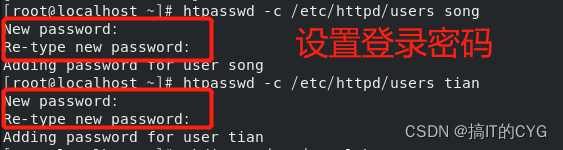
(1)创建用户
- [root@localhost ~]# htpasswd -c /etc/httpd/users song
- New password:
- Re-type new password:
- Adding password for user song
- [root@localhost ~]# htpasswd -c /etc/httpd/users tian
- New password:
- Re-type new password:
- Adding password for user tian
(2)创建目录
- [root@localhost ~]# mkdir -p /www/openlab
- [root@localhost ~]# mkdir -pv /openlab/student
- mkdir: 已创建目录 '/openlab'
- mkdir: 已创建目录 '/openlab/student'
- [root@localhost ~]# mkdir -pv /openlab/data
- mkdir: 已创建目录 '/openlab/data'
- [root@localhost ~]# mkdir -pv /openlab/money
- mkdir: 已创建目录 '/openlab/money'
(3)创建测试文件
- [root@localhost ~]# echo Welcome to openlab > /www/openlab/index.html
- [root@localhost ~]# echo student information > /openlab/student/index.html
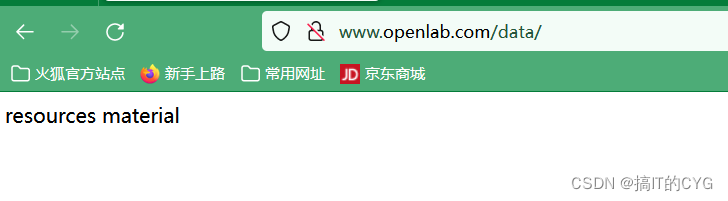
- [root@localhost ~]# echo resources material > /openlab/data/index.html
- [root@localhost ~]# echo payment channel > /openlab/money/index.html
7、更改hosts,添加所需域名
[root@localhost ~]# vim /etc/hosts
8、对Windows下C:\Windows\System32\drivers\etc\hosts域名解析

9、重启服务
- [root@localhost ~]# systemctl restart httpd
- Enter TLS private key passphrase for www.openlab.com:443 (RSA) : ******
输入密钥的密码

10、使用Windows网页测试
(1)测试“www.openlab.com”

(2)测试“www.openlab.com/student”


(3)测试“www.openlab.com/data”
(4)测试“www.openlab.com/money”

-
相关阅读:
python软件安装技巧
Home Assistant:基于Python的智能家居开源系统详解
Golang基础教程
云原生微服务-理论篇
数据分散情况的统计图-盒须图
【问题思考总结】为什么一点的泰勒展开可以在任意点逼近函数?【泰勒公式 泰勒定理的适用范围】
【前段基础入门之】=>CSS3的新增特性!
Linux 中 ss 命令的使用实例
QE01/QA11/QA02屏幕增强
记一次用arthas排查jvm中CPU占用过高问题
- 原文地址:https://blog.csdn.net/CYG2573076485/article/details/127561666
